Motherboard Price in Bangladesh
Motherboard
12
/158
Filter
Filter
Description
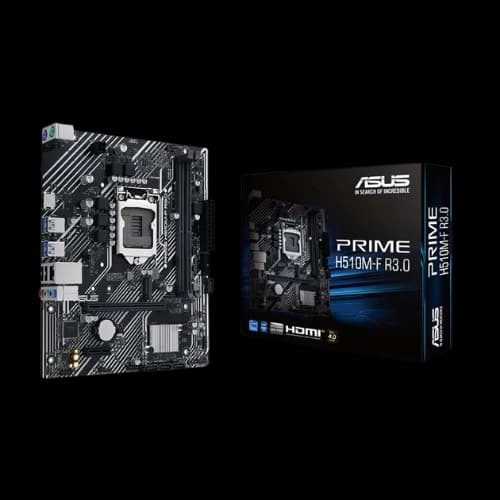
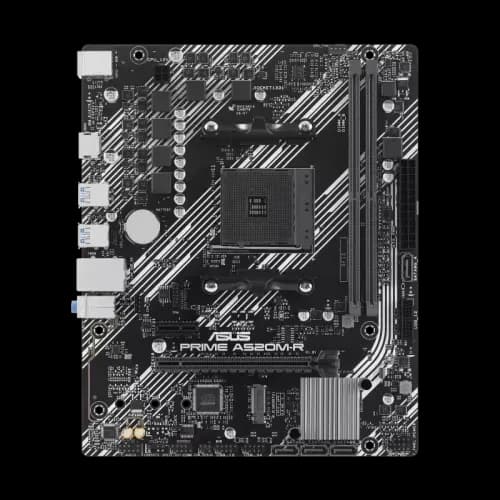
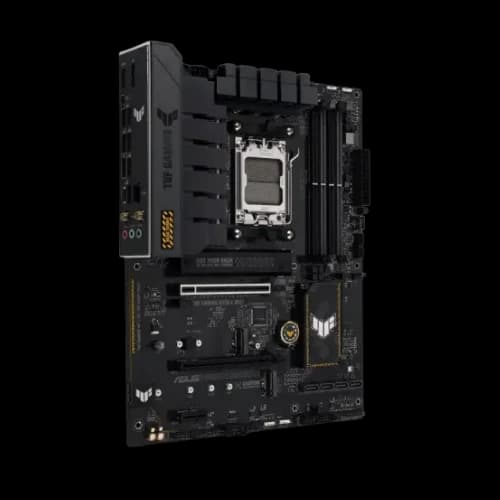
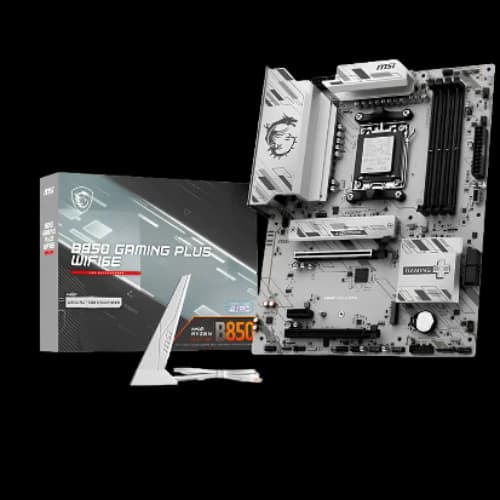
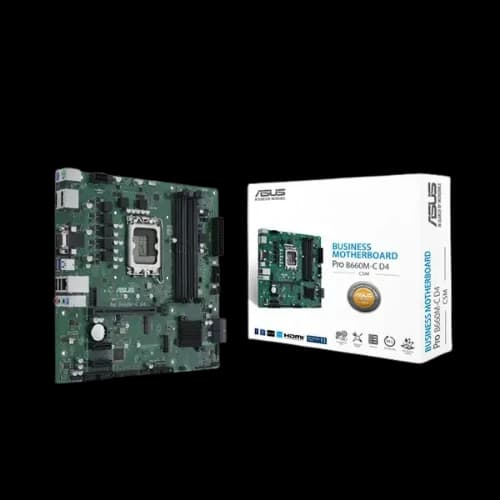
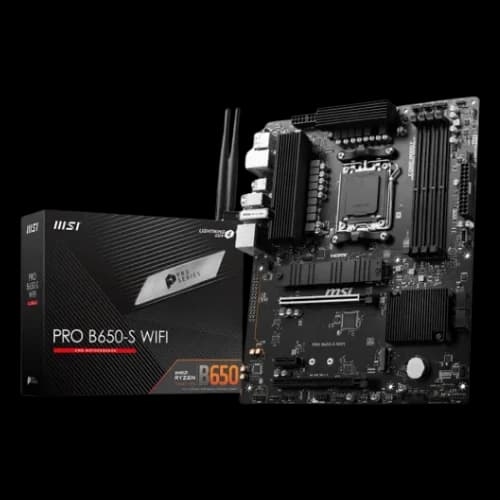
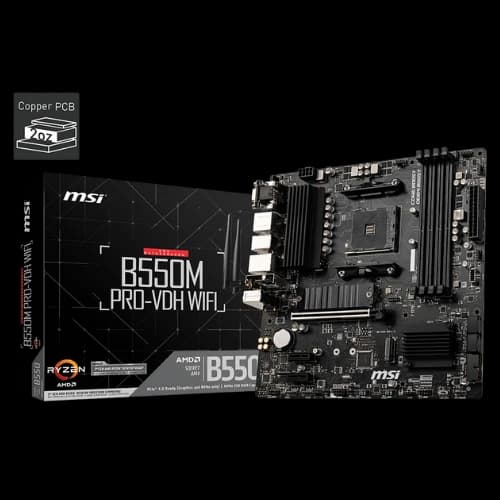
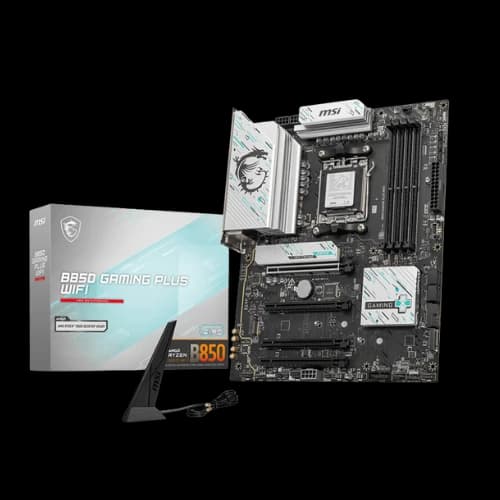
Motherboard does more than hold your components in place. It links the CPU, RAM, GPU, storage, and PSU into a single system, controlling power delivery, data flow, and upgrade potential. The right motherboard improves stability, supports faster components, and prevents compatibility issues, making it one of the most important decisions in any PC build.
Different Types of Motherboards Explained
Standard ATX Motherboard
This is the dominant standard in modern desktop PCs. All ATX-based boards share the same I/O panel location and mounting hole patterns, meaning you can install a smaller board (like Micro-ATX) into a larger case (like a Standard ATX case).
Standard ATX (Advanced Technology eXtended)
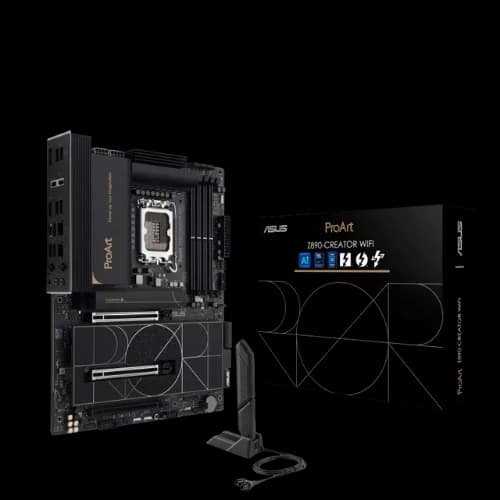
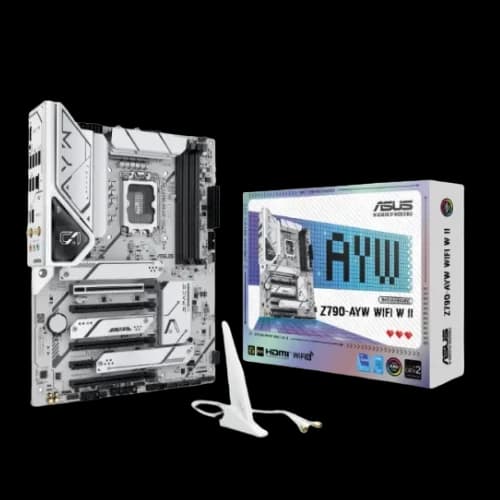
This is the most common form factor for standard desktop PCs. It offers a good balance of size and features, typically including up to seven expansion slots and four RAM slots, making it ideal for gamers and most mainstream users. Usually, its dimensions are 12 × 9.6 inches (305 × 244 mm).
Micro-ATX (mATX)
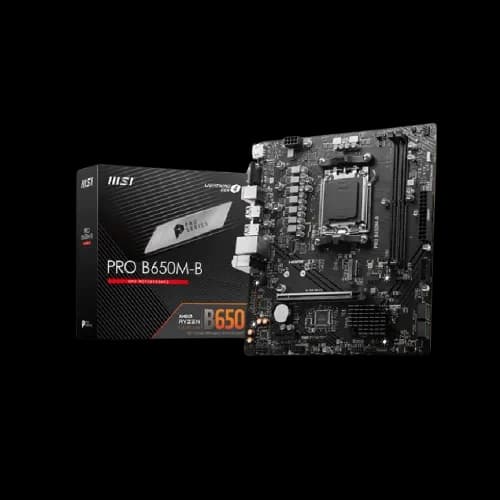
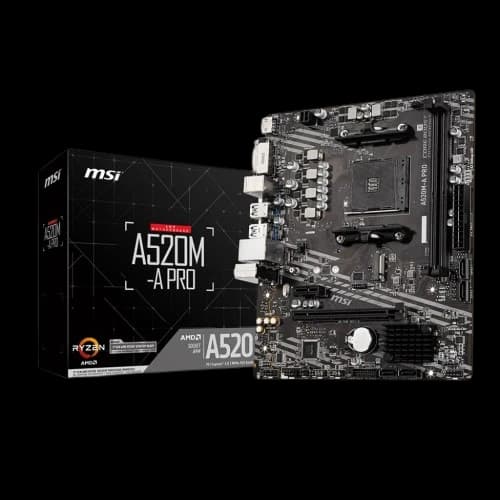
A more compact and often more affordable version of ATX. It's popular for budget-to-mid-range builds and smaller desktop cases. It has fewer expansion slots (a maximum of four) but usually still supports up to four RAM slots. Its standard size is 9.6 × 9.6 inches (244 × 244 mm).
eXtended ATX (E-ATX)
This type of motherboard is built for high-end enthusiast workstations and servers. The extra space allows for more RAM slots (up to 8), additional PCIe slots, dual-CPU support, and more robust power delivery systems for extreme overclocking. It requires a large "Full-Tower" case that specifically supports E-ATX. This motherboard typically measures 12 × 13 inches (305 × 330 mm).
FlexATX
A compact, space-efficient variant of microATX. It's used in small form factor (SFF) PCs where space is the top priority. It keeps the ATX-family I/O shield and mounting pattern, offers up to three expansion slots, and typically measures 9 × 7.5 inches (229 × 191 mm).
Small Form Factor & Niche (ITX Family)
Developed by VIA Technologies, the ITX family is designed for compact, low-power, and small form factor (SFF) systems.
ITX Motherboard (Mini-ITX)
This is the most popular small form factor motherboard size, commonly found in compact “cube” or console-style PCs. It supports one expansion slot (usually for a graphics card) and two RAM slots, offering an excellent balance between power and portability, making it perfect for small gaming setups or media centers. It usually measures 6.7 × 6.7 inches (170 × 170 mm).
Mini STX (mSTX)
This type of motherboard is smaller than Mini-ITX. This form factor is notable for supporting socketed processors (meaning users can change the CPU). With a 5.8 × 5.5 in (147 × 140 mm) footprint, Mini-STX enables sleek, reliable, and cost-efficient small-form-factor builds for OEMs and system integrators who value performance, serviceability, and a clean, cable-friendly design.
Obsolete Form Factors
AT (Advanced Technology) Motherboard
The standard created by IBM and used in the 1980s and early 1990s. It was large, had a different power connector, and its design made it difficult to install new drives or full-length expansion cards. It was officially superseded by ATX in 1995.
LPX (Low Profile eXtension) Motherboard
An older form factor from the late 80s/90s used in slimline desktop cases. Its defining feature was a riser card that allowed expansion cards to be installed parallel (horizontally) to the motherboard instead of perpendicularly, saving vertical space. It was phased out due to poor airflow and the introduction of the AGP port.
BTX (Balanced Technology eXtended) Motherboard
Introduced by Intel in 2004 as a potential successor to ATX, designed for better thermal management and airflow. The entire layout was flipped, placing the CPU and memory at the front of the case to get fresh air from a large case fan.
Despite its thermal advantages, it never gained widespread adoption because the ATX standard was already too deeply entrenched, and the industry did not want to retool for a new design.
Pico BTX motherboard
A very small version of the BTX standard, measuring 8 × 10.5 inches (203 × 267 mm). It was designed for "half-height" or riser card applications but became obsolete along with the entire BTX line.
Most Popular Motherboard Brands in Bangladesh
Most motherboard manufacturers divide their products by platform, so readers usually enter through Intel Motherboard, AMD Motherboard, or a use-case hub like Gaming Motherboard, then narrow down to brand- and platform-specific pages.
ASUS
ASUS is one of the most influential motherboard makers across both platforms, making Asus (Intel) and Asus (AMD) natural category splits. Intel-focused boards are widely chosen for strong power delivery, polished BIOS updates at launch, and reliable high-speed memory support, while AMD boards benefit from long socket lifespans and excellent tuning tools. ROG targets high-end gaming and overclocking, TUF emphasizes durability and value, and Prime focuses on stable mainstream builds, which is why ASUS frequently anchors premium Gaming Motherboard selections.
MSI
MSI organizes its lineup cleanly into MSI (Intel) and MSI (AMD) categories, with clear tiering through MEG, MPG, MAG, and PRO. Intel boards are often picked for higher-wattage CPUs where VRM cooling matters, while AMD boards are especially popular for memory overclocking and balanced gaming systems. MPG and MAG models consistently land in the sweet spot for builders who want gaming features without flagship pricing, making MSI a staple in the Gaming Motherboard space.
ASRock
ASRock has grown from a value brand into an innovation-focused competitor, making ASRock (Intel) and ASRock (AMD) important value-driven categories. Intel boards often include features normally reserved for higher-priced models, while AMD boards are frequently recommended for cost-efficient gaming and upgrade-friendly builds. Taichi competes in the premium segment, while Steel Legend and Phantom Gaming serve mainstream users who want performance without overpaying.
Gigabyte Technology
Gigabyte Technology is best structured into Gigabyte (Intel) and Gigabyte (AMD), with AORUS acting as the brand’s enthusiast and gaming backbone. Intel boards are known for solid VRM cooling and easy BIOS flashing, while AMD boards stand out for generous I/O layouts and storage flexibility. AORUS models, in particular, are common recommendations in Gaming Motherboard comparisons thanks to their balance of performance, durability, and features.
Biostar
Biostar focuses on affordability and essentials, making Biostar (Intel) and Biostar (AMD) useful destinations for budget builds. These boards are typically chosen for entry-level gaming, office PCs, or general-purpose systems where reliability matters more than premium aesthetics. Biostar fits best when readers are comparing the lowest-cost functional options rather than enthusiast-grade boards.
Colorful
Colorful targets gamers with bold designs and competitive pricing, so Colorful (Intel) and Colorful (AMD) work well as separate platform categories. These boards often emphasize reinforced slots, visual flair, and gaming-focused branding rather than workstation features. In regions where Colorful is widely available, it is commonly linked from Gaming Motherboard collections aimed at value-conscious gamers.
NZXT
NZXT keeps its lineup intentionally small, which makes NZXT (Intel) and NZXT (AMD) highly curated categories rather than broad catalogs. NZXT boards are usually chosen for clean aesthetics, simplified BIOS layouts, and tight integration with NZXT cases and cooling. They appeal to builders who value design consistency and ease of use over raw feature density.
Maxsun
Maxsun spans both value and enthusiast segments, making Maxsun (Intel) and Maxsun (AMD) worth separating clearly. Some models target gamers with improved cooling and aggressive styling, while others focus on basic affordability. Category pages help readers quickly identify which Maxsun boards are suited for gaming versus simple, everyday builds.
Afox
Afox sits firmly in the budget-focused space, so Afox (Intel) and Afox (AMD) are best presented as entry-level options. These boards are typically chosen for low-cost gaming systems or general-purpose PCs where minimizing cost is the top priority. They trade premium extras for basic functionality and platform compatibility.
Arktek
Arktek caters to cost-sensitive markets, making Arktek (Intel) and Arktek (AMD) useful categories for basic builds. These boards are usually selected for office systems, home PCs, or light gaming rather than high-end tuning. Arktek fits readers who want a working platform at the lowest possible price.
Unika
Unika emphasizes practicality and affordability, so Unika (Intel) and Unika (AMD) should be framed as functional, no-frills choices. These boards typically offer stable performance and basic connectivity without targeting enthusiasts. They’re relevant for readers building simple systems or sourcing regionally available hardware.
REVENGER
REVENGER is best treated as a strictly budget-oriented brand, with REVENGER (Intel) and REVENGER (AMD) categories aimed at entry-level users. These boards are selected when cost is the primary concern and advanced features are unnecessary. They’re common in starter builds and low-budget gaming setups.
Supermicro
Supermicro operates outside the consumer gaming space, so Supermicro (AMD) should be positioned as workstation and server-focused. These boards prioritize stability, long uptime, and professional features such as ECC memory support. They are not intended for Gaming Motherboard comparisons, but are important for professional and enterprise users.
Different Memory Types of Motherboard
The memory type of a motherboard refers to the specific kind of RAM (Random Access Memory) it is physically and electrically designed to support. This is one of the most important compatibility factors when building a PC.
Here are the main memory types relevant to modern and recent motherboards:
Modern Memory Standards
DDR5 (Double Data Rate 5):
- This is the current and fastest memory standard available for consumer PCs.
- It offers significantly higher speeds (e.g., 4800MT/s up to 8000+MT/s), larger module capacities, and improved power efficiency compared to DDR4.
- DDR5 motherboards are required for the newest CPU platforms, such as AMD's AM5 socket (Ryzen 7000/9000 series) and Intel's LGA 1851 socket (Core Ultra 200 series). Some Intel LGA 1700 boards also support DDR5.
- Physical Slot: Uses a 288-pin slot, but the key notch is in a different location than DDR4 to prevent incorrect installation.
DDR4 (Double Data Rate 4)
- This was the dominant memory standard for many years and is still widely used in 2025, especially in budget-to-mid-range builds.
- It offers an excellent balance of price and performance, with common speeds around 3200MT/s or 3600MT/s.
- DDR4 motherboards are used with platforms like AMD's AM4 socket (Ryzen 3000/5000 series) and Intel's LGA 1700 & 1200 sockets (10th-14th Gen Core processors).
- Physical Slot: Uses a 288-pin slot.
Form Factors (Physical Shape)
DIMM (Dual In-line Memory Module):
- This is the standard, full-sized RAM module used in desktop PCs and servers.
- Desktop motherboards (like ATX, Micro-ATX, and Mini-ITX) almost exclusively use DIMM slots.
SO-DIMM (Small Outline Dual In-line Memory Module):
This is a much smaller, more compact module designed for systems with limited space.
SO-DIMM slots are primarily found on laptops, Mini-PCs (like the Intel NUC), and some rare, ultra-compact Mini-ITX motherboards.
DDR3 (Double Data Rate 3):
- It is slower, runs on higher voltage, and is not compatible with any modern CPU or motherboard.
- You will only find motherboards supporting DDR3 on the used market or as new-old-stock for very old, budget systems.
- Physical Slot: Uses a 240-pin slot.
Special Features
Memory Channels (e.g., Dual-Channel):
- Most modern motherboards use a dual-channel memory architecture.
- This feature allows the CPU to access two RAM modules simultaneously, effectively doubling the data bandwidth and improving performance.
- To use this, you must install RAM in matching pairs (e.g., two 16GB sticks) in the specific slots designated by the motherboard manual (usually slots 2 and 4).
ECC (Error-Correcting Code) Memory:
- This is a special type of RAM that can detect and correct data corruption on the fly.
- ECC memory is crucial for servers and professional workstations where data integrity is paramount.
- Most consumer-grade motherboards and CPUs (like Intel Core i-series or AMD Ryzen) do not support ECC memory.
How To Choose The Best Motherboard for Your PC Build
The motherboard is the backbone of your PC. It connects every single component, from the CPU and RAM to your graphics card and storage. Choosing the right one is the most critical decision for ensuring system stability, compatibility, and future upgrade options. In a market like Bangladesh, where prices can range from BDT 4,000 to over BDT 400,000, understanding the key features is essential.
Form Factor
The form factor dictates the motherboard's physical size, which in turn determines the size of the PC case you'll need.
- ATX: The most common and popular standard (12 x 9.6 inches). It offers the most expansion slots (up to 7) and features, making it the best choice for a standard full-tower or mid-tower build.
- Micro-ATX (mATX): A shorter, more compact board (9.6 x 9.6 inches). It's a great "sweet spot," balancing a smaller size with a good number of features, typically with up to four expansion slots and four RAM slots. It fits in both mATX and larger ATX cases.
- Mini-ITX: The smallest common form factor (6.7 x 6.7 inches). It's designed for small-form-factor (SFF) builds. You are usually limited to just one PCI Express slot (for your graphics card) and two RAM slots.
- eXtended ATX (E-ATX): Larger than a standard ATX board, this form factor is for high-end enthusiast and server builds. The extra space is used for more robust power delivery, dual-CPU sockets, or more RAM slots. It requires a large full-tower case that specifically supports E-ATX.
CPU Socket
The CPU socket is the physical connector where the processor is installed. This is the most important compatibility check. A motherboard's socket must match the CPU you plan to buy.
- Intel Sockets: Common modern sockets include LGA 1700 (for 12th, 13th, and 14th Gen Core processors) and the newer LGA 1851.
- AMD Sockets: The most common sockets are AM4 (for the popular Ryzen 3000/5000 series processors) and the newer AM5 (for Ryzen 7000/9000 series processors).
Note: You cannot install an AMD CPU on an Intel motherboard or vice versa.
RAM Slots
These slots determine the type and amount of memory (RAM) your PC can use.
- Generation (DDR4 vs. DDR5): Motherboards are built for a specific RAM generation. DDR4 and DDR5 are not interchangeable a DDR4 RAM stick will not physically fit in a DDR5 slot. You must buy RAM that matches your motherboard's type (e.g., DDR5 for an AM5 board).
- Number of Slots: Most ATX and Micro-ATX motherboards have four RAM slots, while Mini-ITX boards are limited to two. Four slots give you a better upgrade path (e.g., starting with 2x8GB and adding two more later).
SATA/M.2 Ports
These ports are for your storage drives (SSDs and HDDs).
- SATA Ports: These are the standard connectors for 2.5-inch SSDs and 3.5-inch hard drives. Most boards come with 4 to 6 SATA ports, which is more than enough for the average user.
- M.2 Slots: This is the modern, high-speed connector for NVMe SSDs, which look like small sticks of RAM and plug directly into the motherboard. These are significantly faster than SATA.
Recommendation: Look for a motherboard with at least two M.2 slots. This allows you to use one for your operating system and a second for your most-played games or applications.
Note: On some motherboards, using an M.2 slot may disable one or two SATA ports. Always check the motherboard manual.
PCI Express Slots
These are the expansion slots on the motherboard used for graphics cards, sound cards, and Wi-Fi cards.
PCIe x16: This is the long slot located closest to the CPU. It is exclusively for your Graphics Card (GPU) and provides the highest bandwidth. Modern gaming boards use PCIe 4.0 or PCIe 5.0, which offer faster data transfer speeds.
PCIe x1 / x4: These are shorter slots used for additional components like sound cards, capture cards, or network adapters.
Cooling and Quality/Durability
The quality of a motherboard's cooling and power components is what separates a cheap board from a reliable, high-performance one.
- VRMs (Voltage Regulator Modules): These components deliver clean, stable power to the CPU. A motherboard with a higher number of "power phases" and better quality VRMs will deliver more stable power, which is essential for high-end CPUs and overclocking.
- Heatsinks: Quality motherboards have large, metal heatsinks over the VRMs (around the CPU) and the Chipset to dissipate heat. This prevents throttling and ensures long-term component health. Many gaming boards also include heatsinks for M.2 slots to prevent high-speed SSDs from overheating.
Excellent Overclocking Abilities
Overclocking is the process of pushing your CPU to run at speeds higher than its factory settings. To do this, you need a motherboard with specific features:
- Unlocked Chipset: You must have an Intel "Z-series" (e.g., Z790) motherboard to overclock an Intel "K-series" CPU. For AMD, most "B" and "X" series chipsets (e.g., B650, X670E) support overclocking.
- Robust VRMs and Heatsinks: As mentioned above, overclocking generates more heat and requires more power. A board with a high-quality VRM and large heatsinks is non-negotiable for stable overclocking.
- Advanced BIOS/UEFI: A good gaming motherboard will have a user-friendly BIOS (the motherboard's built-in software) that provides easy-to-use tools for adjusting clock speeds and voltages.
Extra Peripherals
These built-in features add value and convenience, saving you from buying extra expansion cards.
- Onboard Wi-Fi and Bluetooth: A motherboard with Wi-Fi 6E or Wi-Fi 7 built in is extremely convenient and provides fast, reliable wireless connectivity for gaming and peripherals without needing extra adapters.
- High-Speed USB Ports: Check the rear I/O panel. Look for a good number of USB 3.0 (or higher) ports for fast data transfer. A USB Type-C port is also essential for modern devices.
- High-Definition Audio: Premium motherboards use better onboard audio codecs and high-quality capacitors to deliver cleaner, more immersive sound, which can be a noticeable upgrade over basic audio.
- RGB Headers: If you want customizable lighting, look for 4-pin (RGB) or 3-pin (Addressable RGB) headers on the board to connect and control your case fans and LED strips.
How to Choose the Right Motherboard
Choosing a motherboard is the most important decision you'll make when building a PC. It's the backbone that connects every component, from your CPU and RAM to your graphics card and storage. In
Form Factor (The Physical Size)
The form factor determines the motherboard's dimensions and the size of the PC case you'll need.
- ATX: The most common standard (12 x 9.6 inches) motherboard offers the most features, RAM slots, and expansion slots; ideal for most gaming and professional builds in mid- or full-tower cases.
- Micro-ATX (mATX): A shorter, more compact board (9.6 x 9.6 inches). This is considerably the most popular motherboard type for many builders in Bangladesh, offering a great balance of features (often 4 RAM slots, 4 expansion slots) and price, fitting in smaller, more affordable cases.
- Mini-ITX: Ultra-compact for small-form-factor (SFF) builds. Typically, two DIMM slots and a single PCIe x16 slot (GPU), with careful layout for thermals. Perfect for clean, portable rigs—just plan cooling and cable management carefully and prioritize high-capacity NVMe storage.
- E-ATX (Extended ATX): Larger than standard ATX for high-end enthusiasts and workstations. Requires a full-tower chassis and is justified when you need heavy expansion, multi-GPU/capture, or server-grade layouts.
CPU Socket (The First Compatibility Check)
The CPU socket is the physical mount for your processor. This is not negotiable. The motherboard's socket must match the CPU you are buying.
Intel Sockets:
- LGA 1700: For 12th, 13th, and 14th Gen Intel Core processors.
- LGA 1851: The newest socket for Intel Core Ultra processors (Series 2).
AMD Sockets:
- AM4: For the widely popular Ryzen 3000, 4000, and 5000 series processors. These boards offer fantastic value.
- AM5: The current platform for Ryzen 7000, 8000, and 9000 series processors, supporting DDR5 and PCIe 5.0.
RAM Slots (Memory Support)
This determines the type and amount of RAM your PC can use.
- DDR4: Paired with Intel LGA 1700/1200 and AMD AM4 boards. It's more affordable and still excellent for most gaming builds.
- DDR5: Required for AMD AM5 and new Intel LGA 1851 boards. It offers much higher speeds, which is beneficial for high-end gaming and productivity.
- Number of Slots: Most ATX and Micro-ATX boards come with four RAM slots, which is highly recommended for future upgrades (e.g., start with 2x8GB, add 2x8GB later). Mini-ITX boards are limited to two.
Storage Ports (SATA/M.2)
These are for your hard drives and SSDs.
- SATA Ports: Used for 2.5-inch SSDs and 3.5-inch HDDs. Most boards come with 4-6, which is ample for bulk storage.
- M.2 Slots: This is essential for modern PCs. M.2 NVMe SSDs plug directly into the motherboard and are dramatically faster than SATA SSDs.
Recommendation: For any build, look for a motherboard with at least two M.2 slots. For high-end builds, look for boards offering PCIe 4.0 or PCIe 5.0 M.2 slots for the fastest possible storage speeds.
PCI Express (PCIe) Slots
These are the expansion slots for graphics cards and other add-in cards.
- PCIe x16 (primary GPU slot): The long slot closest to the CPU socket is typically the primary PCIe x16. This is where your graphics card (GPU) goes.
Note: some boards wire additional long slots at x8/x4 electrically—check the manual if you plan multi-card setups.
- PCIe generations(3.0 / 4.0 / 5.0): Modern gaming boards offer PCIe 4.0 or 5.0 on the primary x16 slot. While PCIe 5.0 is newer and more future-proof, PCIe 4.0 x16 is more than fast enough for current GPUs. (PCIe 3.0 still works, with only small performance differences in most games.)
- PCIe x1 (short slots): Short PCIe slots are for Wi-Fi cards (if not built in), sound cards, capture cards, extra USB or storage controllers, and other add-ins.
Cooling and Quality (VRMs & Heatsinks)
This is what separates a cheap motherboard from a great one.
- VRMs (Voltage Regulator Modules): These are the components surrounding the CPU socket that deliver clean, stable power to the processor.
- Heatsinks: A quality motherboard will have large, metal heatsinks covering the VRMs.
- Why it matters: Good VRMs with robust heatsinks are crucial for performance and durability, especially in Bangladesh's warm climate. They prevent the CPU from overheating and throttling (slowing down) during intense gaming or rendering sessions.
Excellent Overclocking Abilities
If you want to push your CPU beyond its stock speeds, you need a motherboard built for it. This requires:
- A "Z" or "X" Chipset: For Intel, you need a Z-series motherboard (e.g., Z790, Z890). For AMD, you need a B-series or X-series (e.g., B650, X670E).
- Strong VRMs and Cooling: Overclocking generates significant heat and demands more power. A board with high-quality power phases and large VRM heatsinks is essential for stability.
Extra Peripherals
These built-in features add value and convenience, saving you from buying extra parts.
- Built-in Wi-Fi: Many modern motherboards (often with "WIFI" or "AX" in the name) come with Wi-Fi 6, 6E, or 7. This is incredibly convenient and a must-have for many users.
- Upgraded LAN: While a 1 Gb LAN is standard, many gaming boards now include a 2.5G LAN for faster, more reliable wired internet, which is great for low-latency gaming.
- High-Definition Audio: Premium boards use better audio codecs (like the Realtek ALC1220 or ALC4080) and dedicated audio capacitors, providing cleaner, more immersive sound for gaming and media.
- USB Ports: Check the rear I/O. Look for a generous number of high-speed ports, especially USB 3.2 Gen 2 (10Gbps) or USB4. A USB Type-C port is also essential for modern devices.
BIOS/UEFI and Ease-of-Use Features
The BIOS (or modern UEFI) is the motherboard's built-in software. A good one makes your life easier, especially during and after the build.
- User-Friendly Interface: Look for brands (like ASUS, MSI, and Gigabyte) known for clean, easy-to-navigate UEFI interfaces. This is crucial for tasks like enabling XMP/EXPO (to get your RAM's full speed) or changing the boot order.
- BIOS Flashback: This is a premium feature that allows you to update the motherboard's BIOS using only a USB stick and the power supply. You don't even need a compatible CPU installed. This is a lifesaver if you buy a new CPU that was released after the motherboard was manufactured.
- Debug Features: On high-end boards, look for a Q-Code (or Dr. Debug) LED, which shows a two-digit code to tell you exactly what's wrong if your PC fails to boot. On mid-range boards, look for Debug LEDs (often 4 small lights labeled CPU, DRAM, VGA, BOOT) which light up to show which component is causing the problem.
Onboard Audio Quality
The audio codec, a small chip on the motherboard, determines the quality of sound from the rear audio jacks.
- Entry-Level (ALC897): This is a very common codec on budget-friendly boards. It's perfectly fine for basic use, but audiophiles or competitive gamers might notice some noise.
- Mid-to-High End (ALC1220/ALC4080): Premium and gaming motherboards use higher-end codecs like the Realtek ALC1220 or ALC4080/ALC4082. These provide a cleaner, richer sound with a better signal-to-noise ratio.
- Shielding & Amps: Look for features like "audio noise guards," "premium audio capacitors," or "headphone amplifiers." These indicate the manufacturer has physically shielded the audio components on the PCB to reduce electrical interference (static/hissing) from other parts like the GPU.
Networking (LAN and Wi-Fi)
Connection to the internet is often as fast as the motherboard's port.
- 1Gb LAN (Gigabit Ethernet): This has been the standard for years and is fine for most home internet plans in Bangladesh.
- 2.5Gb LAN: This is the new standard on most mid-range and high-end motherboards. It provides 2.5 times the speed of 1Gb LAN, making it more future-proof and excellent for transferring large files on a fast local network (like to a NAS) or for high-speed internet plans.
- Onboard Wi-Fi: If you can't use a cable, a motherboard with built-in Wi-Fi (like Wi-Fi 6E or Wi-Fi 7) is much more convenient and often more reliable than using a separate USB dongle.
Internal Headers (Connectivity)
These are the pins on the motherboard, the correct case, and accessories too.
Fan Headers: Check for the number and location of fan headers. A good ATX board should have at least 3-4 (in addition to the CPU FAN header) to control your case fans properly.
Front Panel USB Headers: Does your PC case have a modern USB Type-C port on the front? If so, you must get a motherboard with an internal USB 3.2 Gen 2 Type-C header to make that port work.
RGB/ARGB Headers: If you want customizable RGB lighting, you need the correct headers.
- 4-pin (12V) RGB: For basic, single-color-at-a-time lighting.
- 3-pin (5V) ARGB: For "Addressable" RGB, where you can control each LED individually
Build Quality (PCB Layers)
The physical circuit board itself is a sign of quality. High-end motherboards are often advertised as having more PCB layers (e.g., 6, 8, or 12 layers). More layers allow for better electrical signaling, improved power delivery, and better thermal management, all of which contribute to a more stable and durable system.
Why Choose Motherboards From PCB Store?
PCB Store may be your ultimate choice for buying or building your dream PC or PC parts. Why PCB Store would be the best and ultimate destination for your PC build:
- Official Warranty and Authenticity: PCB Store provides an official warranty on every product, operating under the established guidelines of the Bangladesh Computer Samity (BCS).
- Authorized Seller Status: PCB Store is authorized seller of many rewound bands like Asus, MSI, Gigabyte, and many more. That ensures the guarantee that the product is genuine, brand new, and not counterfeit, refurbished, or used.
- After-Sales Service: PCB Store offers extensive after-sales service to its consumers throughout the product life span and under warranty.
- Knowledgeable Staff: PCB Store has expert staff who can give you proper advice on component compatibility and help you choose the best parts for your budget, not just sell you the most expensive ones.
- Service Center Accessibility: PCB Store has an expert service center that is allocated to the brand's service center.
- Product Range and Availability: PCB Store has a wide selection of products from various brands, allowing you to compare and build a complete system efficiently.
- Competitive Price Range: PCB Store offers a competitive price range for each product.
- In-Store Checks: PCB Store alwaysperforms ‘In-Store’ checks for every purchase for every component.
- The Return Policy: PCB Store has a customer-friendly return policy for each component and purchase.