Ninja Graphics Card Price in Bangladesh
Ninja Graphics Card
1
/1
Filter
Filter
Description
Best Performance of Ninja Graphics Card Price in Bangladesh
Are you searching for the real Ninja Graphics Card price in Bangladesh? Want a powerful budget GPU without wasting money? You are in the right place. At PCB Store, we offer genuine Ninja GPUs with a warranty and expert support. This page helps you pick the right model for gaming, editing, or PC building component upgrades.
We work with serious PC gamers and custom builders. We test hardware. We build systems. We know the local market. That is why this guide is direct, technical, and practical.
Why Ninja GPU is a Smart Choice for Your PC
You might know big brands. But Ninja is different. They focus on what Bangladeshi users need. We need cards that handle heat and dust well. Ninja designs with that in mind.
Their coolers work well in our weather. You get stable performance. No sudden shutdowns during long work hours. That matters.
Another big plus is the price. You get more VRAM for less money. VRAM helps with games and editing. A budget-friendly GPU from Ninja often beats others in value. We see it every day at our shop.
They also offer good warranty support. If something goes wrong, we help you fix it fast. Peace of mind is important when you build your PC.
Ninja Graphics Card Models in Bangladesh
We stock several Ninja models. Each serves a different purpose. Let us break them down simply.
Ninja GeForce GTX 750 8GB
This is our best GPU. Why? Because of the 8GB memory. At this price, that is rare. You can run many programs at once.
It works well for Photoshop and Illustrator. Video editing in Premiere Pro runs fine. For light gaming, it handles CS: GO and Valorant easily.
The card uses GDDR5 memory. It connects via PCIe. You need a 400W power supply minimum. We always check this for customers.
It has HDMI and DVI ports. You can connect two monitors. Great for multitasking.
Ninja GeForce GTX 1050 Ti
Many people ask for this model. It is a step up from the 750. It plays more games at medium settings. Think GTA V or Fortnite.
It consumes less power. Only 75 watts. So you might not need extra power cables. That makes installation simple.
The cooler is quiet. Even under load, you barely hear it. Good for office or study spaces.
Ninja GeForce RTX 3050
For newer games, consider this. It has ray tracing support. That means better lighting and shadows in games.
It comes with 8GB GDDR6 memory. Faster than the older types. Handles 1080p gaming very well. You can play most new titles at high settings.
It needs a 500W power supply. And it has DisplayPort outputs. Good for high refresh rate monitors.
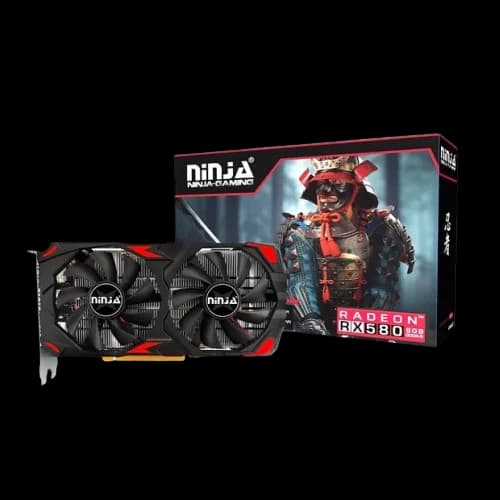
Ninja Radeon RX 580
This is another popular option. It has 8GB of memory too. Great for gaming and mining, though mining is less common now.
It performs well in DirectX 12 games. The frame rates are smooth. It runs a bit warmer. So, good case airflow is important.
Ninja Graphics Card Features & Specifications
When buying a GPU, specs matter. Ninja cards are designed to meet the demands of gamers and creators.
GPU Architecture & Performance
- Optimized for gaming engines and editing software.
- Stable frame rates in competitive titles.
- Reliable rendering for 3D design and video projects.
VRAM Capacity & Speed
- Options from 4GB to 8GB VRAM.
- Faster memory speeds for smoother multitasking.
- Ideal for budget Graphics card buyers who still want strong performance.
Cooling System & Build Quality
- Dual-fan cooling for heat management.
- Durable build with reinforced PCB design.
- Adjustable GPU stand compatibility for custom PC setups.
Compare Ninja Graphics Card with Other Brands
Choosing a GPU often means comparing options. Ninja stands out for its balance of price and performance.
Ninja vs. MSI
- Ninja offers better value for budget PC builds.
- MSI GPU focuses on premium gaming cards.
Ninja vs. Gigabyte
- Ninja provides affordable mid-range options.
- Gigabyte emphasizes high-end gaming GPUs.
Ninja vs. ASUS
- Ninja is ideal for entry-level and mid-range buyers.
- ASUS GPU caters to enthusiasts with advanced cooling systems.
This makes Ninja a strong choice for buyers who want performance without overspending.
Why Choose PCB Store for Your Ninja Graphics Cards?
At PCB Store, we don’t just sell GPUs—we guide buyers through the process.
- Authenticity: All Ninja GPUs are genuine and come with a warranty.
- Local Support: Service centers in Bangladesh for repairs and replacements.
- Expert Guidance: Our team helps you choose the right GPU for your build.