Optical Drive Price in Bangladesh
Optical Drive
6
/6
Filter
Filter
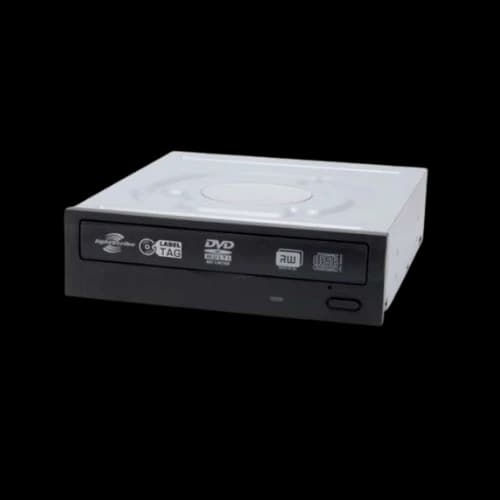
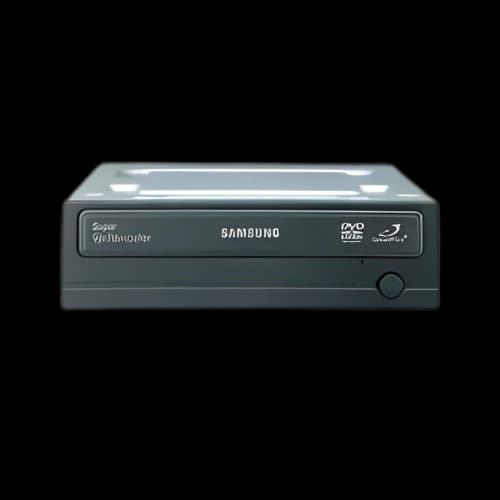
Samsung SH-224FB DVD Writer Internal Optical Drive
Optical Drive
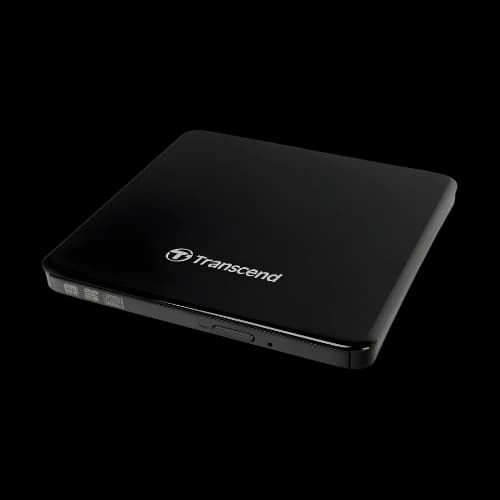
Transcend TS8XDVDS-K Slim External Black DVD Writer
Optical Drive
Description
An Optical Disc Drive (ODD) is a storage device that reads (and in many models, writes) data using a laser and an optical pickup to access discs such as CD, DVD, and Blu-ray. Even though most modern PCs use USB drives and cloud storage, ODDs are still useful for installing older software, playing movies, creating archival discs, and reading data from legacy media. Optical drives are mainly categorised by where and how they connect: internal (installed inside a desktop case) and external (portable and connected by USB).
Different Types of Optical Disk Drives (ODD)
Internal Optical Disk Drive
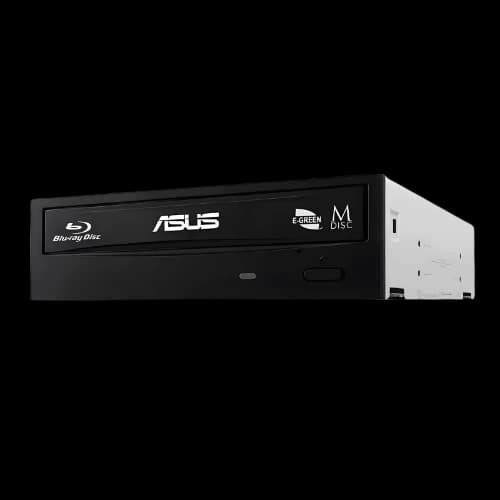
An internal optical disc drive is mounted inside a desktop PC case, typically in a 5.25-inch bay, and connects directly to the motherboard using SATA data and to the power supply using SATA power. Because it is integrated into the system, it usually provides a stable connection and does not rely on external cables for power. Most internal drives support formats like CD-R/RW and DVD±R/RW, while Blu-ray support depends on the specific model (Blu-ray drives are often labelled BD-ROM for read-only or BD-R/RE for read/write).
Internal drives often list read/write speeds such as “24x DVD” or “52x CD”, where “x” represents a multiple of a base speed standard, not a direct MB/s number. This type is best when you want a permanent optical solution for a desktop, such as regularly installing disc-based software, reading older discs, or burning DVDs for data or media delivery.
The main limitation is compatibility with modern PC cases; many newer cases no longer include 5.25-inch bays, and laptops cannot use internal desktop drives.
External Optical Disk Drive
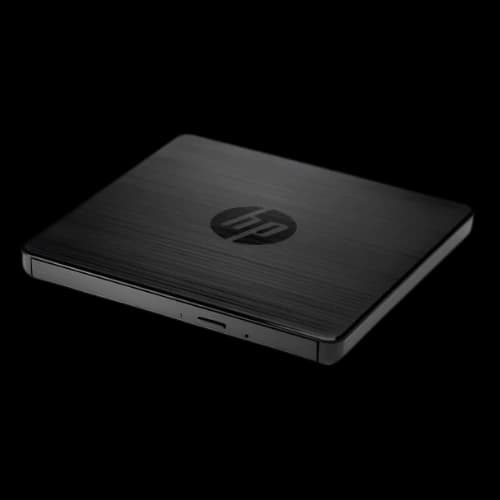
An external optical disc drive is a portable optical drive housed in its own enclosure, designed to connect via USB (commonly USB-A or USB-C). Most external drives are plug-and-play and draw power from the USB port. Some older or higher-power models use a dual-USB “Y cable” or an additional adapter to ensure enough power for stable disc spinning and laser operation. External drives are especially popular for laptops, mini PCs, and modern desktops that lack an internal drive bay. Like internal drives, external models may support CD/DVD only or include Blu-ray capability, depending on the model. The key technical considerations are USB compatibility, stable power delivery, and supported disc formats (DVD vs Blu-ray). The advantage is flexibility; users can use the same drive across multiple devices, while the trade-offs include slightly more cable management, reliance on USB power quality, and typically slower real-world performance when the system USB port or power is weaker.
Uses of an Optical Disk Drive (ODD)
An Optical Disc Drive (ODD) is still useful because it can read and write CDs, DVDs, and sometimes Blu-ray discs using a laser-based optical pickup. While many people rely on USB drives and cloud storage today, optical media remains relevant for legacy software, offline distribution, and long-term archiving. Below are the most common and practical uses of an optical disc drive, explained in a semi-formal and technical way.
Installing Software and Drivers from Discs
Many older applications, enterprise tools, and device drivers are distributed on CDs or DVDs. An ODD allows you to install these programs directly without needing to find online installers. This is especially useful for older printers, scanners, and specialised equipment that still ship with driver discs.
Playing Movies and Media Content
Optical drives can play DVD movies and, if Blu-ray capable, Blu-ray discs as well. This is useful for users who own physical media collections or need reliable playback without streaming. Blu-ray offers higher video bitrate and better quality than DVD, but it requires a Blu-ray drive and compatible playback software.
Burning/Creating Discs (Data and Media)
Many ODDs are writers, meaning they can record data onto blank discs such as CD-R, DVD-R/DVD+R, and BD-R (Blu-ray recordable). This is used to create:
- Data discs for transferring files or delivering documents/projects
- Audio CDs for compatibility with older car stereos or CD players
- Video DVDs for sharing video content in a widely supported format
A key technical concept here is the write speed rating (for example, 24x DVD), which indicates how quickly the drive can burn under ideal conditions.
Backup and Offline Archiving
Optical discs can serve as offline backups, useful when you want data stored separately from your PC and not exposed to malware, accidental deletion, or cloud account issues. Discs are not the fastest option, but they are convenient for storing finished data like documents, photos, and final project exports. For serious archival use, higher-quality discs and careful storage conditions matter.
Accessing Legacy Data
Many people still have old photo collections, university files, office archives, or software backups saved on CDs/DVDs. An ODD helps you retrieve that data and move it to modern storage like SSD/HDD or cloud drives. This is particularly important as newer laptops and desktops no longer include built-in optical drives.
OS Installation and System Recovery
Some systems support installing an operating system (or running recovery tools) directly from a DVD. While USB installation is more common now, optical drives are still useful for older PCs that cannot boot reliably from USB or for environments where disc-based installation media is standard.
Secure Distribution and Controlled Sharing
Optical media is sometimes used for controlled sharing where internet transfer is unreliable or restricted. For example, organisations may distribute large files, training materials, or system images via disc when consistent internet access is not guaranteed.
Disc-Based Diagnostics and Utilities
Certain diagnostic tools, firmware utilities, and older security suites were distributed on bootable optical media. An optical drive can still be useful for running these tools, especially on older hardware platforms.
Best Optical Drive Brands for Quality and Durability
Optical drives aren’t all the same—compatibility, burn accuracy, error correction, and (for externals) USB power stability can vary a lot. You’ll mostly see internal SATA drives for desktops and external USB drives for laptops/modern PCs, and most models focus on CD/DVD (Blu-ray only if the model is BD).
For popular, easy-to-find picks: HP is common for simple plug-and-play external DVD writers, ASUS offers both internal and external options with solid build quality, and Lite-On is often preferred for consistent read/write performance in internal drives. If you want alternatives, Samsung is still trusted (but check availability and warranty), Transcend is a dependable portable choice for everyday disc use, and Orico is great for compact USB-A/USB-C externals—just use a strong USB port for stable operation.
Optical Drive Buying Guide for PC Users
An Optical Disc Drive (ODD) is still a useful tool for reading or writing CDs, DVDs, and sometimes Blu-ray discs. The best optical drive for you depends less on brand name and more on disc format support, connection type, power stability, and whether you need writing (burning) or only reading. Because optical drives use moving parts (spindle motor, tray mechanism, laser pickup), the right choice also depends on build quality and warranty.
Identify Your Use-Case First
Before specs, decide what you actually need:
- Reading only: installing software from discs, viewing old data, and playing DVD movies.
- Writing (burning): creating backup discs, distributing files, making audio CDs, and burning video DVDs.
- Blu-ray needs: watching Blu-ray movies or storing large data on BD discs (requires BD drive).
- Occasional vs frequent use: frequent burning benefits from a sturdier drive and good disc support.
Disc Format Compatibility
Optical drives support specific formats. Confirm these carefully.
Common drive categories
- DVD Writer (DVD±RW): Reads/writes CD and DVD formats. Ideal for most basic users.
- Blu-ray Reader (BD-ROM): Reads Blu-ray, DVD, and CD, but usually does not write Blu-ray.
- Blu-ray Writer (BD-R/RE): Reads and writes Blu-ray discs (BD-R, BD-RE), plus DVD/CD.
Understand disc types
- R (Recordable): write once (CD-R, DVD-R, BD-R).
- RW/RE (Rewritable): write and erase multiple times (DVD-RW, BD-RE).
- Dual Layer (DL): higher capacity DVDs (DVD+R DL / DVD-R DL); check support if needed.
Internal vs External (Form and Connection)
Choose based on your device and convenience needs.
Internal Optical Drive (SATA)
- Installs inside a desktop case (requires a 5.25" bay).
- Connects via SATA data to the motherboard and SATA power from the PSU.
- Usually more stable for frequent use and long burning sessions.
- Best for: desktop users, regular disc burning, more permanent setup.
External Optical Drive (USB)
- Portable enclosure; connects by USB-A or USB-C.
- Plug-and-play for laptops, mini PCs, and modern desktops.
- Performance and reliability depend on USB power stability.
- Best for: laptop users, portability, occasional disc use.
USB Power and Stability
External drives need enough power for:
- spinning the disc at speed, and
- running the laser pickup and controller.
A weak USB port may cause:
- the disc to fail to spin correctly,
- read errors
- random disconnects during burning.
Build Quality and Disc Handling
Because optical drives are mechanical devices, build quality affects long-term usability.
Key points:
- Tray mechanism: should open/close smoothly.
- Laser pickup stability: affects reading scratched/older discs.
- Error correction behaviour: better drives handle imperfect discs more reliably.
- Noise and vibration: Cheaper drives can be louder and less stable at high spin speeds.
Why Choose PCB Store For Your Optical Drive?
PCB Store can be an excellent one-stop destination for purchasing optical discs and other PC components, offering official warranty and authenticity under Bangladesh Computer Samity (BCS) guidelines for peace of mind. Customers benefit from reliable after-sales service, access to a dedicated service centre, and knowledgeable staff who focus on proper component compatibility and budget-friendly recommendations rather than upselling.
In addition, PCB Store maintains a wide product range, competitive pricing, mandatory in-store checks on every purchase, and a customer-friendly return policy. Together, these make PCB Store a practical and trustworthy choice for building or upgrading a PC with confidence.