Acer Power Supply Price in Bangladesh
Acer Power Supply
5
/5
Filter
Filter
Description
Buy Acer Power Supply Online at Best Price in Bangladesh
Are you planning a new build and checking the Acer Power Supply Price in Bangladesh? Want safe power for your GPU and CPU? You are in the right place. Here, we explain models, features, wattage, and buying tips. Our goal is simple. Help you buy the right Acer PSU from PCB Store in Bangladesh.
Power supply is the heart of your Desktop Component setup. A bad PSU can damage parts. A good PSU protects your system. We guide you with real experience. We build PCs every day. We test units ourselves.
At PCB Store, we focus on authentic products. We support gamers, creators, and office users. We help you Build Your Own Computer with confidence.
Acer Power Supply Models Available in Bangladesh
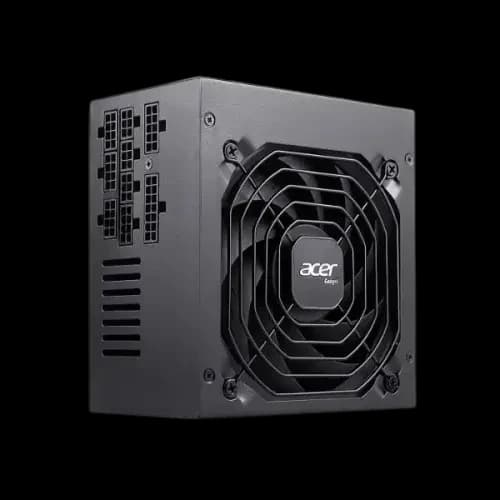
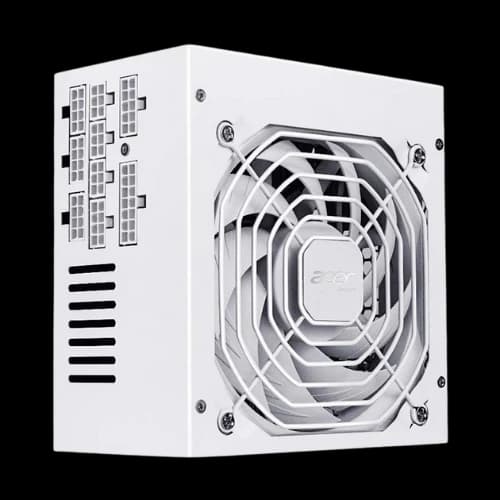
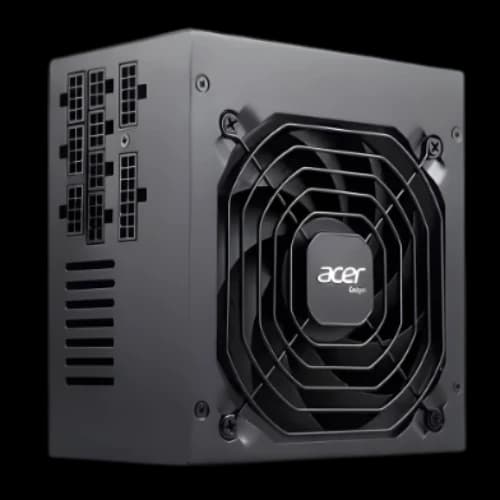
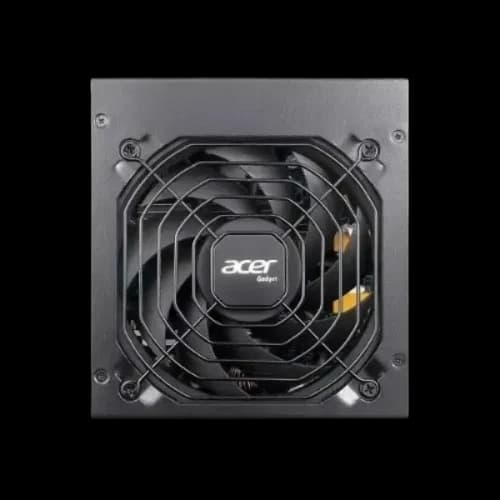
We carry all major Acer PSU models at PCB Store. Each one is a full modular design. Each one holds an 80 Plus certification. Check the latest power supply price in bd before buying.
Acer AC-550 550W 80 Plus Bronze Full Modular PSU
The AC-550 is our most popular entry-level option. It delivers 550 watts of continuous, steady power. This wattage suits most mid-range gaming builds perfectly. It carries 80 Plus Bronze certification, meaning up to 85% energy efficiency at 50% load. The full modular design means you connect only the cables you need. Less cable clutter. Better airflow inside your case. This model is ideal for users running an RX 6600 or RTX 3060 GPU. Backed by a 5-year warranty, it is a smart first PSU for any custom PC builder.
Acer AC-650 650W 80 Plus Bronze Full Modular PSU
Need a little more headroom? The AC-650 gives you 650 watts of clean power. This model handles mid-to-high-end GPU setups without breaking a sweat. It is a great pick for builders, pairing an RTX 3070 or RX 6700 XT with a modern CPU. The 80 Plus Bronze rating keeps electricity bills low. The full modular cable system makes your Build Your Own Computer project cleaner and easier. A 120mm silent fan keeps temperatures under control without loud noise. This is our go-to recommendation for mainstream gaming rigs.
Acer AC-750 750W 80 Plus Bronze Full Modular PSU
The AC-750 is the sweet spot for high-performance builds. It outputs 750 watts continuously with zero throttling. This is the right choice if you run an RTX 4070 or RX 7700 XT. It supports demanding processors like Intel Core i7 or AMD Ryzen 7 without any problem. The full modular system here shines even more — the AC-750 comes with additional PCIe connectors for power-hungry GPUs. Safety features include overvoltage protection, short circuit protection, and over-temperature protection. A 5-year warranty supports every unit we sell at PCB Store.
Acer AC-1000 1000W 80 Plus Gold Full Modular PSU
This is the flagship. The AC-1000 steps up to 80 Plus Gold certification — offering up to 90% efficiency at 50% load. 1000 watts means you can power the most demanding desktop builds. RTX 4090, dual-drive setups, high-core-count CPUs — this PSU handles all of it. The Gold rating directly reduces electricity costs over time. Enthusiasts and content creators building high-end workstations will find this model essential. It is also the best choice for our PCB Featured PC builds that run extreme configurations. Check the latest power supply price in BD on our product page.
Modular vs Non-Modular – What to Choose?
Cable management affects airflow. Airflow affects temperature.
Non Modular PSU
- All cables fixed
- Budget friendly
- More cable clutter
Full Modular PSU
- Use only the needed cables
- Clean cable routing
- Better airflow
- Easier for custom builds
If you love clean builds, choose modular. If the budget is tight, non-modular works fine.
Compatibility with Your PC Case
Before buying, check your PC Casing size.
Most Acer PSUs are ATX size. Standard ATX fits most mid-tower cases. If you use a compact case, confirm the PSU length.
Also check:
- PCIe cable count
- CPU 8-pin connector
- SATA connector count
If you are unsure, ask us. Our team at PCB Store will guide you.
Thermal Design and Cooling Performance
Heat kills components slowly. PSU temperature affects internal parts.
Acer Power Supply units usually use a 120mm cooling fan. A larger fan means slower rotation. Slower rotation means less noise.
Airflow path inside the PSU matters. Good layout moves hot air out quickly. That keeps capacitors safe.
Why does this matter in Bangladesh?
The room temperature is high. Many users do not use AC. So, PSU must handle a warm environment. A good PSU will not throttle or shut down during summer.
Place your PC Case in an open space. Do not block the rear exhaust. Clean dust every three months.
How to Choose the Right Acer PSU for Your PC Build
Picking the wrong wattage is one of the biggest mistakes PC builders make. Too low and your system crashes under load. Too high and you waste money. The right wattage gives your build headroom, stability, and long-term reliability. Here is how to choose correctly.
Understanding Wattage and Why Headroom Matters
Your PC pulls power from the PSU every second it runs. But it does not always pull the same amount. During gaming or heavy rendering, power draw spikes. A PSU running at 100% capacity all the time wears out faster. It also runs hotter and louder. We always recommend choosing a PSU with 20–30% more wattage than your system needs. This headroom keeps the unit cool, quiet, and long-lasting.
550W — The Right Choice for Budget and Mid-Range Builds
The AC-550 covers most budget gaming builds comfortably. If your desktop component list includes a mid-range Graphics Card and a 6-core CPU, 550W is enough. Think Intel Core i5 paired with an RTX 3060 or RX 6600. Office PCs and school lab machines also fit perfectly here. This wattage level also suits most PCB Featured PC configurations in the mid-range tier.
650W — Mainstream Gaming Done Right
The AC-650 is the sweet spot for the majority of gamers in Bangladesh. A modern AMD Ryzen 5 or Intel Core i5 build with an RTX 3070 or RX 6700 XT sits well within 650W. This model also leaves enough headroom if you later add an extra storage drive or upgrade your RAM. For builders who want one PSU that lasts multiple upgrade cycles, the AC-650 is the smartest pick.
750W — High-End Gaming and Content Creation
Running an RTX 4070 or RX 7700 XT? Pairing it with a Ryzen 7 or Core i7? Then the AC-750 is your minimum. Content creators running video editing software, 3D rendering tools, or streaming setups need this wattage level. The AC-750 gives real breathing room for power-hungry desktop component combinations. It also handles Casing Cooler setups with multiple fans without any voltage drop.
1000W — Enthusiast Builds and Workstations Only
The AC-1000 is not for everyone. It is built for extreme builds. We are talking RTX 4090-class GPUs, 16-core processors, and multi-drive storage arrays. If you are building a high-end workstation for 3D animation, video production, or data-heavy tasks, this is your PSU. It is also the right choice for anyone planning to Build Your Computer at the absolute highest performance level available.
Why Choose PCB Store for Your Acer Power Supply?
At PCB Store, we provide genuine Acer PSUs with warranty support. Buyers can explore models online, compare wattage, and select based on their build requirements.
- Warranty Support: Peace of mind for every purchase.
- Delivery Options: Fast shipping across Bangladesh.
- Expert Guidance: Our team helps you choose the right PSU.