Msi Casing Price in Bangladesh
Msi Casing
6
/6
Filter
Filter
Description
Looking for the right MSI casing price in Bangladesh without wasting hours online? We have every MSI case model you need — from budget-friendly mid-towers to premium ARGB gaming builds — all in one place at PCB Store. This page gives you real prices, honest model breakdowns, and clear buying guidance. Whether you are a PC gamer, content creator, or first-time builder, we help you pick the right case for your budget and build.
Why MSI Casings Are a Top Choice in Bangladesh
MSI is one of the most trusted names in computer components. Their casings are built for performance, airflow, and style. Gamers across Bangladesh rely on MSI cases for serious builds.
MSI casings fit ATX, Micro-ATX, and Mini-ITX motherboards, making them a reliable choice for pc casing gaming setups. They work well for Motherboards of all popular sizes. Most models come with pre-installed ARGB fans and tempered glass panels.
Key reasons buyers choose MSI casings:
- Strong steel and tempered glass construction
- Pre-installed fans for ready-to-run airflow
- Front USB 3.0 and USB Type-C ports on most models
- Clean cable management channels built in
- Support for large GPUs and CPU coolers
MSI Casing Models Available in Bangladesh
We stock a wide selection of MSI cases. Here are the most popular models our customers Build Your PC projects around:
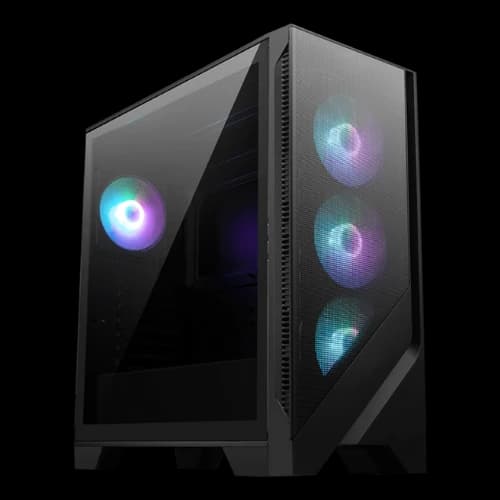
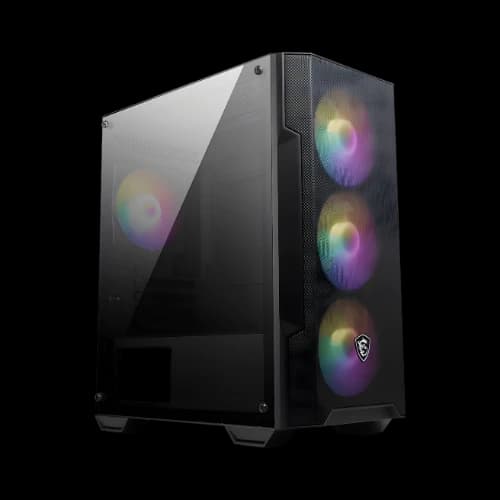
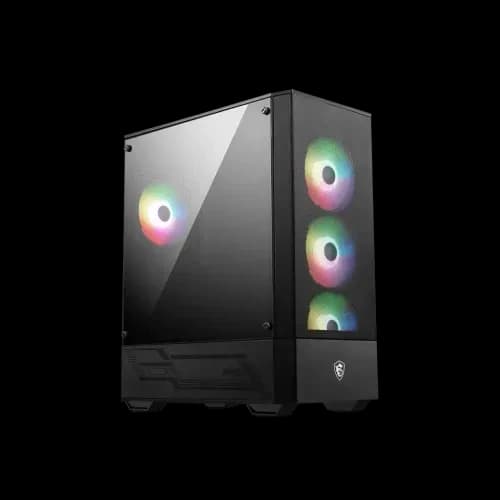
MSI MAG FORGE Series is a top-seller for budget and mid-range builds. The FORGE line has excellent front mesh airflow. It fits most standard PC Components without size issues.
MSI MAG VAMPIRIC Series is known for its bold, angular design and strong ARGB integration. Popular among gamers who want style without a premium price tag. Supports ATX builds and standard Casing Cooler options.
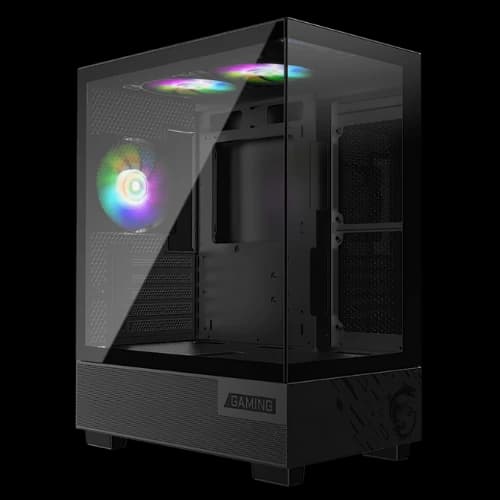
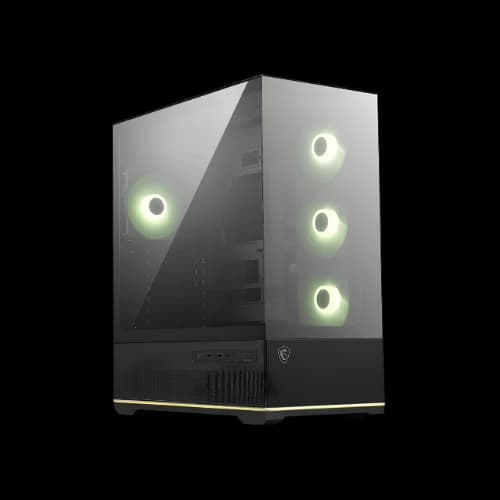
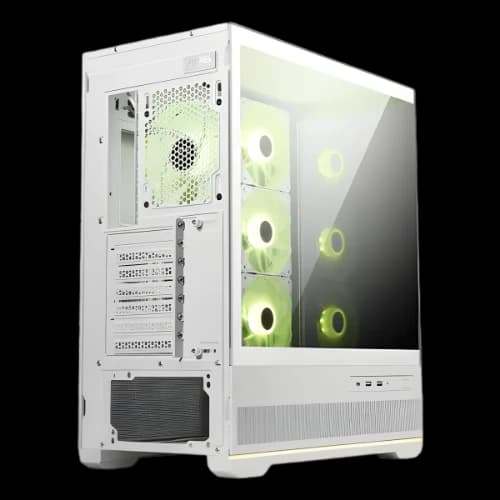
MSI MAG PANO Series A panoramic tempered glass design on all sides. Great for showcase builds. Works well with visible cable management and ARGB PC Motherboards setups.
MSI MPG GUNGNIR Series: A high-airflow mid-tower with strong fan support. A favourite for performance gaming PCs. Handles large GPUs and tall premium CPU cooler units comfortably.
MSI MPG VELOX Series Built for maximum airflow. The mesh front panel and large fan mounts make it a top pick for hot-running systems. Pairs well with a high-wattage PSU
MSI MPG QUIETUDE Series A sound-dampened case for quiet operation. Popular with content creators and streamers who need a silent workstation. Still supports full ATX builds and custom cooling.
Key Features of MSI Casing
Before you finalize your purchase, understanding key features helps you get real value. MSI builds specific technologies into its cases. These features directly affect your build quality and daily use.
Tempered Glass Panels
Most MSI casings use 4mm tempered glass side panels. This gives a clear view of your internal build. It is scratch-resistant and safer than acrylic panels.
The MAG PANO series takes this further. It uses panoramic glass on three sides.
ARGB Fan Ecosystem
MSI pre-installs ARGB fans in most of their gaming cases. These fans connect to the motherboard header directly. They sync with MSI Mystic Light software for full RGB control.
ARGB fan features in MSI casings:
- 120mm and 140mm ARGB fan support across all series
- Mystic Light sync is compatible with MSI PC Motherboards
- Daisy-chain fan connectors on premium MPG models
- Additional fan slots for expanding airflow later
Mesh Front Panel Airflow
The MAG FORGE and MPG VELOX use full mesh front panels. Mesh allows significantly more air intake than solid panels. This directly lowers CPU and GPU temperatures under load.
Better airflow means your CPU air cooler performs at its best. It also extends the lifespan of all internal Computer parts.
PSU Shroud Design
MSI casings use a full PSU shroud on most models. This hides cables below the motherboard tray. Your build looks cleaner and more professional instantly.
The shroud also has ventilation cutouts. This allows the PSU to breathe freely. Good PSU airflow matters especially for high-wattage power supplies — browse our PSU Price in Bangladesh section to pair the right unit with your case.
Tool-Free Installation System
MSI designed their cases for easy building. Most drive bays and expansion slots use tool-free mechanisms. You can install SSDs, HDDs, and PCIe cards without a screwdriver in many cases.
This is especially helpful for first-time builders. It reduces errors and speeds up the build process significantly.
MSI Casing for Different Types of Builders
Not every builder has the same needs. Here is how we match MSI cases to different user types at PCB Store.
For PC Gamers Gamers need strong airflow and GPU space. The MPG GUNGNIR and MAG FORGE series are our top picks. They handle high-wattage GPUs and multiple cooling fans without issues.
For Content Creators, Creators need quiet, spacious builds. The MPG QUIETUDE is ideal for video editing and streaming workstations. It reduces fan noise while keeping PC parts cool under sustained loads.
For Budget Builders First-time builders on a tight budget do well with the MAG VAMPIRIC or MAG FORGE entry models. These cases give solid build quality without overspending. They pair well with mid-range Motherboards and a standard Casing Cooler setup.
For Custom Water Cooling Enthusiasts Choose the MPG VELOX or MPG GUNGNIR for custom loop builds. These cases have the most radiator mounting positions. They also have a large interior space for reservoirs, pumps, and tubing.
For Compact Builds, Mini-ITX builders can look at MSI's smaller form factor options. These cases save desk space without sacrificing airflow. They fit Mini-ITX Motherboards and compact CPU cooler units perfectly.
How to Choose the Right MSI Casing for Your Build
Picking the wrong casing is a costly mistake. The right case affects airflow, compatibility, and your whole build experience. Here is how we guide our customers at PCB Store.
Know Your Motherboard Form Factor
Your PC motherboard size decides which casing you need. ATX boards need a mid-tower or full-tower case. Micro-ATX and Mini-ITX boards fit in smaller cases too.
- ATX — Most common for gaming and workstation builds
- Micro-ATX — Compact builds with good expansion options
- Mini-ITX — Small form factor for portable or desk-saving setups
Always check your motherboard size before buying a case.
Plan Your Cooling Setup
Cooling is one of the most important factors in any build. MSI casings support both air and liquid cooling systems. Some models have space for up to 360mm radiators.
If you use a premium CPU cooler, check the case height clearance first. Most MSI mid-towers allow CPU coolers up to 165mm–170mm tall. For custom water loops, choose an MPG series case with radiator support on top and front.
Cooling options MSI casings support:
- Air cooling with multiple 120mm and 140mm fan slots
- AIO liquid coolers up to 360mm radiator size
- Custom water cooling loops with front and top radiator mounts
- Pre-installed Casing Cooler fans for plug-and-play airflow
Match the Case to Your GPU Size
Modern GPUs are large. Some high-end cards are over 330mm long and three slots wide. Not every case fits them comfortably.
MSI MPG series cases generally allow GPUs up to 380mm or longer. MAG series cases typically support up to 330mm–360mm. Always check the GPU clearance spec before you Build Your PC.
Think About Cable Management
A clean build is easier to maintain and has better airflow. MSI cases are designed with cable routing channels behind the motherboard tray. Most models include velcro straps and rubber grommets.
Good cable management also helps your pc parts and components run cooler. Blocked cables restrict airflow. A well-routed build runs quieter and cooler long term.
Decide on Aesthetics
Style matters too. MSI casings come in black and white color options across most series. ARGB lighting on fans and cases syncs with MSI's Mystic Light software.
For showcase builds, the MAG PANO series gives a full glass view. For a stealth look, the MPG QUIETUDE keeps things minimal and clean.
MSI Casing Compatibility — What You Need to Know
Before you order, check these compatibility points. This saves return trips and delays.
Power Supply Fit All MSI mid-towers use bottom-mounted PSU placement. Check the PSU length if you use a fully modular unit. Shorter PSUs under 180mm fit all models. Longer units may need cases with extended PSU chambers.
GPU and PCIe Slot Alignment Most MSI cases support 2–4 PCIe expansion slots. High-end builds with multiple cards need full-tower cases. Single-GPU gaming builds fit comfortably in any mid-tower model.
Storage Bay Support Standard MSI casings support 2–3 x 3.5" HDD bays and 2–4 x 2.5" SSD mounts. Some compact models reduce storage options for a smaller footprint. Plan your storage needs before choosing a case size.
Front Panel I/O Ports Most MSI cases include front-panel USB 3.0 ports. Premium MPG models add USB 3.2 Gen 2 Type-C. This matters if you frequently plug in drives, cameras, or peripherals at the front.
Why Buy MSI Casing from PCB Store?
We are a trusted source for computer components in Bangladesh. Our customers get genuine products with a full manufacturer's warranty. We do not stock grey-market or unverified stock.
What PCB Store offers:
- 100% original MSI casings
- Fast delivery across Bangladesh
- Multiple payment options
We know the Bangladesh PC market deeply. Our team helps builders of all experience levels find the right case for their budget and goals.