Nzxt Casing Fan Price in Bangladesh
Nzxt Casing Fan
2
/2
Filter
Filter
Description
Are you building a PC that stays cool, runs quietly, and looks great? The right NZXT casing fan changes everything about your build. At PCB Store, we stock the full NZXT fan lineup for buyers across Bangladesh — from budget airflow fans to premium RGB casing fan setups. This guide covers every series, every key spec, and helps you pick the exact fan your build needs.
NZXT Casing Fan Series Available in Bangladesh
NZXT builds fans for every kind of PC builder. Each series targets a specific goal. Knowing the difference saves you money and gets you the right result.
Aer F Series
The Aer F is NZXT's core performance fan. It focuses fully on moving air.
Key features:
- Winglet-designed blades reduce drag
- Chamfered intake and exhaust push more air
- Fluid Dynamic Bearing (FDB) rated 60,000+ hours
- Whisper-soft operation at 22 dBA minimum
- PWM speed control from 500 to 1,500 RPM
- Available in 120mm and 140mm sizes
This fan is ideal for builders who want strong airflow without RGB. It fits tight budgets and works well as intake or exhaust. If you are assembling PC building components on a lean budget, the Aer F is a smart starting point.
F-Series Q
The F-Series Q is built for silence. Q stands for Quiet.
It runs between 500 and 1,200 RPM. Noise stays between 18 and 23 dBA. That is barely audible. The FDB bearing keeps it smooth and long-lasting.
This fan suits:
- Home office and study setups
- Silent media or streaming builds
- Productivity systems with a Budget GPU that runs cool
If noise bothers you, the Q series is the right call.
F Series RGB
The F120 RGB and F140 RGB bring lighting into the picture. These fans do not sacrifice airflow for looks.
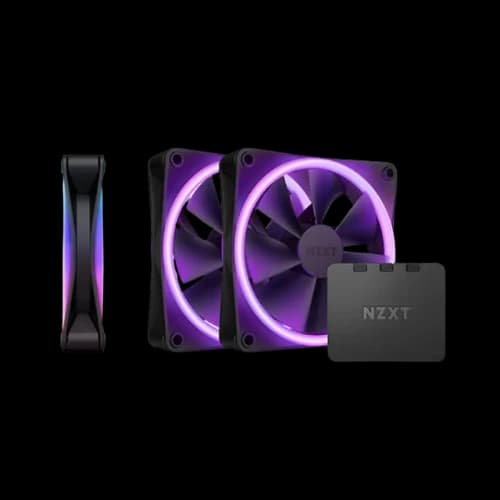
Each fan carries 20 individually addressable LEDs. They connect directly to NZXT CAM software for full color and speed control. Anti-vibration rubber corners cut down case resonance.
The F RGB series fits well in any best gaming PC build with a windowed side panel. PWM control keeps temperatures in check during heavy loads. Speed goes up to 1,800 RPM when your system needs it.
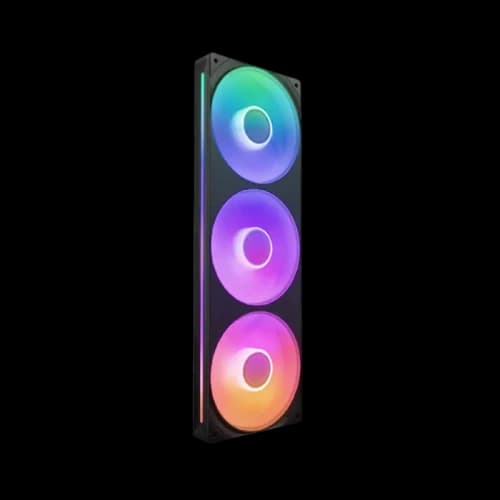
F Series RGB DUO
The RGB DUO takes lighting further. LEDs sit on both sides of the fan frame. Every angle of your case shows color.
This series is optimized for static pressure. That makes it a strong choice for:
- Radiator mounting in liquid-cooled builds
- Dense dust filter intake positions
- Cases with tight airflow paths
The RGB DUO pairs perfectly with a Gaming Motherboard that has NZXT CAM-compatible RGB headers. Triple Pack bundles include the NZXT RGB controller, so you control all three fans from one hub.
F120X and F140X
The F120X and F140X are NZXT's newest performance-tier fans. They combine high static pressure with strong RGB output.
These fans are for enthusiast builders who refuse to choose between performance and aesthetics. They work best in:
- 360mm and 280mm radiator configurations
- High-end Special Build setups
- Cases designed for maximum thermal management
Key Specs You Must Know Before Buying
Buying the wrong fan wastes money. Understanding a few core specs helps you choose correctly. Here is what actually matters when picking an RGB casing fan.
Fan Size — 120mm vs 140mm
Size is the first thing to check. Most modern cases support both.
120mm fans:
- Fit almost every PC case made today
- Spin faster to move an equal air volume
- Best for cases with limited mounting space
- Ideal for PC components setups on standard mid-tower cases
140mm fans:
- Move more air at lower RPM
- Run quieter at the same cooling level
- Need cases with 140mm mounting points
- Better for large tower builds and silent systems
Always check your case manual before ordering. The wrong size means the fan does not fit.
Airflow vs Static Pressure
These two terms confuse many buyers. They are not the same thing.
Airflow (CFM) measures how much air a fan moves. Higher CFM means better open-air cooling. Use high-CFM fans for:
- Front intake positions
- Rear exhaust positions
- Side panel vents
Static Pressure (mmH2O) measures how hard a fan pushes against resistance. Use high static pressure fans for:
- Radiator mounting
- Dense dust filters
- Heatsink cooling
NZXT Aer F fans lead in airflow. RGB DUO fans lead in static pressure. Picking the right type for the right spot makes a real difference in temperatures.
Bearing Type and Noise Level
NZXT uses Fluid Dynamic Bearing (FDB) across its fan lineup. This matters for two reasons.
First, FDB fans last longer. NZXT rates them for over 60,000 hours of use. That is nearly seven years of continuous operation. Second, FDB runs quieter than traditional sleeve bearings. Less friction means less noise.
NZXT fan noise ranges from 18 dBA to 31 dBA, depending on speed:
- 18–22 dBA: Near silent, ideal for quiet builds
- 22–27 dBA: Normal working noise level
- 27–31 dBA: Full-load performance, audible but not disruptive
PWM control keeps fans at low RPM during light tasks. They only spin faster when your best gaming PC build needs real cooling power. This keeps noise low during everyday use.
NZXT CAM Software
NZXT CAM is free software from NZXT. It works on Windows 10 and Windows 11.
CAM lets you:
- Set custom fan speed curves based on CPU or GPU temperature
- Control RGB lighting effects on compatible fans
- Monitor system temperatures in real time
- Sync fan and lighting settings across multiple fans
You need a USB 2.0 internal header to use the NZXT RGB controller. The controller comes included in Triple Pack bundles. Single fans need the controller purchased separately for full CAM RGB control.
CAM is optional. Every NZXT fan works as a standard PWM fan without it. Your Gaming Motherboard controls speed through its own fan headers. CAM only adds the RGB layer and finer speed control.
Best NZXT Fan for Your PC Build Type
Different builds need different fans. Here is how to match the right NZXT fan to your exact setup.
For Budget Gaming Builds: The Aer F 120mm is your best option. It delivers strong airflow at an accessible price point. Pair two front intake units with one rear exhaust. This setup works well alongside a Budget GPU that generates moderate heat. Simple, effective, and affordable.
For Silent Home or Office Builds: Choose the F-Series Q in 140mm. Larger size moves more air at lower RPM. Combined with an FDB bearing, this fan is nearly inaudible. Perfect for anyone working or studying near their PC all day.
For RGB Gaming Rigs: The F120 RGB or F120 RGB DUO Triple Pack is the right pick. You get strong performance and full lighting control through NZXT Products. These fans look exceptional in cases with tempered glass panels. They match well with an RGB Gaming Motherboard for a fully synced aesthetic.
For High-Performance and Liquid Cooled Builds: Use the F120X or F140X on radiators. Their high static pressure pushes air through dense radiator fins effectively. For a PCB Special Build with a 360mm AIO or custom loop, these fans handle thermal loads that standard fans cannot.
For Content Creation Workstations: Combine F-Series Q fans for silence with one or two Aer F units for directed airflow over your components. Content creation loads are sustained and heavy. Good airflow over your GPU and storage matters. This mixed approach balances noise and temperature well.
A good fan layout also matters as much as fan choice. The general rule for PC building component setups is simple. Positive pressure keeps dust out. Negative pressure runs slightly cooler. Balanced pressure is the safe middle ground for most builds.
Why Buy NZXT Fans from PCB Store?
PCB Store is Bangladesh's dedicated destination for PC Parts. We stock the complete NZXT fan lineup — every series, every size, both colors.
Here is what sets us apart:
- Genuine products only
- Brand warranty
- Flexible payment options
- Nationwide delivery
- Expert support
We understand the Bangladeshi market. Whether you are assembling your first budget rig or pushing a PCB Special Build to the limit, we are here to help you get it right.