Nvidia Quadro Price in Bangladesh
Description
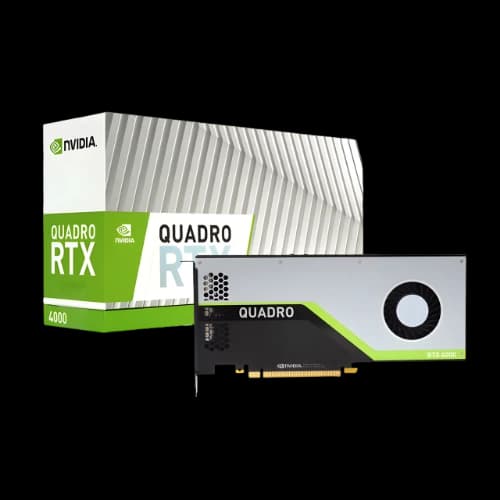
NVIDIA Quadro graphics cards are built for professional workstations used in 3D rendering, CAD, simulation, video production, and AI workflows. Unlike gaming GPUs, Quadro focuses on stability, certified performance, and accuracy for production environments.
For professionals browsing under AI & Work Station HPC, Quadro remains a dependable choice for builds where consistent output matters more than gaming FPS.
Why NVIDIA Quadro Is Different
NVIDIA Quadro GPUs are optimized for long-running professional workloads. Key advantages include:
- ISV-certified drivers for fewer crashes in professional software
- High VRAM options for large scenes, complex models, and high-resolution work
- ECC memory support (select models) for improved reliability
- Strong multi-display support for productivity setups
- Sustained performance design for daily production workloads
Best Uses for Quadro GPUs
Quadro is commonly used in:
Architecture & Engineering (AEC): BIM models, real-time visualization, VR walkthroughs
Media & Entertainment: 4K/8K editing, motion graphics, GPU rendering, VFX workflows
Manufacturing & Product Design: CAD assemblies, prototyping, simulation-driven design
Medical & Scientific Visualization: detailed dataset viewing with high accuracy
AI & Machine Learning: CUDA/Tensor acceleration for training and inference
For multi-tasked creation and CPU-heavy pipelines, pairing Quadro with AMD Threadripper can improve workstation throughput.
NVIDIA Quadro Buying Guide
1) Match the GPU to Your Workload
Choose based on what you do most:
- 2D CAD and drafting
- 3D modeling and asset creation
- GPU rendering and ray tracing
- Video editing and motion graphics
- AI training and inference
In server-grade environments, many teams rely on AMD EPYC for its high core-count performance and support for parallel workloads.
2) Choose the Right VRAM
VRAM matters for professional applications:
- 4–8GB: basic CAD + light 3D
- 8–16GB: modeling, editing, moderate rendering
- 16GB+: large assemblies, advanced rendering, 8K editing, AI workloads
- 24GB–48GB: massive datasets and heavy simulations
For enterprise workstation stability and long lifecycle planning, Intel Xeon platforms are also widely used.
3) Pick a Performance Tier
- Entry-level: 2D CAD, basic 3D, multi-monitor productivity
- Mid-range: stronger 3D work, professional editing, GPU rendering
- High-end: complex simulation, real-time ray tracing, AI training
4) Ensure Platform Compatibility
Check your workstation supports the GPU:
- Slot spacing (single/dual/triple-slot)
- Cooling and airflow
- PSU wattage and connectors
A stable WorkStation Motherboard is critical for reliability, expansion, and long sessions under sustained load.
5) Confirm Software Certification
For mission-critical work, prioritize Quadro models with ISV certification for your primary tools. Certified drivers typically result in smoother performance and fewer workflow interruptions.
Why Choose PCB Store?
PCB Store focuses on workstation-grade hardware for professionals who need genuine parts and dependable support.
Authentic products: Quadro GPUs are sourced through trusted channels, so you get genuine hardware with proper warranty coverage.
Workstation expertise: If you’re building a full setup, PCB Store can help match your GPU with the right CPU and platform for your workload.
For dedicated AI infrastructure setups, teams scaling beyond a single workstation often consider systems like Nvidia DGX.
If you’re planning forward-looking upgrades, newer compute architectures such as Nvidia BlackWell may also fit your roadmap depending on budget and performance needs.