Transcend Ssd Price in Bangladesh
Transcend Ssd
4
/4
Filter
Filter
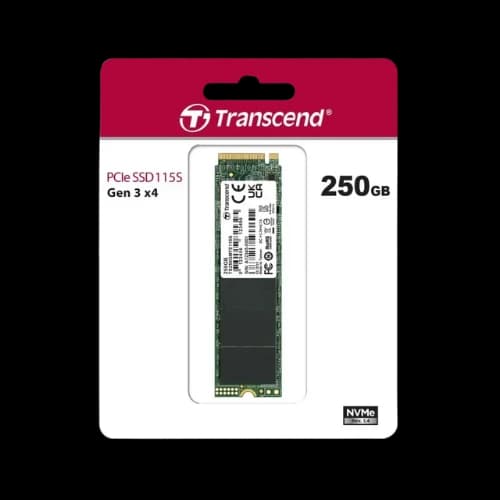
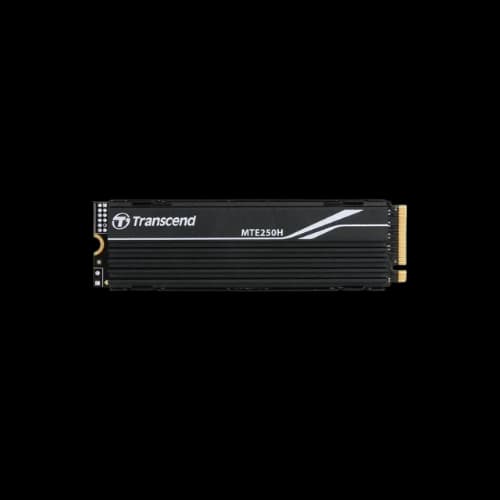
Description
Have you been searching for the Transcend SSD price in Bangladesh but still feel unsure which model fits your laptop or custom PC build? At PCB Store, we know tech-savvy buyers want more than just numbers. You want speed, reliability, and a clear guide that helps you choose the right SSD for gaming, content creation, or everyday performance. That’s why this page is designed to give you both commercial details and technical depth—so you can make a confident purchase decision.
Why Choose Transcend SSD in Bangladesh?
Transcend SSDs are trusted worldwide for their balance of performance and affordability. In Bangladesh, buyers often compare them with Samsung, WD, Adata, and Kingston. While those brands dominate premium segments, Transcend offers strong value for money.
- Faster boot times: Your operating system loads in seconds.
- Improved gaming performance: Games stored on SSDs load faster than HDDs.
- Durability: With no moving parts, SSDs resist shocks better than traditional drives.
- Energy efficiency: Ideal for laptops, reducing battery drain.
For PC builders, upgrading from HDD to SSD is one of the most impactful changes. Whether you’re pairing with a powerful processor, GPU, or adding alongside RAM upgrades, a Transcend SSD brings noticeable speed improvements.
Latest Transcend SSD Capacities
At PCB Store, we categorize SSDs by capacity because buyers often decide based on storage needs.
120GB – Entry-Level Storage
Perfect for budget users who want faster boot speeds. Ideal for office laptops or secondary drives in desktops.
250GB – Balanced Performance
A popular choice for students and casual gamers. Enough space for operating systems, essential apps, and a few games.
512GB – Gaming and Professional Use
Best for gamers, video editors, and content creators. Handles large files, multiple applications, and modern AAA games.
1TB – High-Capacity Storage
For serious users who need space for projects, media libraries, or server storage.
2TB – Enterprise and Heavy Workloads
Suited for professionals handling massive datasets, servers, or advanced workstation builds.
Each capacity comes in 2.5-inch SATA III or M.2 NVMe form factors, giving flexibility for different motherboards and laptops.
Transcend SSD Types and Interfaces
Choosing the right interface is critical.
SATA III SSDs
- Widely compatible with older motherboards and laptops.
- Speeds up to 550 MB/s read.
- Affordable option for general users.
NVMe PCIe SSDs
- Designed for modern motherboards with M.2 slots.
- Speeds up to 3500 MB/s read.
- Perfect for gamers and professionals needing high-speed transfers.
M.2 Form Factor
- Compact design, fits directly into laptop or desktop motherboards.
- Saves space compared to 2.5-inch drives.
Whether you’re upgrading a laptop or building a new PC with a GPU, RAM, and a power supply, choosing the right SSD type ensures compatibility and maximum performance.
Performance Metrics That Matter
When evaluating SSDs, buyers should look beyond capacity.
- Read Speed: Determines how fast files open.
- Write Speed: Affects how quickly data is saved.
- MTBF (Mean Time Between Failures): A reliability measure.
- TRIM Support: Keeps SSD performance consistent over time.
Transcend SSDs deliver strong read/write speeds across all models, making them competitive against Samsung and WD.
Comparison: Transcend vs Other SSD Brands
Bangladeshi buyers often ask: Is Transcend better than Samsung or WD?
- Transcend vs Samsung SSD BD: Samsung dominates premium NVMe, but Transcend offers cheaper alternatives with solid performance.
- Transcend vs WD: WD focuses on durability, while Transcend balances speed and affordability.
- Transcend vs Adata and Kingston: Transcend often provides better warranty terms in Bangladesh.
For buyers seeking cheap SSD BD options without sacrificing reliability, Transcend is a strong contender.
Transcend SSD for Different Use Cases
Gaming Builds
Gamers need fast load times. A Transcend NVMe SSD price BD option is perfect for storing large games. Pairing with a high-end GPU and RAM ensures smooth performance.
Laptop Upgrades
Older laptops benefit from a Transcend SATA SSD 250GB price option. It replaces HDDs and makes boot times faster.
Content Creation
Video editors and designers need space and speed. A 1TB NVMe SSD handles large files and improves workflow.
Server Storage
For enterprise setups, 2TB SSDs with high MTBF ratings are ideal. They provide reliability for continuous workloads.
Buying Guide: Picking the Right Transcend SSD
Choosing the right SSD depends on your use case.
- Laptop Upgrade: Go for a 250GB or 512GB SATA SSD.
- Gaming PC: Choose NVMe 512GB or 1TB for faster load times.
- Content Creation: Opt for 1TB or 2TB NVMe SSD.
- Server Storage: Large capacity 2TB SSDs with high MTBF.
Always check your motherboard slots before buying. If your board supports M.2 NVMe, that’s the best choice for speed.
Why PCB Store is the Right Choice
We understand the needs of Bangladeshi buyers. Our content is tailored for local PC builders, gamers, and professionals.
- Trustworthy sourcing: We only sell authentic Transcend SSDs.
- Technical expertise: Our team helps match SSDs with your GPU, RAM, and processor setup.
- Clear product listings: Organized by capacity, form factor, and use case.
- Value-driven recommendations: We highlight models that balance speed, durability, and affordability.
This makes PCB Store the go-to destination for SSD price BD searches.
Closing Insight
Whether you are upgrading a laptop, building a gaming PC, or setting up a workstation with a powerful processor, GPU, RAM, and motherboard, our catalog is structured to help you choose quickly. Every SSD listing includes details about form factor, capacity, and performance metrics. This helps buyers compare models without confusion.