Intel Xeon Price in Bangladesh
Description
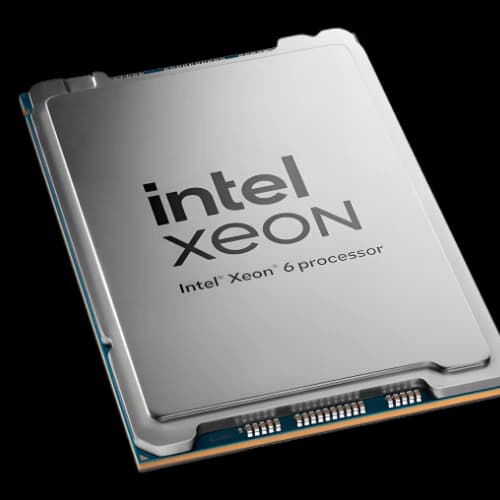
Intel Xeon is Intel’s processor family built for workstations and servers where you need stability, long uptime, ECC memory support, higher RAM capacity, and platform features for professional workloads like virtualization, databases, rendering, engineering, and AI.
At PCB Store Bangladesh, we stock Intel Xeon CPUs for workstation builds and server deployments. You can also explore our full AI & Work Station HPC lineup for complete build options and high-performance components.
Intel Xeon vs Intel Core: Key Differences
1) ECC Memory Support (Data Integrity)
Many Xeon platforms support ECC RAM, which can detect and correct memory errors—useful for servers, VMs, databases, and long renders. If you’re building a professional setup, pairing Xeon with a proper WorkStation Motherboard helps ensure ECC compatibility and stability.
2) Higher Memory Capacity & More Memory Channels
Xeon systems generally support more total RAM and (depending on the platform) more memory channels, which improves performance for VMs, analytics, and large datasets.
3) Multi-Socket Scalability (Selected Models)
Some Xeon server families support dual-socket systems to scale CPU cores and memory capacity. If your goal is maximum core density in a server environment, it’s also worth comparing Xeon against AMD EPYC for multi-socket and data center builds.
4) Platform Features for Servers & Workstations
Xeon platforms prioritize:
- Reliability under 24/7 load
- Virtualization features
- Enterprise security and manageability (platform-dependent)
Note: Feature availability varies by generation/model and motherboard chipset.
Intel Xeon Families (Which One Should You Buy?)
Intel Xeon Scalable (Data Center / Servers)
Best for:
- Virtualization hosts
- Database servers
- HPC / compute nodes
- High RAM capacity builds
Choose this if your workload needs many cores + lots of memory + server-grade expansion. If you’re comparing server platforms for heavy virtualization or databases, AMD EPYC is the closest alternative to evaluate side-by-side.
Intel Xeon W (Professional Workstations)
Best for:
- 3D rendering + VFX
- CAD/CAE
- Video editing workstations
- Data science workstations
Choose this if you need high workstation stability + ECC + strong multi-core performance. For creators who need extreme CPU rendering performance, you may also compare Xeon W against AMD Threadripper, depending on budget and software scaling.
Intel Xeon E (Entry Servers / SMB)
Best for:
- File servers
- Small office servers
- Light virtualization
- Basic business workloads
Choose this when budget matters, and you still want server-grade reliability (platform dependent).
Best Xeon Use Cases (Bangladesh Buyer Intent)
AI / Machine Learning
- Look for newer Xeon platforms with AI instruction support (model dependent)
- Prioritize RAM capacity and bandwidth
- Pair with a GPU if training models (most AI training is GPU-driven)
For AI builds, many users pair Xeon with workstation GPUs like Nvidia Quadro for professional drivers and stability, or modern compute-focused options like Nvidia BlackWell for next-gen performance (availability varies by model/region). If you’re deploying full-stack enterprise AI infrastructure, systems like Nvidia DGX are also worth considering, depending on budget and scale.
3D Rendering & Content Creation
- Core count improves CPU rendering
- Clock speed helps viewport performance
- Use adequate cooling for higher TDP chips
For GPU-accelerated rendering, pairing an Xeon workstation with Nvidia Quadro or newer-gen options like Nvidia BlackWell can improve timeline stability and render workflows in certain pipelines.
Virtualization (VMware / Proxmox / Hyper-V)
- Prioritize more cores + more RAM
- ECC RAM recommended
- Consider dual-socket only if you truly need VM density
If you’re targeting high VM density, comparing Xeon Scalable vs AMD EPYC can help you choose the best price/performance platform in Bangladesh.
Database & Analytics
- Memory capacity matters as much as CPU
- Ensure fast storage support (NVMe, PCIe lanes)
- Choose platforms with strong I/O and memory support
Intel Xeon Buying Guide
Step 1: Pick Your Workload Type
- Workstation (CAD/render/editing) = Xeon W
- Server (VMs/databases/services) = Xeon Scalable / Xeon E (small server)
For complete system planning, browse AI & Work Station HPC to match CPU + motherboard + ECC RAM + GPU correctly.
Step 2: Choose Core Count (Rule of Thumb)
- 8–16 cores: most workstations, engineering, moderate VMs
- 16–32 cores: heavy rendering, more VMs, analytics
- 32+ cores: enterprise virtualization, large compute, HPC
Step 3: Decide RAM Capacity First (Then Choose CPU)
Recommended ECC RAM starting points:
- Workstation: 32–64GB
- Virtualization host: 64–128GB+
- Database/analytics: 128GB–1TB+ (depends on dataset and DB design)
Step 4: Single-Socket vs Dual-Socket
Single-socket is best for most buyers: lower cost + easier cooling.
Dual-socket makes sense when you need:
- Maximum cores
- Much higher RAM capacity
- Heavy VM density
Step 5: Compatibility Checklist (Avoid Costly Mistakes)
Before buying, confirm:
- CPU socket matches motherboard
- Chipset supports your Xeon family
- ECC RAM type (UDIMM vs RDIMM/LRDIMM) matches the platform
- Cooling solution supports your CPU’s TDP
- PSU capacity if you’re using multiple GPUs or many drives
For fewer compatibility issues, start from a verified WorkStation Motherboard platform that supports your intended Xeon family.
Intel Xeon vs AMD EPYC (Quick Comparison)
Choose Intel Xeon if you want:
- Broad platform availability for certain enterprise stacks
- Strong per-core performance in some workstation workflows
- Intel ecosystem preferences in your organization
Choose AMD EPYC if you want:
- Very high core counts for the price (often)
- High PCIe lane availability (platform-dependent)
- Excellent multi-thread performance
For workstation-class alternatives, AMD Threadripper may also be a strong option for heavy rendering and creator workflows.
Why Buy Intel Xeon from PCB Store Bangladesh?
PCB Store provides genuine Intel Xeon processors with full warranty support and expert consultation for workstation and server configuration. Our technical team helps you select the right Xeon platform based on your workload, while ensuring compatibility with ECC memory and workstation or server-grade motherboards to deliver long-term stability and performance.
With nationwide delivery across Bangladesh and optional build support, PCB Store makes it easy to deploy reliable professional systems for business, research, and enterprise use. Customers can also explore our complete AI & Work Station HPC category for end-to-end workstation and server builds, upgrades, and high-performance computing components.