Top 10 Best Processor with Built-in Graphics under 20k
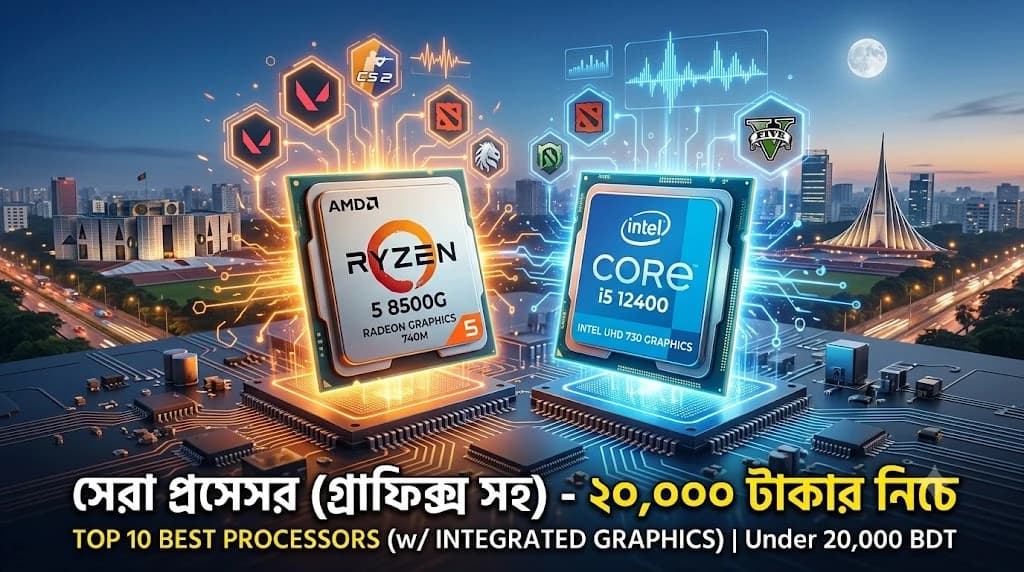
Top 10 Best Processor with Built-in Graphics Under 20K in Bangladesh
Building a budget-friendly desktop computer in Bangladesh no longer requires purchasing an expensive dedicated graphics card. Modern processors with integrated graphics supply excellent performance for competitive gaming, everyday student tasks, and professional office workloads. Choosing the right chip depends on balancing your immediate performance needs against your future component upgrade plans.
Quick Verdict — Which Integrated Graphics Processor Should You Buy?
Selecting the ideal processor requires matching your specific daily workload to the right hardware platform capability. The table below highlights the optimal choice based on your primary computing objective.
Primary Goal | Recommended Architecture | Key Value Proposition |
Best Overall and Most Future-Proof | AMD Ryzen 5 8500G | Modern AM5 platform longevity with DDR5 memory speed. |
Best Value Gaming APU | AMD Ryzen 5 5600G | Affordable six-core performance on mature AM4 motherboards. |
Best For Creators | AMD Ryzen 7 5700G | Eight cores provide excellent rendering speed for video editing. |
Best For Office Work | Intel Core i5-12400 | Strong single-core performance with reliable QuickSync media encoding. |
Best Budget Student Choice | Intel Core i3-14100 | Modern architecture at an affordable entry-level price point. |
Why Choose a Processor with Built-in Graphics?
An integrated graphics processor provides a cost-effective solution by combining the CPU and GPU onto a single silicon chip. This approach eliminates the immediate need for a dedicated graphics card, significantly reducing your initial PC building costs.
Benefits of Integrated Graphics
Choosing a processor with built-in graphics offers several distinct advantages for budget-conscious builders in Bangladesh.
- Significant Cost Savings: You save thousands of Taka by eliminating the need for a separate graphics card.
- Lower Power Consumption: Combined chips draw less power, lowering your monthly electricity bills and reducing system heat.
- Compact System Builds: Smaller power supplies and compact cases can be used, saving physical desk space.
- Simplified Troubleshooting: Fewer components mean fewer potential hardware failure points during your daily usage.
Who Should Buy an APU?
An Accelerated Processing Unit (APU) is ideal for specific types of computer users in Bangladesh.
Ideal User Profiles:
- Students: Perfect for online classes, assignments, programming, and casual after-school gaming sessions.
- Office Professionals: Excellent for handling massive Excel spreadsheets, accounting software, and multitasking.
- Esports Gamers: Designed for players focusing on light titles like Valorant, Dota 2, and League of Legends.
- Budget Builders: Perfect for users who want a working PC now and plan to add a GPU later.
When You Don't Need a Dedicated GPU
A dedicated graphics card is often unnecessary if your daily computer usage falls into specific categories.
- Standard Media Consumption: Streaming 4K movies and watching YouTube videos runs perfectly fine on modern integrated chips.
- Daily Administrative Tasks: Web browsing, document editing, and running billing software do not utilize dedicated GPU power.
- Lightweight Creative Work: Basic photo editing in Adobe Photoshop and simple 1080p video cutting perform efficiently on modern APUs.
Top 10 Best Processor with Built-in Graphics Under 20K
Evaluating the top processing chips reveals significant differences in raw processing architectures, graphics core efficiency, and overall platform setup costs.
AMD Ryzen 5 8500G Processor with Radeon Graphics
The AMD Ryzen 5 8500G is a modern option that brings the newer AM5 platform and DDR5 memory compatibility to budget-focused system builders. It mixes traditional performance cores with compact high-efficiency cores to optimize daily power usage.
Specifications
- Cores / Threads: 6 Cores / 12 Threads
- Base / Boost Clock: 3.5 GHz / 5.0 GHz
- L3 Cache: 16 MB
- Integrated Graphics: AMD Radeon 740M
- Memory Support: DDR5
- Socket: AM5
- TDP: 65W
Pros & Cons
- Pros: Future-proof AM5 motherboard path, fast DDR5 bandwidth benefits graphics, onboard dedicated Ryzen AI processing engine.
- Cons: Higher motherboard and memory costs, reduced PCIe lanes for secondary expansion cards.
Gaming Performance
The built-in Radeon 740M graphics engine utilizes fast DDR5 system memory to smooth out framerates in modern competitive titles.
- Valorant (1080p Low): 110-130 FPS
- Dota 2 (1080p Medium): 75-90 FPS
- GTA V (1080p Normal): 60-70 FPS
Best For
This processor serves as the Best Premium Future-Proof selection under 20000 Taka for users who want to build on a platform that supports easy drops-in upgrades until 2027 or beyond.
Value Analysis
At approximately 17,900 Taka, this chip provides excellent longevity value. While the total system price increases due to AM5 motherboards and DDR5 RAM kits, it saves long-term costs by avoiding early platform replacements.
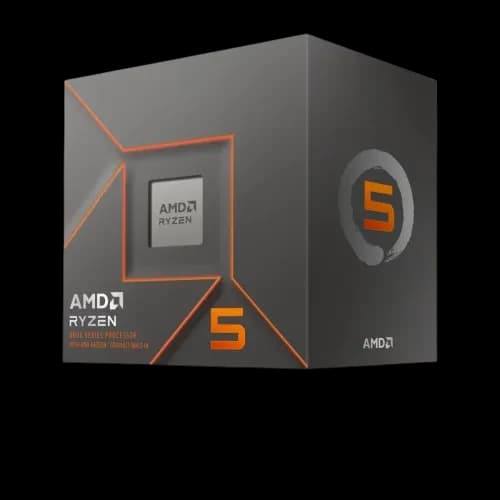
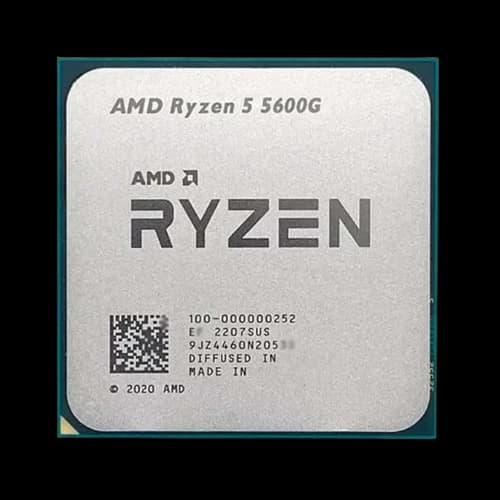
AMD Ryzen 5 5600G Desktop Processor with Radeon Graphics
The AMD Ryzen 5 5600G remains an incredibly popular budget option in Bangladesh because of its highly affordable ecosystem cost. It relies on the widespread AM4 socket and economical DDR4 memory components.
Specifications
- Cores / Threads: 6 Cores / 12 Threads
- Base / Boost Clock: 3.9 GHz / 4.4 GHz
- L3 Cache: 16 MB
- Integrated Graphics: Radeon Vega 7 Graphics
- Memory Support: DDR4
- Socket: AM4
- TDP: 65W
Pros & Cons
- Pros: Highly affordable motherboard options, cheap DDR4 system memory, excellent multi-core processing value.
- Cons: Locked into an older generation platform, limited to slower PCIe 3.0 speeds.
Gaming Performance
The mature Vega 7 graphics core handles standard esports games reliably when paired with a high-speed dual-channel RAM configuration.
- Valorant (1080p Low): 95-115 FPS
- CS2 (720p Low): 60-75 FPS
- League of Legends (1080p Med): 100-120 FPS
Best For
This option stands out as the Best Value solution for building a fully capable home or gaming desktop configuration on a highly restricted total budget.
Value Analysis
Priced around 19,200 Taka for standalone retail packages, its ultimate value shines through total system builds, where matching A520 or B450 motherboards keep total assembly costs exceptionally low.
AMD Ryzen 5 5600GT AM4 Processor with Radeon Graphics
The AMD Ryzen 5 5600GT is a refreshed variant of the classic AM4 design, offering minor clock speed optimizations and slightly better graphics performance out of the box.
Specifications
- Cores / Threads: 6 Cores / 12 Threads
- Base / Boost Clock: 3.6 GHz / 4.6 GHz
- L3 Cache: 16 MB
- Integrated Graphics: AMD Radeon Graphics (Vega 7 architecture)
- Memory Support: DDR4
- Socket: AM4
- TDP: 65W
Pros & Cons
- Pros: Higher maximum boost clocks than the standard 5600G, retains excellent AM4 platform affordability.
- Cons: No significant generational jump over older models, end-of-line upgrade ecosystem.
Gaming Performance
Slightly tuned graphics core frequencies provide a small frame rate cushion in fast-paced competitive esports titles.
- Valorant (1080p Low): 105-125 FPS
- Dota 2 (1080p Medium): 65-80 FPS
- GTA V (1080p Normal): 55-65 FPS
Best For
It serves as the Best Balanced Budget Gaming CPU choice for users trying to extract maximum performance out of the mature AM4 DDR4 ecosystem.
Value Analysis
Retailing at roughly 17,300 Taka, it often undercuts or matches the current pricing of older variants, making it a smarter purchase over an original 5600G if buying brand new hardware today.
AMD Ryzen 7 5700G Desktop Processor with Radeon Graphics
The AMD Ryzen 7 5700G steps up processing power by offering eight physical cores on the mature AM4 platform. It is highly valued for combining strong multi-threaded computing with reliable integrated graphics performance.
Specifications
- Cores / Threads: 8 Cores / 16 Threads
- Base / Boost Clock: 3.8 GHz / 4.6 GHz
- L3 Cache: 16 MB
- Integrated Graphics: Radeon Vega 8 Graphics
- Memory Support: DDR4
- Socket: AM4
- TDP: 65W
Pros & Cons
- Pros: High multi-threaded performance, excellent for mixed productivity workloads, works flawlessly on cheap AM4 motherboards.
- Cons: Limited to PCIe 3.0 speeds, platform architecture offers no future processor upgrade path.
Gaming Performance
The built-in Vega 8 graphics engine benefits slightly from the additional processor cores, providing stable frame rates in standard competitive esports titles.
- Valorant (1080p Low): 110-125 FPS
- Dota 2 (1080p Medium): 70-85 FPS
- GTA V (1080p Normal): 60-70 FPS
Best For
This processor functions as the Best For Creators option within this price tier, catering perfectly to users who mix heavy video rendering with casual gaming.
Value Analysis
With pricing holding near the upper edge of the 20,000 Taka limit, it offers stellar production value. It provides an efficient all-in-one chip solution for entry-level editing setups without requiring an immediate discrete card investment.
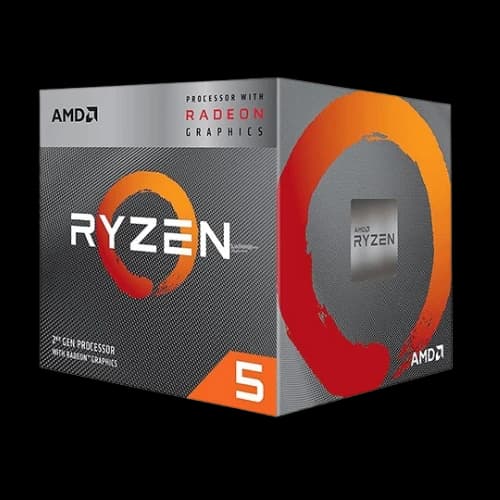
AMD Ryzen 5 3400G Processor with Radeon RX Vega 11 Graphics
The AMD Ryzen 5 3400G is a legacy four-core processor that remains in the market as an interesting low-budget entry point. It features the powerful Vega 11 graphics architecture, which punches above its weight class in graphic processing.
Specifications
- Cores / Threads: 4 Cores / 8 Threads
- Base / Boost Clock: 3.7 GHz / 4.2 GHz
- L3 Cache: 4 MB
- Integrated Graphics: Radeon RX Vega 11 Graphics
- Memory Support: DDR4
- Socket: AM4
- TDP: 65W
Pros & Cons
- Pros: Powerful integrated graphics compute unit allocation, highly affordable pricing, includes a competent stock cooling fan.
- Cons: Older 12nm architecture, low L3 cache size holds back modern raw processing speeds.
Gaming Performance
Despite its older processor architecture, the Vega 11 graphics engine manages to keep up decent frame rates across older popular multiplayer PC games.
- Valorant (1080p Low): 80-95 FPS
- Dota 2 (1080p Medium): 55-65 FPS
- GTA V (1080p Normal): 50-60 FPS
Best For
It stands out as the Best Legacy Budget Gaming Option for PC builders searching for a usable gaming experience at the lowest possible out-of-pocket component cost.
Value Analysis
Priced at approximately 8,700 Taka at PCB Store for tray units, it offers incredibly low entry costs. It serves well for basic home computing setups that require modest visual capabilities on an absolute shoestring budget.
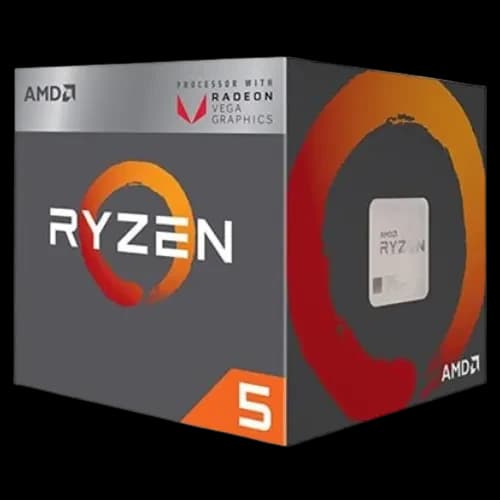
AMD Ryzen 5 2400G Desktop Processor with Radeon RX Vega 11 Graphics
The AMD Ryzen 5 2400G represents the original pioneer generation of the modern desktop APU lineup. It provides basic quad-core processing power paired with highly capable integrated graphics units for ultra-low-budget builds.
Specifications
- Cores / Threads: 4 Cores / 8 Threads
- Base / Boost Clock: 3.6 GHz / 3.9 GHz
- L3 Cache: 4 MB
- Integrated Graphics: Radeon RX Vega 11 Graphics
- Memory Support: DDR4
- Socket: AM4
- TDP: 65W
Pros & Cons
- Pros: Extremely low purchase price, reliable graphic performance for basic needs, operates comfortably on very cheap motherboards.
- Cons: Outdated processing architecture, restricted storage performance due to older motherboard bus standards.
Gaming Performance
The early version of Vega 11 graphics still handles basic competitive esports titles if resolution scaling is adjusted appropriately.
- Valorant (1080p Low): 70-85 FPS
- CS2 (720p Low): 45-60 FPS
- League of Legends (1080p Med): 80-95 FPS
Best For
This model serves as the Best Ultra-Budget Upgrade Choice for users rehabilitating very old office desktops or assembling a secondary display PC cheaply.
Value Analysis
Retailing at around 6,600 Taka at PCB Store, it is the least expensive option in this lineup. It maximizes the utility of older hardware stock, presenting an ultra-low-cost gateway into functional daily desktop computing.
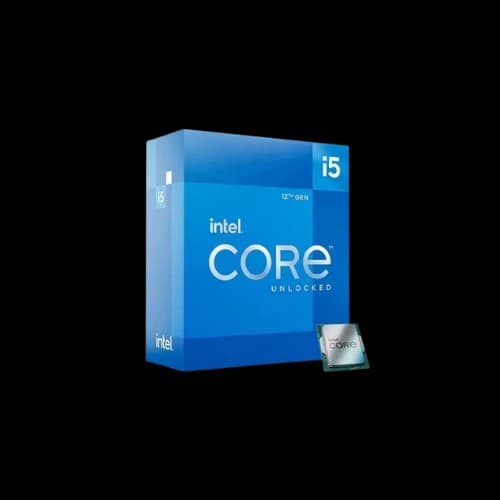
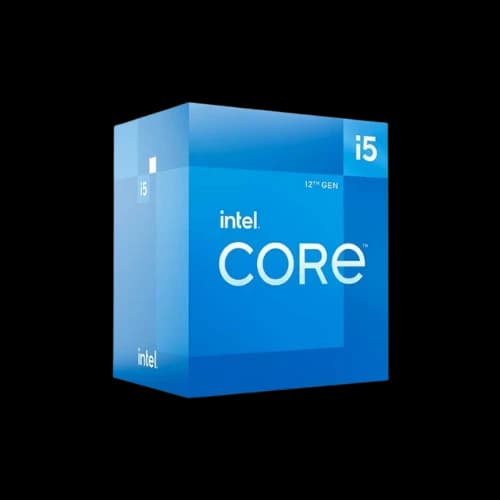
Intel 12th Gen Core i5-12400 Alder Lake Processor
The Intel Core i5-12400 is a highly capable six-core computing chip utilizing a standard performance-core architectural design. It pairs robust processing capabilities with reliable media decoding functions.
Specifications
- Cores / Threads: 6 Cores / 12 Threads
- Base / Boost Clock: 2.50 GHz / 4.40 GHz
- L3 Cache: 18 MB
- Integrated Graphics: Intel UHD Graphics 730
- Memory Support: DDR4 / DDR5
- Socket: LGA1700
- TDP: 65W
Pros & Cons
- Pros: Strong single-core raw processing speed, native support for dual memory standards, excellent video streaming compilation.
- Cons: Integrated graphics unit is relatively weak for gaming, slightly higher motherboard expenses.
Gaming Performance
The integrated UHD 730 engine handles light visual processing but requires heavy resolution scaling for multi-player matches.
- Valorant (1080p Low): 60-75 FPS
- Dota 2 (1080p Low): 45-55 FPS
- League of Legends (1080p Med): 70-85 FPS
Best For
This CPU fits perfectly as the Best For Office Work selection, easily powering complex local data management and daily administrative tasks.
Value Analysis
Priced right at approximately 22,500 Taka at PCB Store, it slightly exceeds the strict 20,000 Taka boundary but offers massive computational value for businesses prioritizing data handling over casual gaming.
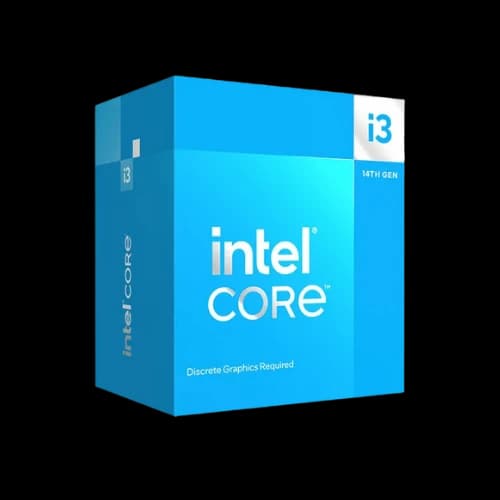
Intel Core i3-14100 14th Gen Raptor Lake Processor
The Intel Core i3-14100 represents a modern budget architectural step on the LGA1700 platform, pushing high operating frequencies across four dedicated processing cores.
Specifications
- Cores / Threads: 4 Cores / 8 Threads
- Base / Boost Clock: 3.5 GHz / 4.7 GHz
- L3 Cache: 12 MB
- Integrated Graphics: Intel UHD Graphics 730
- Memory Support: DDR4 / DDR5
- Socket: LGA1700
- TDP: 110W Maximum
Pros & Cons
- Pros: High out-of-the-box clock speed, supports modern high-speed PCIe 5.0 lanes, solid everyday single-threaded responsiveness.
- Cons: High maximum power draw, built-in graphics engine limits competitive 3D frame rates.
Gaming Performance
The modern architecture helps maintain stable visual outputs during basic administrative gaming sessions.
- Valorant (1080p Low): 65-80 FPS
- CS2 (720p Low): 40-50 FPS
- GTA V (1080p Normal): 40-48 FPS
Best For
It stands out as the Best Budget Student Choice for school assignments, web development learning, and basic productivity routines.
Value Analysis
Available at around 15,900 Taka at PCB Store, it delivers an affordable entry point into modern computing generations without requiring immediate luxury platform expenses.
Intel 13th Gen Core i3-13100 Raptor Lake Processor
The Intel Core i3-13100 provides a reliable mix of steady four-core processing performance and broad component choices within an economical price tier.
Specifications
- Cores / Threads: 4 Cores / 8 Threads
- Base / Boost Clock: 3.40 GHz / 4.50 GHz
- L3 Cache: 12 MB
- Integrated Graphics: Intel UHD Graphics 730
- Memory Support: DDR4 / DDR5
- Socket: LGA1700
- TDP: 60W
Pros & Cons
- Pros: Cool running characteristics, works efficiently with budget H610 motherboards, great media center integration.
- Cons: Minimal architectural difference from previous generation budget chips, weak gaming compute capabilities.
Gaming Performance
The UHD 730 configuration delivers standard media output capabilities alongside very modest casual gaming playability.
- Valorant (1080p Low): 55-70 FPS
- Dota 2 (1080p Low): 40-50 FPS
- League of Legends (1080p Med): 65-80 FPS
Best For
This unit works as the Best Efficiency selection for small home entertainment centers or low-noise residential desktop setups.
Value Analysis
Priced at 11,900 Taka at PCB Store for standard tray selections, it reduces initial PC acquisition costs while keeping daily thermal properties low.
Intel 10th Gen Core i5-10400 Processor
The Intel Core i5-10400 is an older six-core legacy option that remains relevant for specialized software builds requiring stable, mature firmware platforms.
Specifications
- Cores / Threads: 6 Cores / 12 Threads
- Base / Boost Clock: 2.90 GHz / 4.30 GHz
- L3 Cache: 12 MB
- Integrated Graphics: Intel UHD Graphics 630
- Memory Support: DDR4
- Socket: LGA1200
- TDP: 65W
Pros & Cons
- Pros: Affordable six-core processing option, mature motherboard software ecosystems, reliable long-term business lifespan.
- Cons: Severely outdated UHD 630 graphics block, zero compatibility with modern DDR5 memory standards.
Best For
This configuration represents the Best Legacy Budget Workplace choice for outfitting administrative back-offices or running accounting databases.
Value Analysis
With pricing tracking around 14,200 Taka for base hardware components, it provides predictable processing output for business owners deploying standardized workspace setups.
Detailed Comparison Table of All 10 Processors
Analyzing how these 10 processors stack up across different domains helps clarify which option offers the best value for your specific budget.
CPU Performance Comparison
Raw computational speed determines how efficiently your system processes daily background tasks and manages heavy, data-intensive software threads.
- High Performance Tier: Ryzen 5 8500G and Ryzen 7 5700G lead in multi-threaded workflows due to newer architecture and higher thread counts.
- Mid Performance Tier: Core i5-12400, Ryzen 5 5600GT, and Ryzen 5 5600G provide excellent balance for multi-tasking.
- Entry-Level Tier: Core i3-14100, i3-13100, and i5-10400 offer reliable basic daily operation.
- Legacy Tier: Ryzen 5 3400G and 2400G are functional for simple home office setups.
Graphics Performance Comparison
Integrated graphics processing efficiency dictates the resolution and frame rates you will achieve in competitive multiplayer games.
Processor | Integrated GPU Model | Graphics Execution Units / Compute Units | Relative Gaming Power |
AMD Ryzen 5 8500G | Radeon 740M | 4 CUs (Zen 4 Architecture) | Excellent |
AMD Ryzen 7 5700G | Radeon Vega 8 | 8 CUs | Very Good |
AMD Ryzen 5 5600GT | Radeon Graphics | 7 CUs (Refreshed Clock) | Good |
AMD Ryzen 5 5600G | Radeon Vega 7 | 7 CUs | Good |
AMD Ryzen 5 3400G | Radeon RX Vega 11 | 11 CUs (Older Architecture) | Fair |
AMD Ryzen 5 2400G | Radeon RX Vega 11 | 11 CUs | Basic |
Intel Core i5-12400 | Intel UHD Graphics 730 | 24 EUs | Display Only |
Intel Core i3-14100 | Intel UHD Graphics 730 | 24 EUs | Display Only |
Intel Core i3-13100 | Intel UHD Graphics 730 | 24 EUs | Display Only |
Intel Core i5-10400 | Intel UHD Graphics 630 | 24 EUs | Display Only |
Productivity Performance Comparison
Productivity suites like Microsoft Office, web development environments, and data analysis software utilize CPU architectures in completely different ways.
Workload Optimization Metrics:
- Single-Core Speed Focus: Intel Core i3-14100 and Core i5-12400 respond fastest during web browsing and macro-heavy Excel processing.
- Multi-Core Rendering Focus: AMD Ryzen 7 5700G excels at rendering videos and handling active multi-threaded application codes.
- Hardware Acceleration Focus: Intel QuickSync inside the UHD 730 speeds up 1080p video timeline scrubbing and basic file transcoding.
Platform Cost Comparison
The initial price of a processor tells only half the story, as matching motherboard models and RAM kits dictate the total platform investment.
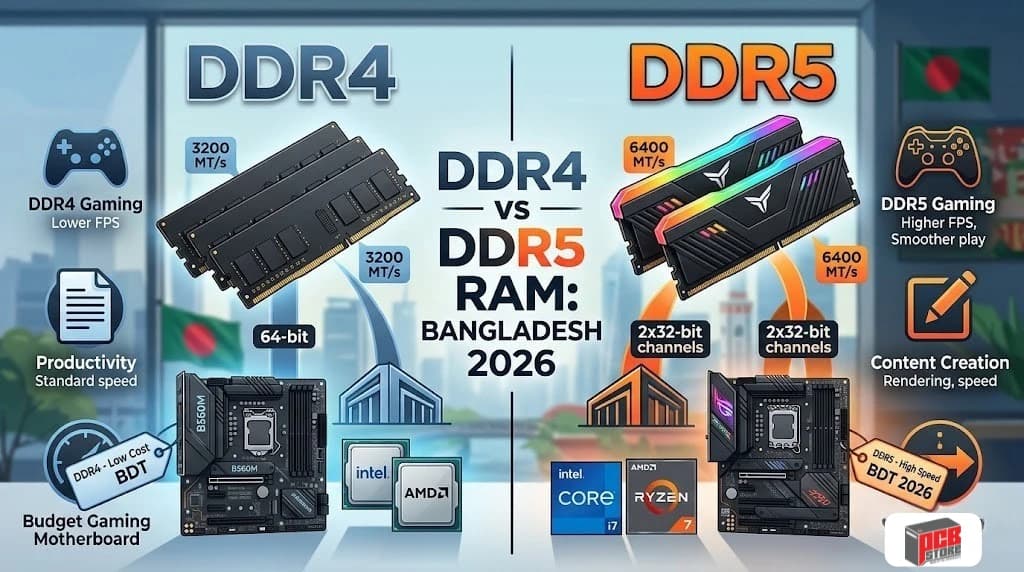
Processor Option | RAM Generation | Compatible Motherboard Tier | Ecosystem Cost in BD |
AMD Ryzen 5 8500G | DDR5 | A620 / B650 (AM5) | Higher |
AMD Ryzen 5 5600G | DDR4 | A520 / B450 (AM4) | Low |
AMD Ryzen 5 5600GT | DDR4 | A520 / B450 (AM4) | Low |
AMD Ryzen 7 5700G | DDR4 | B450 / B550 (AM4) | Moderate |
AMD Ryzen 5 3400G | DDR4 | A320 / A520 (AM4) | Ultra-Low |
AMD Ryzen 5 2400G | DDR4 | A320 / A520 (AM4) | Ultra-Low |
Intel Core i5-12400 | DDR4 / DDR5 | H610 / B760 (LGA1700) | Moderate |
Intel Core i3-14100 | DDR4 / DDR5 | H610 / B760 (LGA1700) | Moderate |
Intel Core i3-13100 | DDR4 / DDR5 | H610 / B760 (LGA1700) | Low |
Intel Core i5-10400 | DDR4 | H410 / H510 (LGA1200) | Low |
AMD Radeon Graphics vs Intel UHD Graphics
Choosing between AMD and Intel integrated graphics requires understanding their core structural designs. AMD builds its APUs with a heavy emphasis on 3D rendering and gaming, while Intel optimizes its UHD graphics block primarily for office productivity, media encoding, and multi-display management.
Gaming Performance
AMD Radeon integrated graphics dominate the gaming category by a wide margin, often delivering three to four times the frame rates of competing Intel UHD configurations.
- Compute Allocation: AMD architectures allocate significantly more hardware silicon to graphical compute units, allowing them to calculate 3D geometric math efficiently.
- Architectural Advantage: Modern variants like the Radeon 740M or older Vega architectures scale incredibly well with system memory overclocking.
- Framerate Stability: AMD maintains smooth gameplay at native 1080p resolutions for competitive esports titles, whereas Intel UHD frequently struggles and drops frames even at downscaled 720p low settings.
Productivity Performance
Intel UHD graphics close the gap considerably when evaluated inside a strict, daily administrative workspace environment.
Productivity Engine Dynamics:
- Single-Core Synergies: Intel processors usually offer slightly higher single-threaded burst clock speeds, making standard spreadsheet manipulations feel highly responsive.
- UI Smoothness: The UHD 730 engine handles multi-monitor scaling for static text, PDF rendering, and complex browser scrolling effortlessly.
- Background Efficiency: Intel balances the graphical load well, keeping power consumption remarkably low during non-3D application tasks.
Media Consumption
Both brands excel at handling high-definition media consumption, though they implement different dedicated hardware video processing blocks.
- Intel QuickSync: Intel's standout media feature speeds up the timeline rendering of 1080p video files, making it highly valuable for amateur video editing.
- Codec Decoding Support: Both modern AMD Radeon and Intel UHD blocks natively decode 4K H.264, HEVC, and VP9 video streams without causing high CPU utilization.
- AV1 Layouts: Newer generation processors from both teams reliably process modern AV1 streaming formats utilized by platforms like YouTube and Netflix.
Overall Value
Your ultimate component selection depends entirely on your primary computing intent and lifestyle.
Use Case Priority | Best Graphics Platform | Value Analysis |
Esports + Casual Gaming | AMD Radeon Graphics | Offers unparalleled value by removing the immediate need for a costly entry-level discrete GPU. |
Strict Office / Document Processing | Intel UHD Graphics | Reduces total build costs when paired with budget H610 motherboards, prioritizing office stability. |
Mixed Amateur Content Creation | AMD Radeon Graphics | Balances high core counts with enough basic GPU compute power to handle lightweight timelines. |
Which Processor Is Best for Gaming Without a Graphics Card?
The AMD Ryzen 5 8500G stands out as the absolute best processor for gaming without a dedicated graphics card under 20,000 Taka. Its modern RDNA 3 graphical architecture provides a massive performance advantage over older Vega graphics cores and completely outperforms Intel's UHD display engines.
Esports Gaming
Competitive multi-player esports titles require fast, stable frame rates to ensure fluid peripheral response times during intense gameplay.
- Top Contender: The AMD Ryzen 5 8500G easily achieves more than 120 FPS in Valorant at native 1080p competitive settings.
- Budget Alternatives: The Ryzen 5 5600GT and 5600G reliably maintain a smooth 90 to 110 FPS range in games like Dota 2 and Counter-Strike 2.
- Hardware Necessity: Achieving these target frames requires utilizing dual-channel memory configurations to unlock full hardware processing loops.
Casual Gaming
Casual open-world simulators, racing games, and older action adventures scale down predictably on high-performing integrated graphic platforms.
Casual Gameplay Benchmarks (1080p Normal Settings):
- Grand Theft Auto V: The Ryzen 5 8500G and Ryzen 7 5700G hold a very comfortable 60 to 70 FPS output.
- Forza Horizon 5: Easily averages 45 to 55 FPS on standard Radeon APU systems when utilizing basic resolution management.
- eFootball / FIFA Titles: Smooth 60 frames per second locked performance is achievable across the entire top-tier AMD APU hierarchy.
AAA Gaming Expectations
Running highly demanding modern AAA blockbusters without a separate graphics card introduces harsh hardware rendering bottlenecks that require keeping your performance expectations in check.
- Resolution Lowering: You will need to downscale your target gaming resolution from 1080p to 720p to maintain baseline playability.
- Upscaling Technology: Activating features like AMD FidelityFX Super Resolution (FSR) is absolutely mandatory to push framerates past the 30 FPS barrier in complex worlds.
- Incompatible Titles: Heavy graphical titles often fail to stay stable or drop below a choppy 20 FPS, making them unplayable on integrated setups.
This Ryzen 5 5600G 2026 Gaming Review provides a realistic look at how a classic budget APU handles modern gaming workloads without a dedicated graphics card.
Buying Guide for Bangladesh Users
Navigating the computer hardware market in Bangladesh requires matching your absolute highest daily computing priority against local retail part availability.
Best Processor for Students
The Intel Core i3-14100 provides the most stable performance environment for student life, balancing rapid web page loading during online research with reliable programming compiling speeds. It interacts smoothly with educational application suites and learning management portals while remaining highly cost-effective for typical family budgets.
Best Processor for Office Work
The Intel Core i5-12400 stands out as an exceptional operational workhorse across commercial enterprise settings in Dhaka. Its native six-core layout easily sustains intensive multitasking between background accounting software platforms, dense automated spreadsheet databases, and active communication networks.
Best Processor for Gaming
The AMD Ryzen 5 8500G represents the premium visual rendering option for building an efficient desktop assembly without buying a dedicated graphics card. Its RDNA 3 graphics architecture utilizes modern high-bandwidth DDR5 memory lanes to generate smooth frame rates across major competitive multiplayer titles.
Best Processor for Content Creation
The AMD Ryzen 7 5700G leverages an advanced eight-core, sixteen-thread architectural engine to supply the necessary processing muscle for timeline video rendering and multi-layer photo manipulations. It grants budget creators a functional, baseline production station without requiring massive immediate capital outlays.
Why Buy a Processor with Built-in Graphics from PCB Store Bangladesh?
Procuring your desktop computing components from PCB Store Bangladesh ensures a secure retail transaction combined with specialized localized technical infrastructure.
Product Authenticity and Genuine Components
Every processor box sourced through our distribution network undergoes strict tracking validation to confirm original factory provenance. This direct verification pipeline safeguards your hardware build against the compromised tray clones or remarked serial numbers occasionally circulating in unverified local markets.
Official Warranty Support
Your physical hardware investment remains protected by an absolute three-year manufacturing replacement policy that operates transparently according to strict corporate guidelines. If structural micro-faults ever emerge during your coverage window, our certified intake channels manage the logistical diagnostic routine without hidden customer service processing surcharges.
Local Availability and Faster Replacement Support
By maintaining a large, locally managed repository of modern computing components directly within Bangladesh, we completely sidestep the long shipping delays typical of international replacement loops. Our active stock model means that verified warranty claims are resolved through rapid component exchanges directly at our service points.
Expert Technical Assistance
Our internal support teams are seasoned hardware engineering specialists who understand the subtle performance realities of modern high-frequency computer components. We actively assist system owners with setting stable BIOS configurations, managing chip thermal properties, and tuning graphic settings to guarantee peak operating longevity.
PC Component Compatibility Guidance
- Voltage Verification: We closely inspect paired power supplies to protect sensitive silicon circuits against volatile local power grid fluctuations.
- RAM Synchronization: Our specialists match specific high-frequency dual-channel memory profiles to guarantee optimal integrated graphic processing cycles.
- Chassis Clearance: We cross-check physical cooler measurements against compact desktop enclosure properties to avoid internal spacing issues.
- Firmware Mapping: Every motherboard board receives target BIOS updates prior to delivery to ensure instant out-of-the-box CPU recognition.
Complete PC Build Consultation
We provide comprehensive technical assembly evaluations that analyze your entire component list from an engineering standpoint. This optimization check ensures your budget translates into maximum system responsiveness, matching balanced storage buses and clean electrical paths perfectly to your primary computing goals.