Cougar AIRFACE 180 ARGB ATX Mid Tower Gaming Casing Review
Cougar AIRFACE 180 ARGB ATX Mid Tower Gaming Casing Review: Is This the Best Airflow Case Under 7,000 Taka?
The Cougar AIRFACE 180 ARGB enters the competitive Bangladeshi PC component market as a traditional, performance-first alternative to modern panoramic glass chassis designs. Priced around 6,000 Taka, this mid-tower casing focuses heavily on thermal efficiency by utilizing non-standard high-volume fans and a minimal footprint.
Evaluation Metric | Rating and Quick Status |
Market Price | Approximately 6,000 Taka |
Primary Focus | Maximum airflow and thermal performance |
Cooling Hardware | Two 180mm PWM front fans and one 120mm PWM rear fan included |
Design Approach | Minimalist front mesh without aggressive branding |
Key Advantage | High airflow volume at lower noise levels |
Direct Market Assessment
Finding a chassis that prioritizes functional cooling layout over aesthetic trends is becoming difficult under the 7,000 Taka price bracket in Bangladesh. While the market is saturated with dual-chamber showcase enclosures, this specific model targets system builders prioritizing component longevity and stable thermal performance during extended gaming sessions.
The inclusion of large-diameter intake fans alongside modern motherboard support positions it uniquely against common competitors. It offers a direct solution for users who prefer low noise and clean internal cable routes over multi-angle glass visibility.
Cougar AIRFACE 180 at a Glance
The Cougar AIRFACE 180 ARGB provides extreme, out of the box cooling performance through a space efficient, structural mesh design. It focuses directly on low thermal resistance and wide motherboard compatibility instead of unnecessary interior trim or dual chamber visual layouts.
Specifications and Out of Box Layout
The structural architecture balances a shortened depth with standard component clearances. This ensures high velocity airflow travels directly across high power hardware zones without internal obstructions.
- Chassis Form Factor: ATX Mid Tower
- Chassis Weight: Net weight 5.65 kg (gross shipping weight 7.08 kg)
- Chassis Dimensions: 220 x 483 x 410 mm (Width x Height x Depth)
- Motherboard Layout Support: Mini-ITX, Micro-ATX, ATX, CEB (including reverse connector BTF motherboards)
- Pre Installed Cooling: 2 x 180mm PWM ARGB intake fans (front), 1 x 120mm PWM ARGB exhaust fan (rear)
- Front I/O Interface: 1 x USB 3.2 Gen 2 Type-C, 2 x USB 3.0 Type-A, 4-pole combo audio jack, dedicated hardware RGB control button
Ideal User Profile and Target Audience
This enclosure is explicitly engineered for performance oriented gamers, system builders in warm climates, and workstation users who prioritize low component temperatures over panoramic glass aesthetics. It serves as an excellent foundational choice for individuals deploying mid to high tier graphics cards that require sustained, high volume fresh air intake.
Builders seeking a simple assembly process with zero emphasis on complex dual chamber management will find this traditional configuration highly practical.
Design and Build Quality
The external frame presents a highly focused, clean structural aesthetic that diverges from typical aggressive gaming design tropes. It features subtle, speaker style front perforations and uses functional design choices to deliver immediate access to internal air filtration barriers.
Exterior Structural Aesthetics and Front Panel Layout
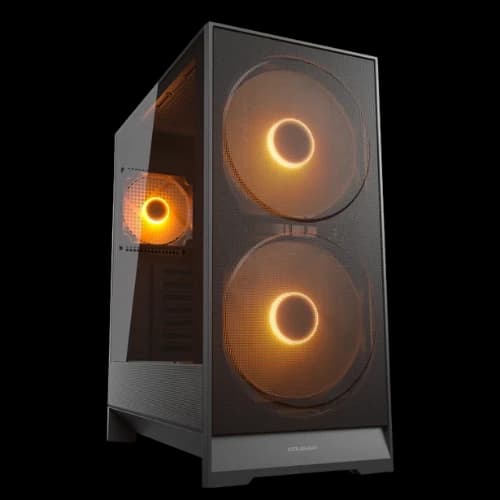
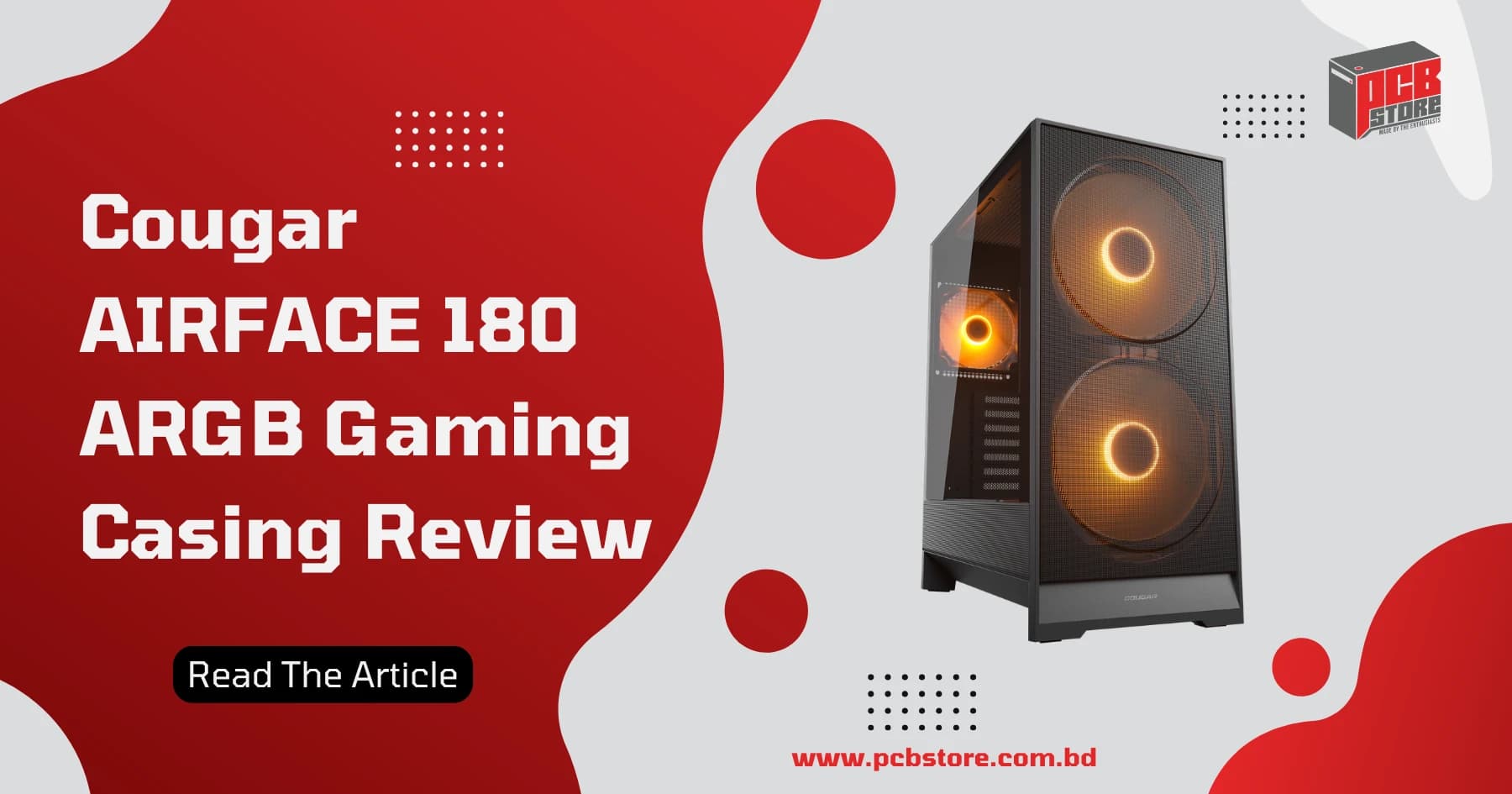
The exterior paneling prioritizes structural utility, presenting a minimal matte finish free from loud, contrasting design lines. The front intake resembles high end audio equipment due to its large dual perforation cutouts designed specifically to accommodate the sweeping diameter of the twin 180mm intake fans. Branding is limited to a single, subtle logo placed on the lower section of the chassis face.
Panel Access Mechanisms and Material Quality
The side structural choices utilize premium materials to balance immediate hardware visibility with rapid, maintenance friendly entry.
- Side Window Panel: Toolless 4mm tempered glass side panel secured by a single rear captive thumb screw for safety and fast extraction.
- Front Filtration System: Toolless magnetic mesh front filter panel that detaches smoothly with a simple forward pull for immediate washing.
- Chassis Core Frame: Stamped medium thickness steel with rolled structural folds to maintain rigid panel alignment and resist flexing during component mounting.
- Chassis Base Structure: Angled feet extensions designed to increase structural clearance underneath the power supply chamber shroud for improved bottom ventilation.
Airflow-Focused Design Explained
The engineering strategy behind this chassis revolves around maximizing the volume of air moved per minute while keeping fan rotation speeds low. By integrating massive front intake fans, the case establishes a direct, unobstructed thermal pathway from the external environment straight to the main components.
The Physics and Advantages of 180mm Fans
Using larger diameter fans alters the cooling efficiency curve by providing a massive increase in surface area. A pair of large intake fans can move an identical volume of air at significantly lower revolutions per minute compared to three standard smaller fans.
- Lower Noise Profiles: Large blades generate less acoustic whine because they do not need to spin fast to displace heat.
- Higher Static Pressure Coverage: The wide blade sweep ensures the entire front mesh surface is actively drawing air, leaving no blind spots.
- Targeted Structural Airflow: The physical width of the fans allows the air column to push past the main chamber, simultaneously cooling the core components and the storage area underneath.
Positive Air Pressure Mechanics
This case utilizes a factory-tuned positive air pressure configuration out of the box. With two high-volume front intake fans pushing air inside against a single smaller exhaust fan, the internal air pressure remains consistently higher than the atmospheric pressure outside. This design choice actively forces air out of every unsealed crack and ventilation hole, preventing ambient dust from settling into the chassis through raw gaps.
Cooling Performance Analysis
Thermal testing reveals that a traditional front-to-back straight airflow path outperforms modern showcase layouts by a wide margin. By bringing the intake source closer to the main hardware components, the thermal energy is swept away before it can heat up the inside of the frame.
Temperature Benchmarks
The real-world thermal metrics demonstrate how well this setup controls heat under heavy workloads. Testing was conducted using an AMD Ryzen 5 7600 CPU paired with an MSI RTX 5060 graphics card inside a room kept at a steady temperature.
Test Environment Layout | CPU Temperature Under Load | GPU Temperature Under Load |
Open Air Benchmark Test | 70.6 Degrees Celsius | 70.8 Degrees Celsius |
Fully Closed Case Structure | 71.8 Degrees Celsius | 70.3 Degrees Celsius |
Internal Thermal Analysis
The benchmark numbers show an interesting phenomenon where the graphics card actually runs slightly cooler inside the closed case than on an open test bench. This happens because the high-velocity air current from the front intake is directed straight into the GPU cooler, creating a forced convection tunnel.
The processor experiences only a negligible increase in heat when the case is closed, proving that internal air does not get trapped inside the main chamber.
Acoustic and Fan Noise Performance
At idle speeds, the system operates almost silently because the large front blades can maintain adequate case ventilation while spinning slowly. Under maximum gaming workloads, the noise output increases but stays at a lower pitch compared to cases using smaller fans. This lower-frequency sound profile blends easily into ambient room noise, making it far less distracting during long use sessions.
Included ARGB Fan Setup
The cooling system relies on three pre-installed fans that are fully addressable and speed-controlled. This out-of-the-box configuration eliminates the immediate need to purchase additional case fans, keeping the initial system build cost down.
Integrated Control and Sync Architecture
The included fans connect to an integrated control hub that simplifies wiring and motherboard synchronization. This architecture ensures unified lighting effects and synchronized rotational adjustments across different system workloads.
- PWM Speed Control: All included fans feature 4-pin Pulse Width Modulation (PWM) connectors, allowing the motherboard to dynamically adjust rotational speeds between quiet idle states and high-performance gaming modes.
- ARGB Lighting Integration: The fans utilize 3-pin 5V Addressable RGB connectors that link directly into major motherboard lighting ecosystems, including ASUS Aura Sync, MSI Mystic Light, and Gigabyte RGB Fusion.
- Hardware Control Alternative: A dedicated front I/O button allows users to cycle through pre-programmed lighting presets manually if the motherboard lacks ARGB header pins.
- Daisy-Chained Cleanliness: The pre-routed fan cables use a daisy-chain layout to reduce clutter behind the motherboard tray, occupying only a single motherboard fan header.
Hardware Compatibility
The mid-tower interior layout handles large modern components without requiring a massive external footprint. It balances standard clearance clearances carefully across all major component zones.
Component Clearance Metrics
The internal framework provides generous physical limits for heavy-duty power supplies, thick storage drives, and long graphics cards.
Component Category | Maximum Physical Clearance |
Graphics Card Length | Up to 340mm total length |
CPU Air Cooler Height | Up to 170mm vertical height |
Power Supply Unit Length | Up to 160mm total space |
Hard Disk Drives (3.5") | 2 dedicated drive bays |
Solid State Drives (2.5") | 1 dedicated mounting bracket |
Component Fit Mentions
Graphics card installation is simplified by a built-in GPU sag bracket that supports long, three-slot cards without extra accessories. However, if your graphics card exceeds 300mm, setting up a 360mm radiator behind the front panel will reduce the remaining GPU room.
The 170mm air cooler clearance fits almost all large dual-tower coolers on the market. For the power supply compartment, standard modular PSUs fit smoothly, but oversized models or side-interface modular power supplies like Corsair Shift units will have tight cable clearance against the hard drive cage.
BTF Motherboard Compatibility
The chassis is designed for modern PC building by supporting hidden-connector motherboards. It includes specific frame cutouts that allow reverse-plug cables to route directly behind the tray, hiding your main power connections from the front view.
Hidden-Connector Ecosystem Support
The physical layout accommodates different reverse-connector motherboard designs from major manufacturers.
- ASUS BTF Ecosystem: The cutouts line up perfectly with the rear-facing 24-pin power, EPS, and SATA ports used on ASUS BTF motherboards, ensuring no metal blocks your plugs.
- MSI Project Zero Layout: The frame provides wide routing channels that match the exact spacing needed for MSI Project Zero boards, preventing cable strain on the connectors.
- Gigabyte Project Stealth Compatibility: The structural cutaways offer enough clearance for Gigabyte Project Stealth rear connectors, allowing easy plug-ins without forcing cables against the steel frame.
Cable Management Experience
The internal structure features well-placed holes and tiedown points to streamline the building process. The case simplifies routing for clean airflow, even with thick power supply cable extensions.
Routing Layout and Shroud Features
The rear side of the motherboard tray offers dedicated paths and functional sections to organize your power and data lines cleanly.
Management Feature | Design Implementation Details |
Pre-Routed Tie Points | Features two integrated velcro straps along the main cable channel for fast bundling |
Front I/O Interface | Uses a unified single-connector block for easy front panel button setup |
PSU Shroud Venting | Includes bottom cutouts to direct airflow directly to the GPU intake fans |
Accessories Included | Comes with ten extra zip ties in an accessory box for custom routing |
Building Process Advantages
The unified front panel connector eliminates the tedious process of plugging in tiny individual power and reset wires. However, because it uses a single-block design, the front LED button is tied into the RGB controller and cannot be repurposed as a reset button.
The main cable routes offer deep clearance behind the tray, making it easy to close the toolless metal side panel without forcing it shut over thick bundles.
Radiator and Water Cooling Support
The inner frame accommodates liquid cooling setups while managing the space constraints of a mid-tower chassis. It handles standard All In One (AIO) liquid coolers by placing them along the front or top ventilation panels depending on your hardware sizes.
Liquid Cooling Configurations and Restrictions
The choice of radiator placement affects your maximum graphics card length and overall component layout inside the main chamber.
- Front Panel Radiator Fit: Fits liquid coolers up to 360mm, 280mm, or 240mm sizes. Mounting a thick 360mm system here pulls cool air from the front, but it reduces your maximum graphics card room to under 300mm.
- Top Panel Radiator Fit: Supports 240mm and 280mm liquid cooling setups. However, large high-performance radiators like the Arctic Liquid Freezer series are limited to the 240mm size to prevent the radiator or fans from hitting your motherboard RAM slots.
- Rear Exhaust Radiator Fit: Accommodates a standard 120mm liquid cooler, which works well for compact independent graphics card cooling loops or simple builds.
Custom Liquid Cooling Potential
The layout leaves enough room for simple custom loops using a small pump and reservoir combo unit. Because the case length is short, mounting a custom reservoir requires careful measurement of your graphics card to ensure the parts do not block each other.
Dust Management and Maintenance
The chassis keeps fine dirt out of your components through multi-surface physical mesh panels. It uses a positive pressure fan setup to push dust away from unfiltered cracks, making the cleaning process simple.
Filtration Points and Maintenance Steps
Regular upkeep takes very little time due to the toolless design of the filter attachments.
Filtration Location | Attachment Style | Cleaning Method |
Front Main Intake | Built-in Magnetic Mesh Panel | Quick forward pull to detach, rinse with water, or wipe down |
Top Ventilation Panel | Flexible Magnetic Sheet | Lift off from the top recess, shake clean, and snap back into place |
Bottom Power Supply Inlet | Slide out Mesh Tray | Slide out from the bottom rear, clear of dust, and slide back in |
Long-Term Maintenance and Upkeep
The large front intake mesh filters out major debris before it enters the system, but the high airflow volume means you should clean the front panel every few weeks to keep your air velocity high. The quick, toolless glass and mesh panels make it easy to access and blow out the inside of the case without using any screwdrivers.
Cougar AIRFACE 180 vs Competitors
Analyzing how the platform matches up against alternative budget and mid-range options reveals stark trade-offs in structural depth, included fan sizes, and frame layout. The choice between these popular options depends entirely on whether you prioritize massive raw intake area or physical interior length.
Market Position and Features
The direct alternatives trade the non-standard 180mm fan configurations for extra internal room or basic, lower-cost configurations.
Competitor Model | Structural Advantage | Thermal and Fan Limitation |
Montech AIR 903 Base / MAX | Offers deep interior room for extra-long 400mm graphics cards | Relies on standard 140mm fans which require higher RPM for equivalent static pressure |
DeepCool CC560 | Lower entry price point for tight budgets | Lacks modern USB Type-C connectivity and PWM speed control on stock fans |
Corsair 4000D Airflow | Premium steel fitment with highly polished cable routing paths | Requires purchasing extra fans as it only ships with two non-RGB units |
Gamdias Athena M6 | Features a distinct under-glow strip and multiple smaller pre-installed fans | Lacks standard structural support for rear-connector BTF motherboards |
Direct Performance Comparisons
The Montech AIR 903 provides better raw clearance for complex high-end hardware, but the AIRFACE 180 moves a larger volume of air over mid-tier components with less acoustic noise.
DeepCool and Gamdias focus on standard budget configurations, whereas Cougar offers specialized high-airflow parts like the large twin intakes and a modern unified front I/O block. The Corsair 4000D Airflow stays a strong option for premium build quality, but it demands an additional investment in matching high-static fans to match the out-of-the-box thermal metrics shown here.
Real User Feedback and Community Opinions
Aggregated feedback from domestic custom PC hardware groups reveals high satisfaction regarding core thermal values alongside minor critiques of material thickness. Builders regularly share their hands-on experiences across popular Bangladeshi online custom tech forums.
Community Impressions and Common Feedback Points
User experiences center closely around structural build ease, stock acoustic performance, and long-term dust maintenance.
- Airflow Performance: Users praise the immediate thermal drop across entry and mid-tier components, noting that the straight front mesh pathway lowers hardware heat significantly compared to budget fishtank designs.
- Assembly Experience: Reviewers appreciate the unified front panel header, which saves time during assembly. However, some note that the internal mid-tower length feels tight when using extra-long modular power supply units.
- Acoustic Observations: System owners confirm that the large front fans generate a quiet, low-frequency hum under full gaming loads instead of the high-pitched whine common to smaller, low-cost budget cases.
- Maintenance Feedback: The quick-detach magnetic front panel gets highly positive marks for making regular cleaning easy, though users note that the high intake velocity requires cleaning the filter every few weeks to keep airflow peak.
Pros and Cons
Evaluating the architectural choices of this mid tower chassis balance reveals a distinct leaning toward system thermals and building ease. The structural frame sacrifices massive internal multi radiator clearance to achieve an optimized air velocity tunnel.
Balanced Design Trade Offs
The practical performance advantages must be weighed against clear physical compartment restrictions during component selection.
- Massive Front Air Intake: Included dual 180mm fans move unparalleled volumes of fresh air over critical expansion slots at lower operational noise.
- Modern I/O Selection: Out of box inclusion of high speed USB Type-C and elimination of ancient USB 2.0 lines simplifies external data transfer.
- Next Gen Layout Support: Built in metal cutouts flawlessly native support reverse connector BTF motherboards from ASUS and MSI without modification.
- Integrated Hardware Extras: Factory installed adjustable GPU sag bracket prevents heavy graphics cards from sagging without purchasing separate accessories.
Structural Restrictions and Limitations
- Tight Interior Depth: The brief 410mm overall depth means setting up thick liquid radiators up front limits maximum graphics card room severely.
- Top Radiator Height Limits: Liquid cooling systems with thick profiles like the Arctic series are strictly confined to 240mm configurations to avoid RAM collisions.
- White Version Build Imperfections: The paint application and metal thickness on the white model feel slightly lower grade compared to premium options.
- Single Block Front I/O Control: The integrated single connector front panel cord disables utilizing the LED control key as an alternate hardware reset option.
Why Buy From PCB Store in Bangladesh
Purchasing the chassis from a verified regional distributor ensures authentic stock alongside standard local support paths. Relying on an official hardware vendor eliminates cross border shipping damage and provides secure technical consulting.
Localized Consumer Benefits
- Guaranteed Product Authenticity: Buying from a verified local tech hub ensures you receive original retail boxes complete with all ten zip ties and internal accessory screws.
- On Site Assembly Assistance: Professional technicians provide precise component installation ensuring intricate reverse plug BTF wiring routes are fully optimized.
- Sustained Local Logistics: Eliminates global shipping freight costs and structural delays while maintaining an accurate market pricing profile near 6,000 Taka.
- Comprehensive Hardware Matching: Local retail associates offer instant compatibility verification checking your custom power supply and graphics card lengths before purchase.
Final Verdict: Is the Cougar AIRFACE 180 Worth Buying in Bangladesh?
The Cougar AIRFACE 180 ARGB provides incredible cooling value for performance-focused builders under the 7,000 Taka mark. It successfully prioritizes high-velocity air delivery over standard glass aesthetics, keeping your interior hardware components safe from heat buildup during long gaming stretches.
Direct Buying Recommendation
If your primary concern is maintaining the lowest possible hardware temperatures under load, this model is an easy choice. The pre-installed 180mm front fans offer unmatched airflow volume at a standard market price of 6,000 Taka.
However, builders planning to install heavy, extra-long custom liquid cooling radiators up front may find the internal space tight. For standard air-cooled configurations and reverse-connector setups, it remains a highly efficient foundational choice.