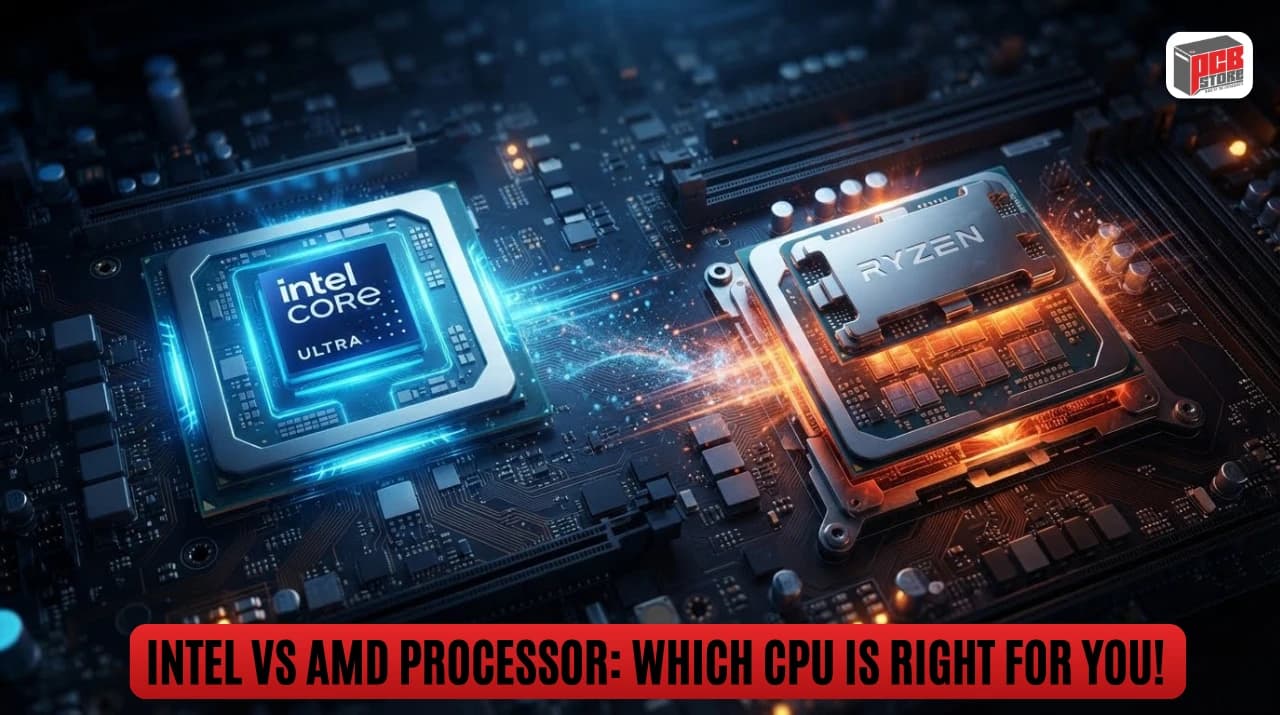
Intel vs AMD Processor: Which CPU Is Right For You!
Intel vs AMD Processors in Bangladesh (2026): Which CPU Brand Offers Better Performance, Value & Future Upgradability?
Choosing between Intel and AMD in 2026 depends entirely on your specific workload requirements, total motherboard platform costs, and your long-term desktop upgrade plans. Both manufacturers offer highly competitive desktop architectures that excel in distinct computing applications.
This comparative analysis helps desktop computer buyers, software developers, and competitive gamers in Bangladesh select an optimal processor based on recent regional market availability, real-world retail pricing, and platform infrastructure lifetimes.
Strategic Brand Positioning
Brand Matrix | Architectural Strength | Platform Upgrade Path | Thermal Design Strategy |
Intel Core / Ultra | Hybrid architecture pairing performance cores with high-density efficiency cores. | Generational changes limit platform lifespans to two CPU cycles maximum. | Scaled voltage profiles leveraging thermal velocity boost limits. |
AMD Ryzen | Monolithic chiplet tiles integrating massive hardware cache structures. | Sustained socket support allowing cross-generation processor upgrades. | Advanced manufacturing nodes prioritizing optimal compute performance per watt. |
Key Decision Matrix
- Choose AMD Ryzen if: Long-term platform upgradability matters, maximum power efficiency is required, or specific applications benefit from stacked high-capacity cache modules.
- Choose Intel Core / Ultra if: Heavy workloads rely on traditional high frequency targets, single-core latency is paramount, or productivity software scales with hybrid thread schedulers.
Intel vs AMD at a Glance: Which Processor Brand Is Right for You?
The choice between Intel and AMD in 2026 centers on whether your workload prioritizes dense hybrid architecture multitasking or extreme cache efficiency. AMD leads in specialized gaming and power metrics, while Intel provides excellent targeted production throughput.
The Evolution of Intel and AMD Processors
The historic battle between these chip makers has evolved from basic frequency scaling into a race for architectural specialization. Intel moved to a tile-based modular layout with dedicated performance and efficiency cores, focusing heavily on integrated neural processing units. AMD expanded its innovative chiplet architecture, refining their high-density 3D V-Cache design to deliver immense storage bandwidth directly to the processing silicon.
Why the Intel vs AMD Debate Still Matters in 2026
Processor choices fundamentally dictate your overall platform expenditure, memory stability, and motherboard lifespan within the local market. Component buyers must choose between competing structural philosophy pathways that alter total build budgets due to disparate socket designs. A miscalculated choice impacts future system upgrades and shapes overall performance metrics across gaming, content creation, and hardware deployment.
Quick Verdict for Different Types of Users
User Persona | Recommended Architecture | Primary Technical Benefit |
Competitive Gamer | AMD Ryzen X3D | Massively lowered memory latency via stacked L3 cache |
Studio Video Editor | Intel Core Ultra | QuickSync video encoding engines and deep thread pools |
Budget PC Builder | AMD Ryzen Standard | Sustained platform backward compatibility and efficient boxed coolers |
AI Software Developer | Intel Core Ultra | Native high-TOPS dedicated neural processing execution |
Understanding Modern CPU Architectures Before Comparing
Modern desktop processors deploy vastly different execution philosophies across their computing dies. Intel relies on an asymmetric hybrid structure that segments tasks across high-frequency computing units and low-power processing threads. AMD uses a highly cohesive, monolithic symmetric core distribution across unified core complex dies, maintaining equal cache access speeds across all processing units.
Understanding Processor Basics Before Comparing Intel and AMD
Evaluating silicon performance requires understanding how fundamental microarchitecture layout choices dictate total system speed under variable computing loads. Raw frequencies no longer accurately reflect real-world execution capacity without examining broader engine resource designs.
What Does a CPU Actually Do?
The central processing unit acts as the primary logical execution engine, orchestrating instructions across all hardware subsystems. It continuously handles basic arithmetic calculations, registers system commands, and coordinates operational memory flow to ensure data pipelines move without interruption.
Cores vs Threads Explained
Physical cores represent independent hardware processing units built directly into the silicon substrate. Threads are virtual execution paths created by scheduling algorithms to feed those physical cores multiple command streams at the same time.
Clock Speed vs IPC: Which Matters More?
Clock speed measures the raw frequency of operational cycles executed per second, while instructions per cycle reflects architectural execution efficiency. Real-world performance scales from the mathematical product of both metrics, making a lower-frequency processor with a high instructions-per-cycle metric match or exceed older high-clocked chips.
Cache Memory and Its Impact on Performance
Cache memory is ultra-fast, high-density storage positioned directly next to the execution units to store critical operational instructions. Expanding this memory space, as seen in specialized hardware layouts, dramatically minimizes data retrieval latency from system RAM, boosting frame rate consistency.
Desktop Memory Hierarchy
- L1 / L2 Cache: Local Core Storage (Ultra Fast)
- L3 Cache: Shared Die Pool (High Density)
- System RAM: Motherboard Memory (Higher Latency)
Integrated Graphics vs Dedicated Graphics
Integrated graphics sharing systemic power lines provide display outputs and basic media decoding without requiring extra hardware investment. Dedicated graphics adapters use distinct boards, dedicated video memory, and independent power rails to handle extreme geometry scaling and high-resolution textures.
TDP, Power Consumption, and Cooling Requirements
Thermal design power marks the maximum continuous wattage a cooling system must dissipate under prolonged, heavy operational stock workloads. Modern processors frequently exceed their base power envelopes during temporary burst frequencies, requiring robust power delivery configurations and large radiator configurations to prevent thermal throttling.
Intel Processors Explained: Strengths, Weaknesses & Best Use Cases
Intel desktop processors focus heavily on raw clock frequency maximization and deep multi-threaded performance split across asymmetric core layouts. They provide immense advantages in tasks requiring fast burst responses and mature corporate software optimization ecosystems.
Intel Core i3 Series
The Core i3 family forms Intel's entry-level segment, providing balanced computing speeds for entry-level workloads and office automation systems. This family covers multiple generations, from classic models like the Intel 10th Gen Core i3-10100, 10100F, 10105, and 10105F, to the 13th Gen Core i3-13100. Mainstream choices like the Intel Core i3-12100, 12100F, and the newer 14th Gen Core i3-14100 and 14100F usually feature four high-frequency performance cores. These components handle web browsing, software office tools, and light media playback smoothly without straining your budget.
Intel Core i5 Series
Representing the mainstream market sweet spot, the Core i5 series introduces a combined core setup that blends speed and budget efficiency beautifully. It encompasses an extensive catalog ranging from older setups like the Intel 10th Gen Core i5-10400, 10400F, 10500, and 10505, up to the popular 11th Gen Core i5-11400, 11400F, and 11500.
The hybrid architecture comes alive in models like the 12th Gen Core i5-12400, 12400F, 12500, and 12600K, extending into the 13th Gen Core i5-13400, 13400F, 13500, 13600K, and 13600KF. The lineage is further updated by the 14th Gen Core i5-14400, 14400F, 14500, 14600K, and 14600KF. This family delivers excellent frame rates in standard PC gaming titles while providing the necessary multi-core capacity to manage background applications, basic programming environments, and digital creation software.
Intel Core i7 Series
The Core i7 lineup targets performance enthusiasts and heavy multitaskers who need sustained computing power for long, demanding workloads. This performance tier spans across legacy chips like the Intel 10th Gen Core i7-10700 and 10700K, the 11th Gen Core i7-11700, and the 12th Gen Core i7-12700 and 12700K.
Modern workstation power is led by the 13th Gen Core i7-13700, 13700K, and 13700KF, as well as the powerful 14th Gen Core i7-14700, 14700K, 14700F, and 14700KF. Equipped with a generous collection of performance and efficiency cores, it excels at encoding video files, high-refresh-rate gaming, and running concurrent specialized desktop applications.
Intel Core i9 Series
As Intel's classic flagship tier, Core i9 processors push desktop clock frequencies to the absolute limit for zero-compromise computational throughput. Featuring heavy-duty hardware like the Intel 11th Gen Core i9-11900K and the hybrid 12th Gen Core i9-12900K, this line peaks with massive powerhouses like the 13th Gen Core i9-13900K and 13900KF, alongside the refined 14th Gen Core i9-14900K, 14900KF, and 14900F. These chips are built for top-tier professional editing systems and massive rendering projects that can fully utilize every single computing thread available on the silicon.
Intel Core Ultra Processors
The Core Ultra series marks a major architectural leap, using advanced tile packaging to integrate dedicated Neural Processing Units (NPUs) directly into consumer desktop chips. This modern Arrow Lake ecosystem scales from entry options like the Intel Core Ultra 5 225, 225F, and 235, to mainstream builders' choices like the Core Ultra 5 245, 245K, 245KF, and the specialized 250K Plus and 250KF Plus.
High-tier creation setups are anchored by the Intel Core Ultra 7 265, 265K, 265KF, 265F, and the enhanced 270K Plus, while the absolute peak is held by the flagship Intel Core Ultra 9 285 and 285K. They focus on delivering superior performance-per-watt metrics, upgraded internal graphics engines, and fast hardware acceleration for localized AI models and modern coding tasks.
Intel's Performance-Core and Efficiency-Core Architecture
Intel's hybrid design divides processing duties between larger Performance-cores (P-cores) for heavy foreground calculations and smaller Efficiency-cores (E-cores) for background tasks. This layout allows the operating system to offload system management functions to the low-power blocks, keeping the main cores completely clear for your heaviest gaming and productivity work.
Who Should Buy an Intel Processor?
An Intel processor is ideal for buyers whose main workloads rely heavily on specialized production tools like Adobe Premiere Pro, which profits immensely from Intel's proprietary QuickSync encoder. It also suits budget-conscious users who want to save money by pairing older, affordable DDR4 memory with mid-range motherboard chipsets.
AMD Ryzen Processors Explained: Strengths, Weaknesses & Best Use Cases
AMD Ryzen desktop processors rely on a highly scalable, symmetrical chiplet-die design that maximizes raw processing efficiency and platform upgrade lifespans. They are widely recognized for leading the industry in power efficiency and gaming performance.
AMD Ryzen 3 Series
AMD's entry-tier processors provide affordable quad-core computing power designed for low-cost home setups, education workstations, and general administrative use. Popular entry-level models like the AMD Ryzen 3 2200G and the budget AMD Ryzen 3 4100 run exceptionally cool, require minimal power delivery, and often include capable integrated graphics chips to help budget buyers skip a dedicated graphics card entirely.
AMD Ryzen 5 Series
The Ryzen 5 family is an incredibly popular choice for budget-conscious gamers and freelancers looking for the ultimate value-for-money upgrade path. Featuring versatile choices from legacy entry APUs like the AMD Ryzen 5 2400G and Ryzen 5 3400G to mainstream performance staples like the AMD Ryzen 5 5600, 5600X, 5500, and the graphics-integrated Ryzen 5 5600G or 5600GT, this tier handles multi-threaded workloads with ease. For modern platforms, advanced processors such as the AMD Ryzen 5 7500F, 7600, 7600X, and the newer Ryzen 5 8400F, 8500G, 8600G, and cutting-edge Ryzen 5 9600X offer up to six full-performance computing cores to manage modern games and mid-level software projects without requiring expensive cooling setups.
AMD Ryzen 7 Series
The Ryzen 7 tier steps up to an eight-core, sixteen-thread configuration that is perfectly balanced for modern streaming configurations and enthusiast-grade computing. Highly regarded variants ranging from the AM4 generation's AMD Ryzen 7 5700X, 5800X, and 5700G to AM5 powerhouses like the AMD Ryzen 7 7700, 7700X, 8700G, and the latest Ryzen 7 9700X provide users the necessary multi-threaded horsepower to maintain smooth gaming frame rates while running heavy background broadcast software simultaneously.
AMD Ryzen 9 Series
The Ryzen 9 line serves as AMD's high-end workstation powerhouse, packing up to sixteen full-power cores into a standard consumer desktop socket. Built around pure performance models such as the twelve-core AMD Ryzen 9 7900X and Ryzen 9 9900X, alongside top-tier sixteen-core flagships like the AMD Ryzen 9 7950X and Ryzen 9 9950X, it is tailor-made for heavy 3D rendering pipelines, running multiple virtual machines, complex code compilation, and managing massive visual database structures.
AMD Ryzen X3D Gaming Processors
X3D processors use innovative 3D V-Cache technology to stack an enormous pool of ultra-fast L3 cache directly on top of the computing core die. Legendary models like the AMD Ryzen 7 5800X3D and the widely celebrated Ryzen 7 7800X3D paved the way for modern top-tier gaming silicon, which now includes the ultimate AMD Ryzen 7 9800X3D, the highly anticipated Ryzen 7 9850X3D, and massive multi-core options like the AMD Ryzen 9 7950X3D, Ryzen 9 9900X3D, and Ryzen 9 9950X3D. This massive storage pool dramatically lowers memory latency, making these processors the absolute fastest gaming chips on the market for stabilizing and boosting frame rates.
AMD Zen Architecture Explained
The Zen architecture uses a smart chiplet design where processing core complexes and central input/output control blocks are split into separate pieces of silicon. This approach lets AMD quickly adopt cutting-edge manufacturing processes for core blocks while keeping production costs down and maintaining consistent performance scaling.
Who Should Buy an AMD Ryzen Processor?
AMD Ryzen is the clear choice for users building a brand-new PC who want a long-term upgrade path on a single motherboard platform. It is also the ultimate option for competitive gamers seeking maximum frame consistency, or anyone looking to minimize their system's power draw and heat output.
Intel vs AMD Specifications Comparison: Key Differences You Need to Know
Intel and AMD manage processing execution through fundamentally opposing hardware philosophies. Intel focuses on separating core duties to maximize multi-threaded workflows, whereas AMD drives extreme cache bandwidth to unlock raw performance.
CPU Architecture Comparison
Intel Core Ultra desktop platforms utilize a tiled layout separating computing blocks onto individual production dies. AMD Zen architectures use standard chiplet designs that position equal, fully featured processing dies around a centralized input control piece.
Core and Thread Count Comparison
Intel expands thread counts by packing massive amounts of secondary efficiency cores alongside primary performance cores. AMD keeps thread structures perfectly balanced by deploying matching physical cores that each carry dual virtual thread execution pipelines.
Processor Tier | Intel Structural Blueprint | AMD Structural Blueprint |
Mainstream 5 | 14 Cores / 14 Threads (No Hyper-Threading) | 6 Cores / 12 Threads (Simultaneous Multi-Threading) |
Performance 7 | 20 Cores / 20 Threads (No Hyper-Threading) | 8 Cores / 16 Threads (Simultaneous Multi-Threading) |
Flagship 9 | 24 Cores / 24 Threads (No Hyper-Threading) | 16 Cores / 32 Threads (Simultaneous Multi-Threading) |
Clock Speed Comparison
Intel relies on extreme clock scaling to push single-core burst operations to high frequencies out of the box. AMD achieves identical computational results at lower operational clock points by processing more data instructions during each individual clock cycle.
Cache Memory Comparison
AMD dominates storage allocations by packing enormous vertical memory layers directly onto specialized gaming chips. Intel relies on a traditional tiered structure that features tight local access pools paired with a balanced shared memory block.
Integrated Graphics Comparison
Intel platforms integrate advanced visual engines built on scalable graphics structures that excel at media streaming processes. AMD counters with processing blocks utilizing high-performance Radeon layouts that offer superior fluid frame rates during casual gaming.
Power Efficiency Comparison
AMD holds a substantial efficiency advantage by leveraging dense manufacturing processes that consume minimal operating wattage. Intel continues refining its performance footprint, though heavy calculation loads still draw notable power during prolonged multi-core bursts.
AI and NPU Capabilities Comparison
Intel builds dedicated neural processing blocks directly into their newest desktop consumer chips to accelerate local intelligence algorithms. AMD introduces unified AI processing blocks across specific product segments, though both brands still require discrete graphics adapters for massive machine learning models.
PCIe and Connectivity Support Comparison
Both platforms provide massive connectivity options, supporting ultra-fast system memory profiles alongside primary high-speed PCIe lanes. AMD provides generous direct storage lanes through standard motherboard models, while Intel balances bandwidth across modern external peripheral connection frameworks.
Intel vs AMD Gaming Performance Comparison
AMD leads consumer desktop gaming metrics due to specialized high-cache silicon configurations that reduce spatial processing slowdowns. Intel remains competitive by scaling operational frequencies across standard memory architectures to stabilize frame generation pipelines.
Which Brand Delivers Higher FPS?
Independent hardware testing reveals AMD models featuring specialized 3D cache configurations generate higher average frames per second across modern real-time simulation engines. Intel chips offer reliable, steady game fluidness but generally require higher total system energy to match peak processing metrics.
1080p Gaming Performance Comparison
Low-resolution testing places the primary workload bottlenecking directly onto the host processing silicon rather than the external graphics system. At 1080p resolutions, AMD platforms achieve distinct margins over standard competitor models because their high-capacity memory pools eliminate internal transaction delay points.
1440p Gaming Performance Comparison
Mid-resolution gaming splits systemic processing weights evenly across the main processing silicon and the graphics rendering subsystem. The performance delta between brand architectures contracts at 1440p, though high-cache options maintain superior frame rate consistency during complex structural rendering scenes.
4K Gaming Performance Comparison
High-definition 4K rendering transfers nearly all computing stress onto the discrete graphics hardware accelerator board. Processor brand variations showcase minimal deviations under ultra-high-definition workloads, with both chip architectures offering similar real-world output metrics because the graphics adapter serves as the primary system limiter.
CPU Bottleneck Considerations
A processing bottleneck develops when an underpowered engine fails to feed spatial geometry layout variables fast enough to maximize graphics card production capacity. Balancing component choices prevents underutilization, ensuring your system framework can fully feed high-performance graphics engines without encountering jerky frame drops.
Why AMD X3D CPUs Dominate Certain Games
Massively multiplayer online titles, complex strategic simulations, and large physics environments rely heavily on fast memory data access. Stacking cache layers vertically gives processing units near-instant access to game geometry variables, preventing common system micro-stutters during heavy computational action.
Intel's Advantages in High-Frequency Gaming
Intel architectures excel in classic software titles that scale predictably with raw physical clock speed rather than massive storage pools. Their high linear frequencies enable rapid instruction cycles, keeping frame output pathways highly stable in specialized e-sports titles and older software codebases.
Best Intel CPUs for Gaming
- Core Ultra 5 Mainstream: Delivers balanced frame processing speeds without requiring high thermal management configurations.
- Core i7 High-Tier: Provides expansive background thread space alongside high clock rates to support concurrent streaming pipelines.
Best AMD CPUs for Gaming
- Ryzen 7 X3D Tier: Represents the absolute peak choice for maximizing high-refresh competitive display panels.
- Ryzen 5 Standard: Offers an exceptional value foundation for budget builds looking for entry access to new platform models.
Intel vs AMD for Streaming, Content Creation & Professional Workloads
Intel Core Ultra platforms offer a highly specialized internal media engine tailored for real-time video encoding, whereas AMD Ryzen chips utilize uniform, heavy multi-core processing architecture to dominate long-form raw computer rendering tasks.
Video Editing Performance Comparison
Selecting the ideal workstation processor requires analyzing the specific recording formats your production workflow utilizes daily. Intel provides an edge for highly compressed commercial production formats, while AMD delivers better performance when processing raw, uncompressed files.
Adobe Premiere Pro Performance
Intel platforms maintain a clear advantage within Adobe Premiere Pro due to proprietary QuickSync media acceleration technology. This integrated hardware block manages timeline parsing and background file transcoding, keeping your workspace smooth even when working with compressed files.
DaVinci Resolve Performance
DaVinci Resolve scales cleanly across heavy systemic hardware resources, leveraging both your main processor cores and high-end graphics cards. AMD Ryzen high-core processors provide excellent performance here by accelerating complex grading math and pixel calculations across unified computing nodes.
Blender Rendering Performance
Raw 3D scene rendering is a pure numbers game that depends directly on the number of full-performance processing cores available. AMD's symmetric layout finishes tile frames noticeably faster because every core operates at full power, whereas Intel's smaller efficiency cores lack the muscle to match that heavy multi-threaded output.
Architecture Model | Cinebench Multi-Core Render Scale | Blender Tile Export Efficiency |
AMD Ryzen 9 Symmetric | Baseline Standard (100%) | Optimal (Fastest Frame Completion) |
Intel Core Ultra Hybrid | Balanced Resource Layout | Moderate (E-Cores Limit Peak Compute) |
Photoshop and Lightroom Performance
Graphic design pipelines rely heavily on fast single-thread bursts to apply filter scripts and organize large photo catalogs. Both manufacturers offer excellent responsiveness, though variations in systemic memory latency can cause minor performance differences depending on your RAM configuration.
Programming and Software Development Workloads
Compiling expansive software repositories requires immense multi-threaded throughput and large internal memory structures. AMD platforms running modern instruction sets excel at processing heavy code blocks, drastically shrinking wait times during structural code validation.
Virtual Machines and Multitasking Performance
Running multiple virtual environments requires a stable, predictable distribution of physical hardware resources. AMD's uniform core configuration prevents scheduling conflicts, avoiding the minor performance drops that can happen if a background virtual machine gets accidentally assigned to one of Intel's lower-power efficiency cores.
Virtualization Task Distribution Matrix
Platform Architecture | Hardware Core Assignment | Task Performance Balancing |
AMD Ryzen | Core 01 Assigned to VM 1 | Core 02 Assigned to VM 2 | Identical: Equal execution priority and throughput across all active instances. |
Intel Core | P-Core Assigned to VM 1 | E-Core Assigned to VM 2 | Asymmetric: Heterogeneous task scheduling leading to variable instance execution rates. |
AI, Machine Learning, and Productivity Workloads
Intel builds dedicated neural processing blocks directly into its newest consumer desktop chips to accelerate local AI tools. While this helps offload basic local language models, heavy machine learning projects still rely heavily on discrete graphics hardware for large calculations.
Intel vs AMD Power Consumption, Thermals & Cooling Requirements
Intel Core Ultra processors have substantially closed the historical efficiency gap by transitioning to advanced tile-based manufacturing nodes, though AMD Ryzen chips still hold the lead for sustained multi-core efficiency under continuous operational loads.
Which Brand Is More Power Efficient?
Under heavy all-core rendering workloads, AMD Ryzen flagship chips operate comfortably within a 170W to 230W power boundary. Intel Core Ultra platforms show incredible optimization by dropping their gaming draw significantly to around 80W, but they can still scale past 250W during intensive, continuous professional rendering tasks.
Heat Generation Comparison
Sustained computing bursts cause both hardware architectures to reach their maximum safe thermal limits quickly to maximize performance. Intel silicon configurations are structurally designed to tolerate peak temperature limits up to 105 degrees Celsius, whereas AMD configurations utilize smart internal safety algorithms that actively control performance curves at 89 degrees Celsius.
Air Cooling vs Liquid Cooling Needs
Modern hardware requires a deliberate matching of cooling accessories to your processor's tier to prevent performance throttling.
- Mainstream Tier (Ryzen 5 / Core Ultra 5): High-quality dual-tower air cooling units provide more than enough heat dispersion to keep these chips running smoothly under normal loads.
- Enthusiast Tier (Ryzen 9 / Core Ultra 9): Heavy continuous workloads require premium 360mm multi-fan liquid cooling radiator loops to maintain safe internal temperatures.
Performance Per Watt Analysis
AMD holds a distinct edge in computing work processed per watt during multi-threaded rendering pipelines because of its uniform core layout. Intel counters with incredible efficiency during low-power idle states and light everyday tasks, where its specialized background cores draw minimal system power.
Processor Brand | Efficiency Optimization Zone | Workload Profile Type |
AMD Ryzen | Peak Performance-Per-Watt | All-Core Workloads |
Intel Core Ultra | Peak System Power Savings | Low-Load / Idle States |
Long-Term Electricity Cost Considerations in Bangladesh
Operating heavy production workstations for multiple hours a day in Dhaka makes your processor's power draw a key variable in your monthly utility costs. Choosing a high-efficiency processor can lower your long-term system ownership expenses, as a lower power draw naturally reduces your monthly electricity bills and places less stress on local UPS backup power systems during temporary power interruptions.
Intel vs AMD Motherboard Ecosystem Comparison
Selecting a processor requires a careful evaluation of its matching motherboard architecture, as the core chipset dictates your total system expansion options, data delivery speeds, and peripheral networking capacities.
Intel Chipsets Explained
Intel's premium consumer platform operates on the LGA1851 socket, using distinct chipset tiers to organize system capabilities. The flagship Z890 chipset provides extensive lane options alongside complete tuning support, while the mainstream B860 chipset focuses on providing essential connectivity without complex processor optimization controls.
AMD Chipsets Explained
AMD organizes its long-lasting AM5 socket infrastructure around clear capability tiers to support Ryzen processors. The enthusiast-grade X870 and X870E chipsets require native high-speed USB4 integration, whereas the mid-range B850 framework balances costs by making premium wireless standards and maximum lane configurations optional for system builders.
Motherboard Pricing Differences
Motherboard manufacturing costs are heavily shaped by required engineering tolerances, processing logic setups, and minimum connector specifications. AMD's mandate for high-speed connectivity across premium boards raises baseline production expenses, but they balance this by offering simpler, highly affordable entry-tier options.
Entry-Level Platform Costs
The entry-level segment highlights a clear pricing divide for builders on a tight budget in Bangladesh. Intel's basic H810 layout offers an affordable pathway for clean office builds, while AMD's budget options provide excellent entry-level value with the bonus of useful system memory tuning controls.
Mid-Range Platform Costs
Mainstream system builders find the ultimate value balance in the extremely competitive mid-range motherboard category.
- Intel B860 Boards: Provide rock-solid power routing networks alongside stable peripheral connectivity, making them an excellent choice for locked mainstream setups.
- AMD B850 Boards: Deliver high-speed storage compatibility and robust power delivery design layouts that easily handle demanding, long-form processing work.
High-End Platform Costs
Premium desktop workstations require heavy-duty hardware layers capable of distributing massive electrical current to flagship processors. Intel Z890 and AMD X870E motherboards use dense multi-layer circuit configurations and large metal heatsink cooling structures to ensure perfect stability during intense computational bursts.
Features Available Across Different Chipsets
Feature Standard | Intel Z890 Flagship | Intel B860 Mainstream | AMD X870E Premium | AMD B850 Mainstream |
Processor Tuning | Unlocked | Disabled | Unlocked | Unlocked |
PCIe 5.0 Graphics | Standard | Optional | Standard | Optional |
USB4 40Gbps | Native Tier | Optional | Mandatory | Optional |
Memory Profiles | XMP Support | XMP Support | EXPO Support | EXPO Support |
Intel vs AMD Upgrade Path: Which Platform Is More Future-Proof?
Platform choice dictates whether your core desktop components can be systematically upgraded over several years or if a future processor change will require a costly, total teardown replacement.
Intel Socket Lifecycle Explained
Intel traditionally limits its physical connection interfaces to two primary processor release cycles before introducing a brand-new layout. The transition to the LGA1851 socket ecosystem offers an architecture upgrade pathway for current generations, but historical patterns suggest a shorter platform lifespan than its competitor.
AMD AM5 Platform Longevity
AMD continues its builder-focused philosophy by officially committing to support the unified AM5 socket through 2027 and beyond. This extended lifecourse guarantees that current system buyers can cleanly drop next-generation processors directly into existing setups by simply running a quick firmware refresh.
CPU Socket Platform | Lifecycle Phase Designation | Estimated Ecosystem Longevity |
Intel LGA1851 | Transition Era | Shorter Lifecycle |
AMD AM5 | Active Support | Through 2027+ |
CPU Upgrade Possibilities Without Replacing Motherboards
Upgrading an AM5 system requires zero structural workspace changes, allowing users to swap older components out for high-cache gaming processors while keeping their original motherboard and memory. Intel setups generally require a complete platform change once a socket lifecycle concludes, as old physical layouts cannot accommodate the pins of future architectures.
Long-Term Ownership Cost Comparison
While an advanced AMD motherboard might require a slightly higher initial investment in the local market, it saves significant money over time by avoiding forced hardware replacements. Intel systems provide excellent immediate performance for users who change their entire PC at once, but they require higher long-term budgets if you like to upgrade your processor every couple of years.
Which Platform Offers Better Future Value?
AMD holds a definitive advantage in long-term platform value due to its guaranteed multi-generation hardware compatibility roadmap. It represents the smarter investment choice for builders who want to secure a clear, low-cost upgrade path without being forced to buy a new motherboard when future processor families launch.
Intel vs AMD RAM Compatibility Comparison
Intel Core Ultra configurations utilize an independent external timing landscape to operate extremely fast memory links, whereas AMD Ryzen platforms lock system configurations to unified internal bus frequencies to eliminate local execution latency.
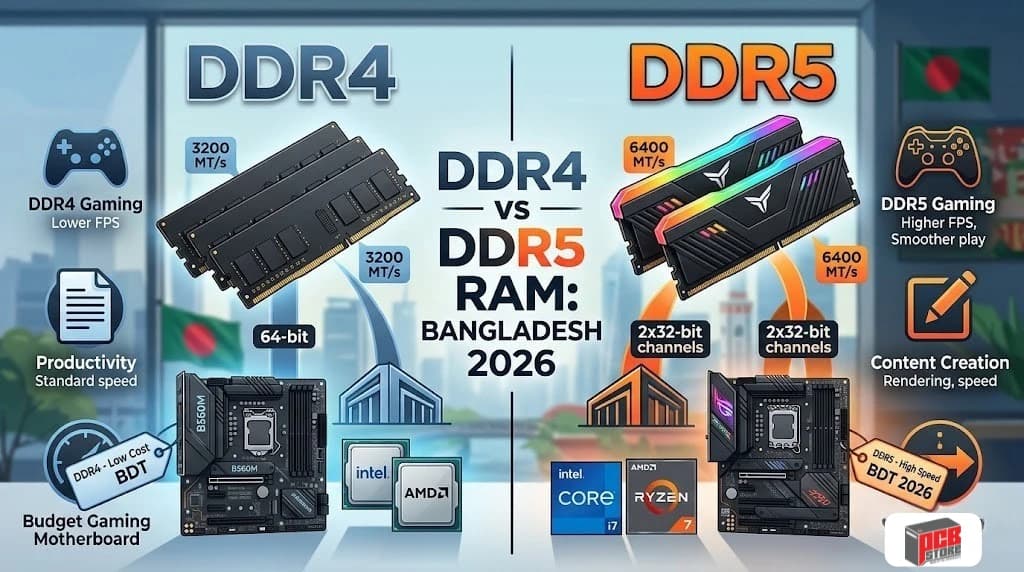
DDR4 vs DDR5 Support
Intel's transition to the LGA1851 physical interface officially removes legacy DDR4 system memory lanes, joining AMD's AM5 infrastructure in a complete commitment to modern DDR5 memory designs. Budget buyers can still access affordable DDR4 memory lanes by selecting older, lower-cost socket models from either brand.
Memory Speed Scaling Comparison
Intel's memory engine can handle incredibly high clock speeds, running standard DDR5 memory beyond 7200 MT/s smoothly. AMD's internal communication framework prefers a highly optimized data sweet spot, where synchronizing memory frequencies with the processor's internal bus clock creates the lowest possible transfer delay points.
Memory Stability and Tuning
System builders use specialized configuration profiles built into motherboard firmware to safely configure high-performance memory modules.
- Intel XMP (Extreme Memory Profile): Focuses on pushing maximum data transfer rates through raw memory frequency scaling.
- AMD EXPO (Extended Profiles for Overclocking): Prioritizes minimizing structural system timing latency to match the specific needs of Ryzen chips.
Best RAM Pairings for Intel CPUs
Intel's advanced memory management works best when paired with high-frequency dual-channel memory configurations. Choosing kits rated between 6400 MT/s and 7200 MT/s ensures massive data throughput across heavy creation workflows and long compiling projects.
Best RAM Pairings for AMD CPUs
AMD processors show the biggest performance gains when paired with low-latency memory configurations. Mainstream systems achieve peak gaming performance and maximum platform stability by running a balanced 6000 MT/s setup featuring tight structural timings.
Intel vs AMD Integrated Graphics Comparison
AMD processors offer high-performance internal graphics units based on advanced Radeon architectures that outpace standard desktop displays, while Intel focuses on providing hardware acceleration blocks designed to speed up digital media creation pipelines.
Intel UHD Graphics Performance
Intel's classic entry-level graphics layout is designed to handle basic administrative tasks, high-definition streaming playback, and multi-monitor office setups. While it runs desktop software smoothly, it lacks the raw power needed to handle demanding real-world 3D rendering or complex gaming engines.
Intel Arc-Based Integrated Graphics
The inclusion of Arc-based Xe graphics cores in the latest Intel chips dramatically boosts on-board graphics capabilities. This upgraded architecture handles smooth casual gaming at medium detail levels while giving content creators access to powerful video encoding tools directly inside the processor.
AMD Radeon Integrated Graphics Performance
AMD shapes budget PC building trends with its high-performance desktop APUs, which feature powerful built-in Radeon graphics engines. These processing blocks give users massive 3D rendering capacities that easily surpass traditional integrated graphics alternatives.
Which Integrated Graphics Is Better for Budget Builds?
AMD is the clear winner for low-cost systems that will not feature a separate, dedicated graphics card. A budget-friendly Ryzen processor can handle popular competitive eSports titles right out of the box, saving you from having to purchase an expensive discrete graphics card.
Integrated Graphics Tier | Average Frame Rate (Esports Titles) | Video Encoding Strengths |
AMD Radeon Graphics | High (Fluid 60+ FPS Gameplay) | Standard Media Playback |
Intel Arc Graphics | Moderate (Balanced Casual Play) | Deep QuickSync Production Tools |
Casual Gaming Without a Dedicated GPU
Building a gaming PC without a separate graphics card requires smart software optimizations to maintain fluid frame rates. Lowering game resolutions to 1080p and using modern image-scaling technologies helps both brand architectures squeeze out smooth, highly playable frame rates from integrated graphics silicon.
Intel vs AMD Price-to-Performance Analysis in Bangladesh
Choosing between Intel and AMD in the Bangladeshi PC market requires a careful balance between initial chip cost, motherboard prices, and upgrade potential. In 2026, the entry-level sector is heavily dominated by older AMD AM4 chips, while the mid-range and high-end segments feature fierce competition between Intel’s Arrow Lake / Raptor Lake Refresh and AMD’s Ryzen 7000 / 9000 series.
Current CPU Pricing Trends in Bangladesh
Processor prices in Bangladesh reflect global supply alongside regional customs duties and platform-shifting demands. Local retail trends across major tech hubs like PCB Store, Star Tech and Ryans Computers indicate distinct tier patterns:
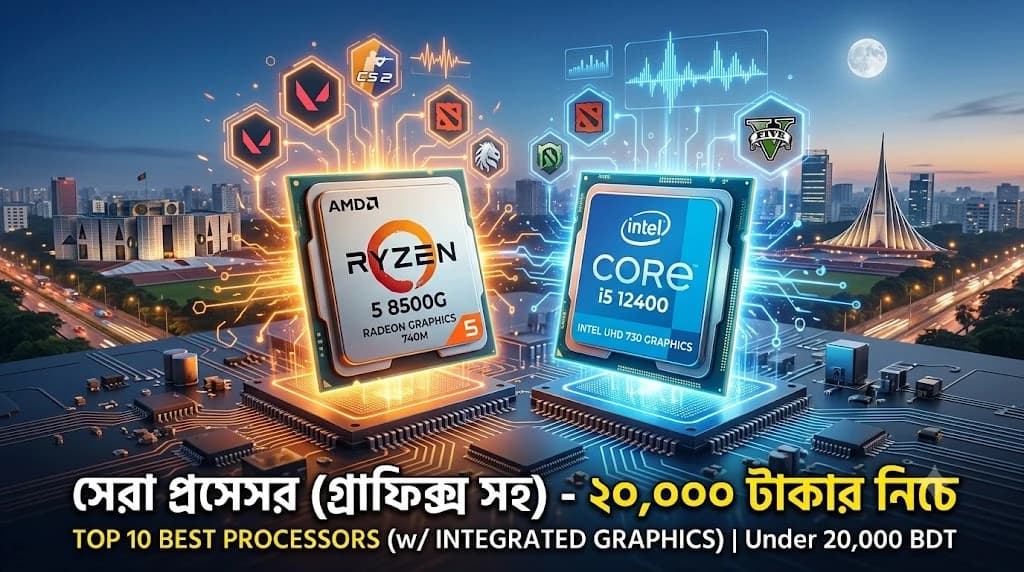
- Entry-Level (Under ৳12,000): Dominated by older multi-core options and older architecture APUs.
- Mid-Range (৳15,000 to ৳30,000): Highly competitive, with buyers prioritizing high clock speeds for gaming or higher core counts for rendering.
- High-End & Enthusiast (৳35,000 to ৳70,000+): Dominated by specialized gaming chips (such as AMD's X3D line) and heavy multi-threaded workstation processors.
Entry-Level Processor Comparison
For budget-conscious builders, students, and office environments, sub-৳12,000 processors offer adequate power without needing a dedicated graphics card.
- Intel Core i3-10100 / 10100F (৳7,200 – ৳10,400): While it serves as a stable office machine, its 4-core configuration on an obsolete platform limits future choices.
- AMD Ryzen 3 3200G / Ryzen 5 5500 (৳6,000 – ৳10,600): The Ryzen 5 5500 offers 6 cores and 12 threads for around ৳10,600, outperforming budget Intel offerings in multitasking. For those skipping a graphics card entirely, the older Ryzen 3 3200G remains a popular choice for light visual tasks at around ৳6,000.
Mid-Range Processor Comparison
The mid-range market serves mainstream gamers and content creators looking for the best price-to-performance sweet spot.
- Intel Core Ultra 5 225 / Core i5-14500 (৳20,500 – ৳24,200): Intel's latest offerings deliver excellent single-core speeds and multi-threaded performance via performance/efficient core architectures.
- AMD Ryzen 5 5600 / 7600X3D (৳14,500 – ৳34,000): The older Ryzen 5 5600 remains highly popular at ৳14,500 due to low platform costs. For specialized gaming, localized mid-range X3D chips sit closer to ৳34,000.
High-End Processor Comparison
This segment is tailored for premium gaming rigs and serious professional design applications.
- Intel Core Ultra 7 265K / Core i7-14700K (৳34,699 – ৳53,000): These processors feature high core configurations (up to 20+ hybrid cores) that handle intensive streaming and video editing workloads efficiently.
- AMD Ryzen 7 7800X3D / 5700X3D (৳33,000 – ৳37,000): The Ryzen 7 7800X3D, priced around ৳33,000, utilizes 3D V-Cache to deliver top-tier gaming frame rates while consuming less power than Intel counterparts.
Enthusiast Processor Comparison
For workstations, ultimate gaming builds, and heavy rendering tasks, price becomes secondary to raw computational power.
- Intel Core Ultra 9 285K / Core i9-14900K (৳60,000 – ৳68,899): Packing up to 24 cores, these chips excel in multi-threaded workflows, though they require expensive cooling solutions.
- AMD Ryzen 9 9950X / 9900X3D (৳55,500 – ৳64,000): These options offer 16 high-performance cores, lower power draw, and exceptional heavy-workstation throughput.
Total Platform Cost Comparison
Evaluating value requires looking beyond the processor to the combined cost of the CPU, motherboard, and RAM.
Component Tier | Intel Platform Cost (LGA1700 / LGA1851) | AMD Platform Cost (AM4 / AM5) |
Budget Motherboard | ৳10,400 - ৳13,700 (H610/B760) | ৳6,800 - ৳10,000 (B450/A520) |
Mid/High Motherboard | ৳16,700 - ৳52,300+ (Z890) | ৳13,500 - ৳28,500 (B650/B850) |
RAM Compatibility | DDR4 options available on older boards | AM5 strictly requires pricier DDR5 |
- The Upgrade Lifecycle: AMD's AM5 socket guarantees support for future processor generations, allowing simple chip upgrades later. Intel platforms traditionally shift sockets every two generations, often requiring a new motherboard when upgrading the CPU
Which Brand Delivers Better Value for Money?
Overall, AMD delivers better long-term value for money in Bangladesh.
While Intel is highly competitive in mid-to-high productivity tiers, AMD secures an advantage through lower platform entry points via the AM4 ecosystem and a more sustainable upgrade path on the AM5 socket. Gamers will find better frame-per-Taka value in AMD's X3D lineup, while professional creators may prefer Intel's multi-core architectural optimization if their software favors it.
Intel Core i5 vs Ryzen 5: The Most Popular Buyer Comparison
The battle between the Intel Core i5 and AMD Ryzen 5 represents the absolute sweet spot for mainstream PC building in Bangladesh, directly determining the performance baseline for thousands of gaming and freelancing rigs.
Gaming Comparison
In real-world gaming scenarios, the AMD Ryzen 5 series utilizes its unified core layout to achieve exceptional frame pacing and high average frame rates in competitive esports titles. Intel Core i5 models counter effectively by deploying high maximum frequencies, keeping frame generation smooth during rapid action transitions.
Productivity Comparison
Intel Core i5 processors leverage an expanded internal thread layout to handle multi-threaded background workloads, compression tasks, and code execution swiftly. AMD Ryzen 5 chips provide massive processing efficiency across continuous single-thread processing lines, ensuring clean and responsive operations inside mainstream software tools.
Pricing Comparison
Local retail market assessments position both mainstream options at highly competitive entry points. Standard setups for both architectures hover within a close 22,000 BDT to 26,000 BDT price tier across major retail outlets in Dhaka, though final build budgets deviate depending on motherboard selection.
Which One Should You Buy?
- Choose AMD Ryzen 5 if: You prioritize long-term AM5 socket upgrades, lower operating power requirements, and excellent frame rate stability on a standard air cooler.
- Choose Intel Core i5 if: Your daily productivity routine depends extensively on dense multi-threaded multi-tasking software blocks and localized audio-video processing toolkits.
Intel Core i7 vs Ryzen 7 Comparison
The high-tier performance category transitions hardware setups into professional creative spaces and intensive live streaming environments, requiring sustained data processing throughput.
Gaming Performance
AMD Ryzen 7 models featuring advanced high-capacity stacked cache layouts hold a definitive lead in processing complex game logic, stabilizing minimum frame metrics under heavy computing loads. Intel Core i7 options deliver highly predictable and reliable high-frame outputs by scaling baseline architecture frequencies out of the box.
Creator Workloads
Intel Core i7 chips provide an exceptional foundation for video editing suites like Adobe Premiere Pro due to integrated media engine hardware acceleration layers. AMD Ryzen 7 chips counter by dominating long-form raw computer rendering, compiling massive code bases, and running asset generation smoothly.
Power Efficiency
AMD maintains a clear advantage in operational efficiency, executing heavy multi-core processing workloads at notably lower peak power footprints. Intel Core i7 architectures manage light everyday operations cleanly but draw increased system energy to maintain maximum performance during extended rendering periods.
Overall Value Analysis
Comparative Metric | Intel Core i7 Platform | AMD Ryzen 7 Platform |
Primary Structural Focus | Mixed Thread Productivity | Gaming & Continuous Compute |
Cooling Requirement | Liquid AIO Highly Recommended | High-Performance Air or AIO |
Upgrade Pathway | Limited Socket Lifecourse | Sustained Support Through 2027+ |
Intel Core i9 vs Ryzen 9 Comparison
Flagship desktop computing demands uncompromised physical silicon engineering to crush massive data structures, top-tier professional workloads, and enterprise-grade multitasking.
Enthusiast Gaming Performance
At the absolute peak tier, the performance difference narrows at higher rendering resolutions as the processing load shifts heavily to the graphics card subsystem. However, for specialized competitive simulation frames, high-capacity vertical cache architectures consistently mitigate systemic layout stuttering far better than high-frequency alternatives.
Professional Productivity Workloads
AMD Ryzen 9 chips pack up to sixteen uniform, high-performance computing cores to execute intensive 3D rendering projects and multiple concurrent virtual machines at blinding speeds. Intel Core i9 options manage massive multi-threaded pipelines by assigning minor system background processes to a dense collection of efficiency processing cores.
Processor Segment | Hardware Core Composition | Thread Execution Topology |
AMD Ryzen 9 | 16 Full-Power Cores | 32 Symmetric Threads |
Intel Core i9 | Asymmetric P-Cores + E-Cores | Hybrid Mix |
Power Draw and Cooling
Managing flagship silicon requires a major investment in premium thermal solutions to prevent safe internal temperature throttling points. Intel's maximum power scaling requires robust 360mm multi-fan liquid cooling loops, whereas AMD's optimized design operates efficiently within lower structural power thresholds under heavy computational loads.
Which Flagship CPU Is Worth Buying?
An AMD Ryzen 9 platform provides the optimal investment pathway for independent developers and digital artists who want highly efficient rendering times paired with a long-lasting motherboard platform. An Intel Core i9 or equivalent premium tier remains highly valuable for specialized corporate production environments that can immediately harness dedicated internal media engines to accelerate industrial editing workflows.
Best Intel and AMD Processors for Different Types of Users
Selecting an ideal processing component requires aligning specific hardware instruction sets with your daily computing workloads to secure optimal system stability and prevent hardware underutilization.
Best CPU for Students
Mainstream educational tasks benefit heavily from highly integrated silicon configurations that handle documentation, internet research, and programming modules cleanly without requiring standalone graphics boards. The Intel Core i3-12100 provides an excellent foundation for general student workflows, delivering responsive single-core processing alongside stable integrated graphics assets to simplify entry-level desktop layouts.
Best CPU for Office Work
Corporate environments demand exceptional hardware dependability, low operating power margins, and long-term background stability across large office spreadsheet databases and communications portals. The AMD Ryzen 5 5600G serves as an industry standard for administrative deployment, pairing six physical computing cores with highly efficient on-board graphics execution to reduce enterprise hardware outlays.
Best CPU for Casual Gamers
Mainstream entertainment layouts require balanced processing engines capable of serving fluid frame rates in popular cooperative titles and multiplayer strategic software maps. The AMD Ryzen 5 7600X delivers massive gaming performance-per-watt metrics, giving casual players an accessible gateway into high-speed memory architectures and modern motherboard features without expanding thermal cooling hardware demands.
Best CPU for Competitive Gamers
Esports titles demand instantaneous frame delivery and minimized structural system latency to maximize high-refresh display output matrices during fast mechanical engagements. The AMD Ryzen 7 9800X3D stands as the absolute market benchmark for competitive frameworks, leveraging massive vertical cache memory to insulate game logic loops against frame pacing drops.
Best CPU for Streamers
Simultaneously rendering high-definition modern gameplay while running background digital broadcasting software streams requires extensive multi-threaded calculation capacity. The Intel Core i7-14700K provides a dense multi-core framework that easily absorbs independent encoder traffic, keeping real-time streaming operations perfectly smooth without impacting game performance.
Best CPU for Video Editors
Studio post-production environments rely heavily on specialized internal processing hardware to handle timeline scrubbing and background file transcoding efficiently. The Intel Core Ultra 7 265K excels in media creation suites by deploying dedicated hardware acceleration engines, keeping workflows fluid even when processing heavy, high-bitrate video formats.
Best CPU for 3D Rendering
Long-form architectural styling and intensive dimensional scene calculations require uncompromised, uniform all-core processing power to finish rendering frames quickly. The AMD Ryzen 9 9950X dominates heavy production rendering tracks by packing sixteen full-performance computing cores that process heavy visual calculations without dropping clock frequencies.
Best CPU for AI and Development Workloads
Local machine learning execution and massive repository code compilation pipelines require deep hardware lane allocations paired with modern vector extensions. The Intel Core Ultra 9 285K features specialized onboard neural processing hardware units that rapidly accelerate localized intelligent algorithms and automated script verification tasks.
Common Mistakes to Avoid When Choosing Between Intel and AMD
System builders frequently undermine their desktop performance potential by prioritizing superficial processing specifications over balanced component matching and logical system budgeting.
Buying Based on Brand Loyalty Alone
Selecting a desktop computing component based on historic brand preference rather than verified generation performance metrics often results in poor performance value. Both microarchitecture engineering groups capture clear performance leads during different release periods, making independent third-party performance testing data the only reliable indicator of real-world value.
Ignoring Motherboard Costs
A common budgeting mistake is evaluating a high-performance processor price completely on its own without analyzing its required motherboard connection tier. Premium processing architectures frequently demand advanced chipset layers to handle data pathways safely, meaning a lower chip price can be entirely wiped out by a much more expensive motherboard.
Choosing More Cores Than You Need
Purchasing excessive core allocations under the false assumption that higher numbers automatically guarantee faster everyday speeds creates unnecessary hardware expenses. Standard single-task applications and mainstream gaming setups rarely utilize heavy multi-thread pools, meaning excess computing blocks sit completely idle while drawing unneeded system energy.
Workload Category | Core ID Allocation | Active Utilization State |
Light Task / Game | Core 1, Core 2, Core 3 | Core 1: 95% | Core 2: 10% | Core 3: 0% |
Unused Capacity | Core 4, Core 5, Core 6 | Core 4: 0% | Core 5: 0% | Core 6: 0% |
Overlooking Cooling Requirements
Deploying top-tier flagship processors without investing in matching high-performance thermal cooling setups causes immediate performance throttling under heavy workloads. Modern silicon designs automatically pull back operational clock speeds the moment they hit internal thermal safety ceilings, making cheap boxed coolers a major bottleneck for high-end chips.
Not Considering Future Upgrades
Failing to plan your system upgrade path can force you into a complete, expensive system teardown within just a couple of years. Selecting an architecture that uses a short, two-generation socket design prevents you from cleanly dropping in future processor models down the line without also buying a completely new motherboard.
Why Buy a Processor from PCB Store in Bangladesh?
Securing high-performance silicon requires choosing a trusted regional tech distributor that backs its hardware with verified product history, full consumer protections, and expert technical support.
Understanding Processor Authenticity and Genuine Products
The local hardware market can sometimes contain gray-market imports or open-box items repackaged as brand-new products. Sourcing components through authorized retail channels like PCB Store guarantees you receive original, factory-sealed consumer processors straight from manufacturer production pipelines.
Importance of Official Warranty Support
Modern desktop processors run at high voltages and intense heat boundaries, making a reliable factory warranty absolutely vital. Official retail purchases come backed by complete regional multi-year replacement contracts, protecting your investment from unexpected electrical faults or internal controller failures.
Local Availability and Faster Replacement Options
Sourcing your hardware through an established retail center in Dhaka eliminates long shipping delays when managing complex hardware claims. Local distribution pipelines ensure replacement inventory is kept on hand, letting you swap out faulty components quickly to minimize project down-time.
Getting Technical Assistance Before Purchase
Selecting a computer processing unit requires matching complex internal architecture specifications with your primary software pipelines. Accessing dedicated in-house technical consultants prevents you from overspending on raw core counts that your daily software tools cannot fully utilize.
Component Compatibility Guidance for New Builders
Modern desktop architectures require strict tracking of underlying platform requirements, including mechanical socket profiles, memory lane distributions, and power phase delivery constraints. Specialized diagnostic checks ensure your chosen processor matches your motherboard firmware layout and physical chassis clearance limits.
Building a Balanced PC Without Bottlenecks
A high-end processor paired with slow operational memory or an underpowered graphics card creates a system bottleneck that limits overall speed. Relying on professional component optimization layout tools ensures your hardware components scale evenly, maximizing real-world computing value.
Conclusion: Should You Buy Intel or AMD in 2026?
The choice between Intel and AMD in 2026 comes down to balancing immediate single-system application needs against your multi-year hardware upgrade plans.
Choose Intel If
You should purchase an Intel Core Ultra or high-tier Core platform if your daily workspace is centered entirely around heavy digital editing suites, automated media encoding, or native AI model generation tools. It is also an excellent option for setups that rely heavily on specialized internal acceleration blocks like QuickSync to process highly compressed media files efficiently.
Choose AMD If
You should choose an AMD Ryzen platform if your primary goal is maximizing frame rates in competitive video games or building a flexible PC that can be easily upgraded over time. The extended lifespan of the AM5 motherboard socket guarantees an affordable, simple path to future processing updates without forcing you to buy a whole new system down the road.
Final Recommendation for Bangladesh Buyers
Mainstream users and gaming enthusiasts in Bangladesh will find the best long-term value in the AMD AM5 ecosystem, which protects your wallet from forced, expensive motherboard upgrades for several years. Professional digital artists, software creators, and studio designers who rely on specialized media codecs will get the best out of Intel's highly integrated production assets.