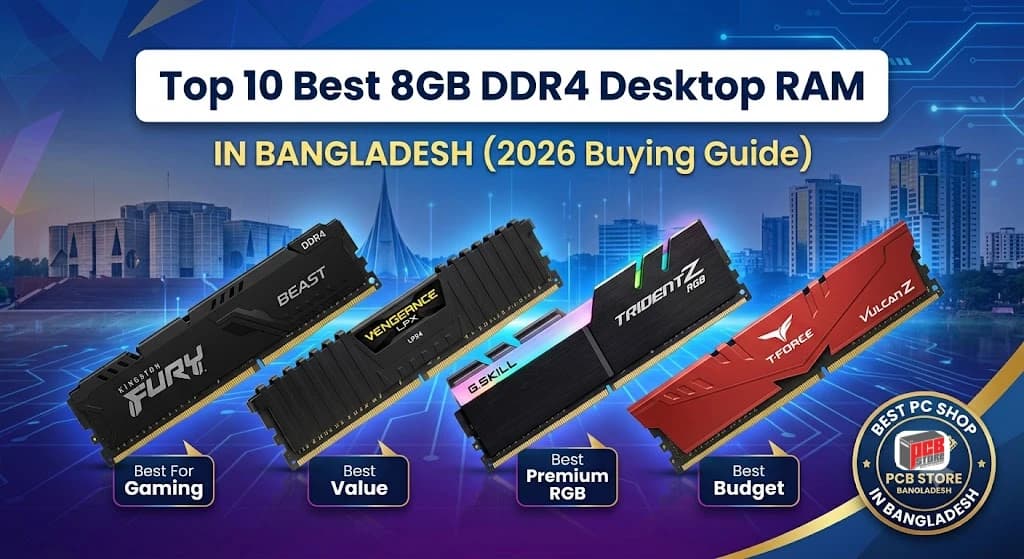
Top 10 Best 8GB DDR4 Desktop RAM For Budget PC Build
Top 10 Best 8GB DDR4 Desktop RAM For Budget PC Build
Selecting the right memory module is critical for maintaining PC responsiveness, ensuring smooth gaming frame rates, and handling everyday multitasking workloads efficiently.
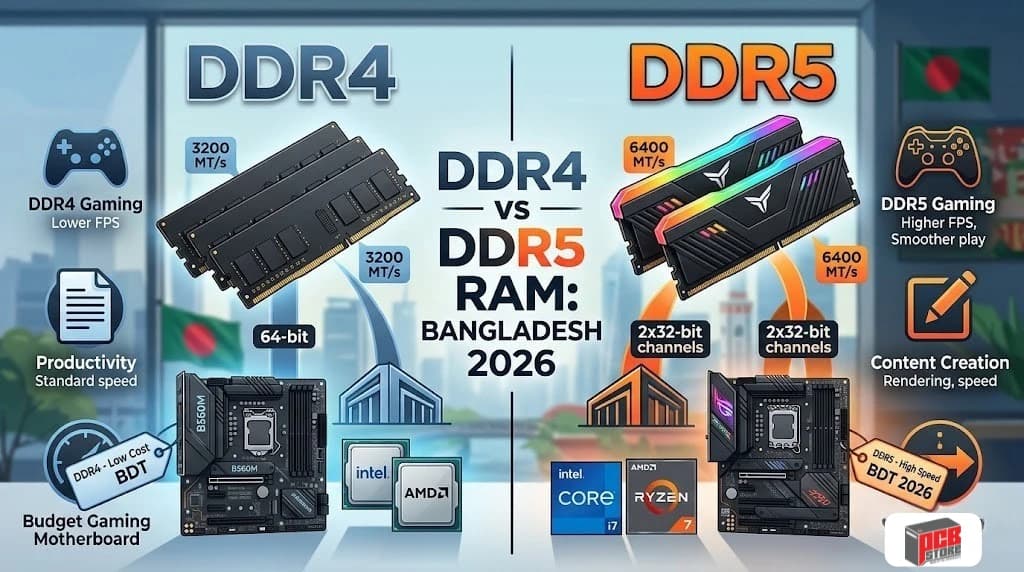
Upgrading or building a desktop computer in Bangladesh often comes down to balancing system stability against price boundaries. While DDR5 memory serves high-end configurations, standard DDR4 configurations running at 3200MHz or 3600MHz remain highly practical for mainstream systems. This guide analyzes the prominent 8GB DDR4 choices available in the local market to help you determine which memory kit fits your hardware profile.
Why 8GB DDR4 RAM Still Matters in 2026
An 8GB capacity memory module provides a vital entry point for budget-conscious computing setups and foundational system builds.
Single-stick memory acts as an ideal building block, allowing cost-effective entry with a direct expansion path to high-performance dual-channel configurations later.
Current Use Cases
- Office Productivity: Managing multiple browser tabs, spreadsheets, document processing, and background enterprise applications without system stuttering.
- Budget Gaming: Running popular competitive esports titles smoothly when paired with mid-range graphics processing hardware.
- Content Creation Entry: Basic photo editing, vector graphic design, and lightweight 1080p video rendering projects.
- Media Centers: Driving dedicated home theater setups, smooth 4K streaming layouts, and casual home network servers.
System Performance Dynamics
- DDR4 Sweet Spot: A data rate of 3200MHz represents the optimal baseline for stability, offering excellent system compatibility across modern generations of Intel Core and AMD Ryzen architectures.
- Dual-Channel Advantage: Deploying an identical pair of modules expands the bus width from 64-bit to 128-bit, yielding noticeable framework boosts over single-channel operation.
Configuration Type | Memory Bandwidth | Estimated Gaming Performance Delta |
Single-Channel (1x 8GB) | Lower Bus Width | Baseline System Performance |
Dual-Channel (2x 8GB) | Full 128-bit Bus Width | 10% to 25% Increase in CPU-Bound Scenarios |
Why 8GB DDR4 RAM Still Matters in 2026
An 8GB DDR4 RAM module remains the baseline for functional computing, offering an affordable entry point for everyday systems and budget gaming rigs.
Current Use Cases
- Productivity Applications: Running web browsers with multiple active tabs alongside standard office suite applications without experiencing sluggish system response.
- Budget Gaming Relevance: Providing the minimum required memory capacity for popular esports titles and mainstream games at targeted 1080p resolutions.
- Entry-Level Content Creation: Handling basic graphic design workflows, light photo editing, and straightforward video clipping operations in local workstations.
- System Upgrades: Serving as a cost-effective secondary stick to enable dual-channel performance on existing single-channel machines.
Performance Statistics
- 3200MHz Performance: Yields an approximate bandwidth of 25.6 GB/s, matching the official memory controller specifications of mainstream processors.
- 3600MHz Performance: Raises theoretical bandwidth to 28.8 GB/s, offering measurable frame-time advantages on specific architectures.
How We Selected These DDR4 RAM Modules
Selecting these desktop memory modules involved evaluating local market metrics, official specifications, and real-world system compatibility behaviors.
Selection Framework
- Performance Criteria: We focused on standard frequencies like 3200MHz and 3600MHz paired with optimal latency values like CL16 and CL18.
- Compatibility Testing: We checked verification reports across major motherboard vendor lists for both Intel Core and AMD Ryzen setups.
- Value Assessment: We compared the retail price points across major Bangladeshi component vendors against structural performance delivery.
- Reliability Considerations: We prioritized memory modules featuring functional heat spreaders, high-grade printed circuit boards, and long-term warranty coverage.
Evaluation Weights
Criteria | Assessment Focus | Priority Level |
XMP / DOCP Stability | One-click profile activation without manual voltage adjustment cycles. | High |
Thermal Dissipation | Heat spreader performance during continuous system processing sessions. | Medium |
Local Warranty Support | Presence of official distributor channels within the Bangladeshi market. | High |
Pricing Ratios | Total cost relative to frequency speeds and component build materials. | High |
Quick Comparison Table of the Best 8GB DDR4 RAM
A side-by-side technical evaluation helps clarify variations in operational speeds, latency profiles, and structural designs among leading desktop modules.
Memory Model | Rated Speed | Latency Profile | Profile Target | Design Highlight |
Kingston FURY Beast | 3200MHz | CL16-18-18 | Best Overall Choice | Low-profile heat spreader |
Corsair Vengeance LPX | 3200MHz | CL16-18-18 | Best Premium Reliability | Low-profile aluminum |
PNY XLR8 Gaming | 3200MHz | CL16-18-18 | Best Balanced Gaming | Angled heat spreader |
G.Skill Trident Z RGB | 3200MHz | CL16-18-18 | Best Premium RGB | Polished aluminum bar |
Team T-Force Vulcan Z | 3200MHz | CL16-20-20 | Best Budget Gaming | Compact anodized finish |
ADATA XPG D35 | 3200MHz | CL16-20-20 | Best Modern Budget | Low-height geometric shell |
OCPC XT II | 3200MHz | CL16-20-20 | Best Entry-Level Upgrade | Standard matte cover |
Neo Forza | 3200MHz | CL16-20-20 | Best Value Option | Textured standard design |
Apacer NOX | 3200MHz | CL16-20-20 | Best Affordable RGB | Translucent top lens |
AITC Kingsman RGB | 3600MHz | CL18-22-22 | Best High-Speed Budget RGB | High-bandwidth styling |
Frequencies and latencies determine the overall data processing velocity. Activating the integrated XMP profiles inside your system BIOS ensures the desktop RAM runs securely at these precise advertised configurations.
Top 10 Best 8GB DDR4 Desktop RAM Reviewed
Examining individual design parameters, hardware traits, and local pricing details reveals the unique market space occupied by each desktop option.
Kingston FURY Beast 8GB 3200MHz DDR4 Desktop RAM
You get balanced baseline performance from Kingston FURY Beast 8GB 3200MHz DDR4 Desktop RAM low-profile module, making it an optimal starting selection for non-RGB systems. It features a slim black aluminum heat dissipation cover that prevents height conflicts with massive processor cooling towers.
- Best For: Mainstream Users
- Weight: 0.04 kg
- Timings: CL16-18-18
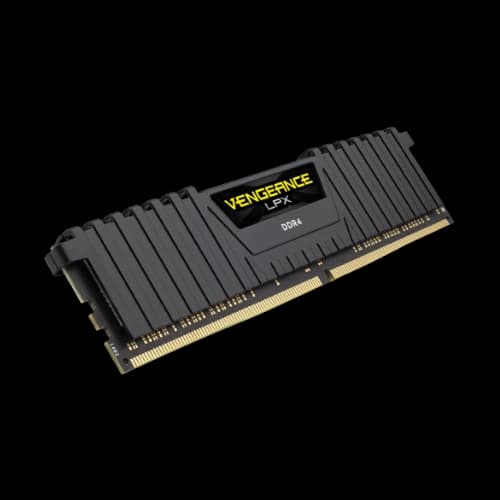
Corsair Vengeance LPX 8GB DDR4 3200MHz Desktop RAM
You gain substantial component reliability and extensive motherboard testing records with Corsair Vengeance LPX 8GB DDR4 3200MHz Desktop RAM highly recognized performance module layout. The low-profile structure utilizes pure aluminum plating to accelerate thermal cooling patterns across crowded memory configurations.
- Best For: Premium Reliability
- Weight: 0.04 kg
- Timings: CL16-20-20
PNY XLR8 GAMING 8GB DDR4 3200MHz Desktop RAM
You can expect steady system processing states during extended computing workloads due to the aggressive angled structural heat sink. PNY XLR8 GAMING 8GB DDR4 3200MHz Desktop RAM design provides steady cooling functionality for systems running active gaming profiles without relying on extra power lines.
- Best For: Balanced Gaming
- Weight: 0.05 kg
- Timings: CL16-18-18
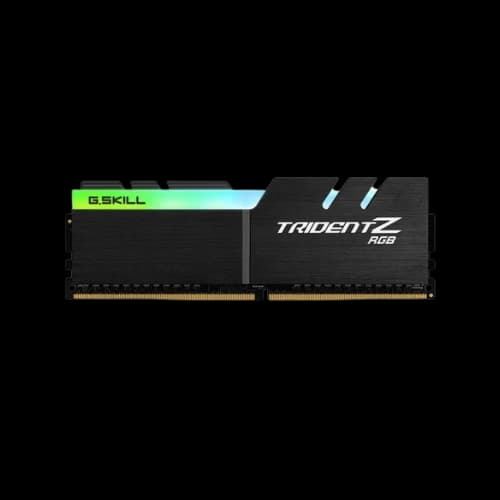
G.Skill Trident Z RGB 8GB DDR4 3200MHz Desktop RAM
You receive exceptional visual styling options and highly sorted memory microchips engineered for system enthusiasts. The G.Skill Trident Z RGB 8GB DDR4 3200MHz Desktop RAM thick, brushed-aluminum armor shell protects internal circuits while driving bright light configurations smoothly through standard ecosystem software.
- Best For: Premium Features
- Weight: 0.06 kg
- Timings: CL16-18-18
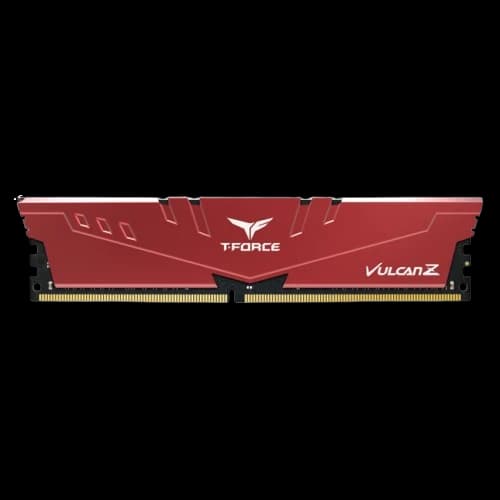
Team T-Force VULCAN Z Red 8GB DDR4 3200MHz Desktop RAM
You secure highly focused value and excellent optimization paths for local entry-level setups using Team T-Force VULCAN Z Red 8GB DDR4 3200MHz Desktop RAM red-accented memory option. Its understated frame focuses heavily on solid trace layout safety to assure consistent data transfers under standard system frequencies.
- Best For: Budget Gaming
- Weight: 0.04 kg
- Timings: CL16-20-20
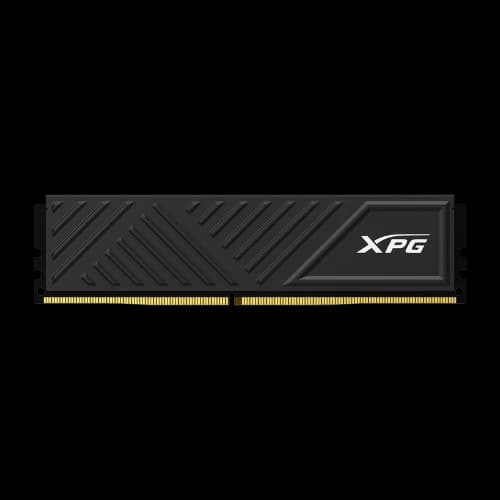
ADATA XPG D35 8GB DDR4 3200MHz Desktop RAM
You acquire a compact, geometric heat sink design that fits tightly structured motherboard layouts easily. The ADATA XPG D35 8GB DDR4 3200MHz Desktop RAM lower top physical boundary prevents conflict with large system cooler fans while keeping basic operational temperatures regulated during extended office tasks.
- Best For: Modern Budget
- Weight: 0.04 kg
- Timings: CL16-20-20
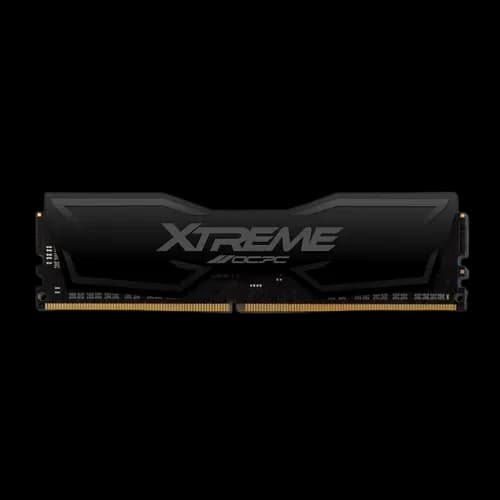
OCPC XT II DDR4 3200MHz 8GB Non RGB Desktop RAM
You secure highly screened memory integrated circuits calibrated specifically for dependable long-term execution without unnecessary aesthetic costs. The OCPC XT II DDR4 3200MHz 8GB Non RGB Desktop RAM solid matte metal outer shell drives heat out evenly to guard data delivery pipelines under multitasking pressures.
- Best For: Entry-Level Upgrade
- Weight: 0.04 kg
- Timings: CL16-20-20
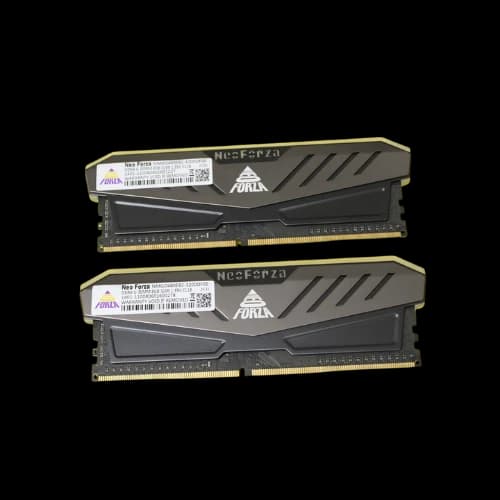
Neo Forza 8GB DDR4 3200MHz Desktop RAM
You obtain cost-effective timing stability optimized to work efficiently alongside both older and modern motherboard chipsets. The Neo Forza 8GB DDR4 3200MHz Desktop RAM thick forged aluminum alloy frame provides practical physical protection and constant passive thermal management for everyday computing use.
- Best For: Value Option
- Weight: 0.05 kg
- Timings: CL16-20-20
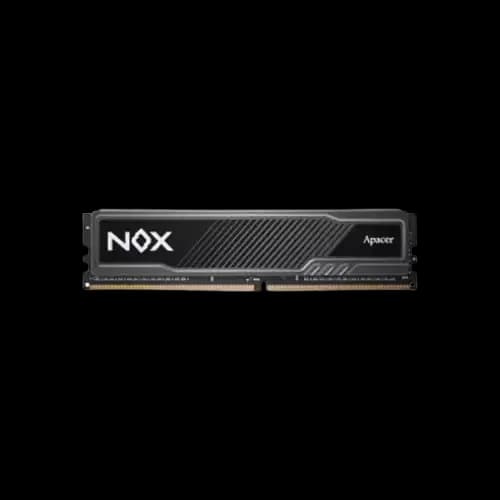
APACER NOX 8GB DDR4 3200MHz GAMING Desktop RAM
You establish wide-angle light presentation paths paired with verified software system control links for customized illumination styles. The APACER NOX 8GB DDR4 3200MHz GAMING Desktop RAM deeply engraved dark metal frame ensures consistent heat dissipation without compromising the overall interior styling theme of your PC casing.
- Best For: Affordable RGB
- Weight: 0.05 kg
- Timings: CL16-18-18
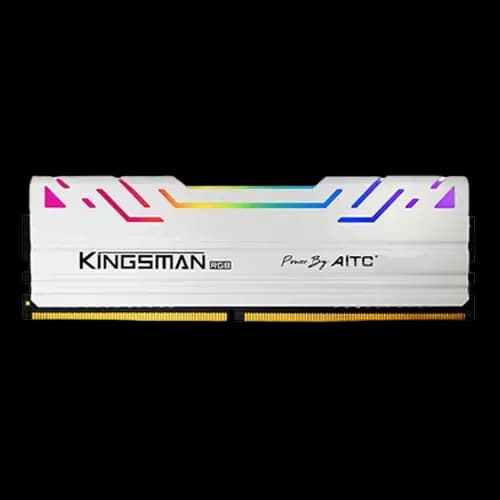
AITC KINGSMAN RGB 8GB DDR4 3600MHz GAMING Desktop RAM
You pull greater absolute bandwidth limits into processing pipelines due to the native 3600MHz processing frequency configuration. This high-speed AITC KINGSMAN RGB 8GB DDR4 3600MHz GAMING Desktop RAM operational level matches perfectly with performance-seeking processors to generate fluid application load frames and extra memory bandwidth headroom.
- Best For: High-Speed Budget RGB
- Weight: 0.05 kg
- Timings: CL18-22-22
3200MHz vs 3600MHz DDR4 RAM: Which Is Better?
A 3600MHz module offers higher theoretical data transfer rates, but a 3200MHz module represents the optimal balance of compatibility and cost for most standard configurations.
Performance and Bandwidth Differences
Selecting between these two speed targets changes how quickly your processor can pull data from system memory. A 3200MHz module provides roughly 25.6 GB/s of bandwidth, which matches the default maximum support of many mainstream Intel and AMD controllers. Moving up to 3600MHz elevates that bandwidth to around 28.8 GB/s, creating a wider pipeline for data transmission.
Platform Optimization
- AMD Ryzen Systems: High-frequency options like 3600MHz align perfectly with the internal Infinity Fabric clock on Ryzen processors, which helps lower system communication delays.
- Intel Core Systems: Standard configurations often see less variation between these speeds because Intel architectures rely on different internal ring bus designs.
- Real-World Gaming Impact: You can expect an increase of roughly 3% to 8% in frame rates when moving to higher speeds, particularly in CPU-heavy or esports game titles.
RGB vs Non-RGB RAM: Does It Affect Performance?
Adding customizable lighting to your memory modules changes the physical style of your system build but does not provide any boost to data processing speeds.
Power and Thermal Dynamics
The inclusion of light-emitting diodes on a desktop memory module alters only its external appearance and power draw. The lighting elements pull a small, negligible amount of power directly from the DIMM slot without impacting the voltage supplied to the memory integrated circuits. Modern heat spreaders are engineered to handle both memory chip heat and lighting warmth together safely.
Decision Metrics
- Non-RGB Memory: Focuses production budgets purely on physical design height, low-profile case clearance, and straightforward metal thermal dissipation.
- RGB Memory: Requires matching system software to control visual patterns, which takes up a small amount of background processing power.
- Height Considerations: Lighting strips often increase the physical height of the memory stick, potentially causing clearance issues with large air coolers.
Single 8GB Stick vs Dual Channel Memory
Running two identical memory sticks in a dual-channel configuration opens up a wider data pathway that allows your processor to access information much faster than a single stick can manage.
The Bandwidth Bottleneck
A single 8GB memory module operates on a restricted 64-bit data path, which can limit performance during heavy workloads. When you install a second matching module into the correct motherboard slots, the system activates a 128-bit dual-channel interface. This step effectively doubles your total theoretical memory bandwidth, allowing the processor to handle complex data streams much more smoothly.
Real-World Benefits
- Frame Rate Stability: Moving from a single stick to a dual-channel setup can boost gaming performance by 10% to 25%, particularly in CPU-heavy games where fluid frame delivery is crucial.
- Smoother Multitasking: Dual-channel configurations help prevent sudden system stutters when you are jumping between heavy applications, web browsers, and background tools.
- Improved Render Times: Integrated graphics chips rely directly on system memory, so doubling the bandwidth can lead to a noticeable performance lift in basic video editing and 3D tasks.
Best 8GB DDR4 RAM by User Type
Matching specific memory features to your primary computing tasks ensures you get the best performance and stability out of your system configuration.
Best for Budget Gaming
- Top Option: Team T-Force VULCAN Z Red 8GB 3200MHz
- Why It Fits: This module offers a reliable aluminum heat spreader and stable CL16 timings at an accessible price point, making it an excellent anchor for cost-conscious gaming systems.
Best for Ryzen PCs
- Top Option: AITC KINGSMAN RGB 8GB 3600MHz
- Why It Fits: AMD Ryzen processors benefit from faster memory speeds. The 3600MHz frequency matches the optimal internal clock configuration of these CPUs to keep system latency low.
Best for RGB Builds
- Top Option: G.Skill Trident Z RGB 8GB 3200MHz
- Why It Fits: Known for premium vibrant lighting and smooth software integration, this choice delivers clean visual customization alongside high-grade internal memory chips.
Best for Reliability
- Top Option: Corsair Vengeance LPX 8GB 3200MHz
- Why It Fits: Built with a low-profile aluminum heat sink and thoroughly tested across many motherboard platforms, this stick is engineered for long-term stability in compact or professional builds.
Best for Value
- Top Option: PNY XLR8 GAMING 8GB 3200MHz
- Why It Fits: This module strikes a great balance by offering aggressive thermal cooling and solid 3200MHz performance without a premium price tag, making it ideal for daily upgrades.
RAM Compatibility Guide for Intel and AMD Systems
Desktop RAM requires explicit alignment with your processor and motherboard socket design to guarantee proper detection, boot stability, and profile execution.
Decoding Platform Profiles
Before purchasing any memory module, you must understand how performance profiles translate across hardware brands. The advertised speeds printed on the box cannot run out-of-the-box without enabling these built-in profiles inside the system BIOS.
- Intel Platforms: Intel utilizes Extreme Memory Profile (XMP 2.0 for DDR4) to unlock higher frequencies with a single toggle. You will find complete profile support on Intel Z-series and mainstream B-series motherboard layouts.
- AMD Platforms: AMD motherboards do not always use the term XMP. Instead, motherboard brands translate the same internal data using terms like Direct Overclock Profile (DOCP on ASUS), A-XMP (on MSI), or Extended Overclock Profiles (EOCP on Gigabyte).
- The DDR Generation Check: DDR4 memory is physically and electrically incompatible with newer DDR5 slots. The physical positioning alignment notch prevents a DDR4 module from fitting inside a DDR5 slot.
Verification Checklist
- Check the Motherboard Qualified Vendor List (QVL) on the manufacturer support page to confirm your specific memory model number is verified.
- Match your processor generation generation capabilities; for example, older AMD Ryzen 1000 or 2000 chips often struggle to maintain stability at speeds past 3200MHz.
- Confirm your desktop casing can accommodate the exact height of your chosen memory sticks if you are utilizing massive physical air-cooling towers.
Common Mistakes to Avoid When Buying DDR4 RAM
Failing to verify basic system configuration parameters can result in your premium memory kits underperforming or failing to match advertised performance ceilings.
The Default Speed Trap
Many buyers assume that plugging a 3600MHz module into a motherboard causes it to run at that target velocity automatically. By default, all RAM initially boots at standard, safe baseline industry speeds (JEDEC parameters), which range between 2133MHz and 2666MHz. If you forget to enter your BIOS and turn on the designated XMP or DOCP profile, your system leaves considerable bandwidth completely unused.
Miscalculating Slot Layouts and Mixing Kits
- Wrong DIMM Slot Placement: Installing two memory modules into adjacent slots (like slots 1 and 2) usually forces the system into single-channel mode. Most motherboards require using slots 2 and 4 to properly unlock dual-channel pathways.
- Mixing Independent Memory Kits: Buying two identical standalone 8GB sticks at separate times can cause system crashes. Even within the same model name, manufacturers change internal microchip suppliers, leading to subtle timing profile mismatches.
- Ignoring Physical Component Clearance: Purchasing extra-tall modules featuring large RGB diffusers can block the installation path of large CPU coolers or top-mounted liquid radiator fans.
- Overspending on Excessive Frequencies: Buying an ultra-high-speed DDR4 kit for a budget H-series or A-series motherboard is inefficient, as those specific chipsets lock maximum operational limits to basic speeds.
Why Buy an 8GB DDR4 Desktop RAM from PCB Store Bangladesh?
Sourcing components from an authorized dealer guarantees part authenticity, valid warranty routing, and professional technical setup backup.
Sourcing Reliability
Purchasing computing hardware through PCB Store Bangladesh ensures you bypass gray-market risks like counterfeit memory modules or unverified production lots. Component reliability forms the core of system performance, and verified retail distribution delivers original factory packages directly to your build.
Service and Market Advantages
- Official Warranty Fulfillment: Every memory stick includes proper registration paths for fast, verified hardware replacements if components fail prematurely.
- True Sourcing Checks: The retail facility guards against mixed or re-labeled integrated circuits, ensuring your module features genuine internal memory dies.
- Expert System Advice: On-site tech support staff cross-checks your current motherboard and processor layouts to prevent memory speed bottle-necks.
- After-Sales Maintenance: Access specialized troubleshooting tools to diagnose memory errors or config issues if your system behaves unstably.
How to Install and Configure DDR4 RAM Correctly
Proper hardware installation requires precise slot matching and explicit software activation to extract full performance metrics securely.
Physical Installation Sequence
Before handles any interior computer component, disconnect the main power cable from the wall outlet and ground yourself to discharge static energy.
- Locate Target Slots: Consult your motherboard documentation to identify the primary dual-channel slots, which are usually labeled as DIMM A2 and DIMM B2.
- Open Retaining Clips: Gently press down on the outer plastic locking tabs at either one or both ends of the selected memory slots.
- Align Physical Notch: Match the plastic dividing block inside the motherboard slot with the offset alignment cutout on the bottom edge of the RAM stick.
- Apply Even Pressure: Push down firmly on both top corners of the module simultaneously until the locking clips snap upward into place automatically.
Configuring Performance Frequencies
Your newly installed desktop RAM will boot initially at safe industry baseline speeds unless you actively change the operational settings inside your system configuration screen.
- Access System BIOS: Power on your machine while repeatedly pressing the Delete or F2 key until the motherboard setup display appears.
- Locate Profile Settings: Find the primary memory configuration options, which are generally categorized under labels like Tweaker, AI Overclock, or OC Settings.
- Activate One-Click Profiles: Change the selection from Disabled or Auto to reflect the XMP profile on Intel platforms, or the DOCP, A-XMP, or EXPO profile on AMD motherboards.
- Save and Confirm Changes: Press the F10 key to save your updated configuration details, select confirm, and let the desktop restart normally into your operating system.
- Verify Active Speeds: Open the Task Manager inside Windows, navigate to the Performance tab, and choose Memory to verify that the active speed matches your advertised module rating.