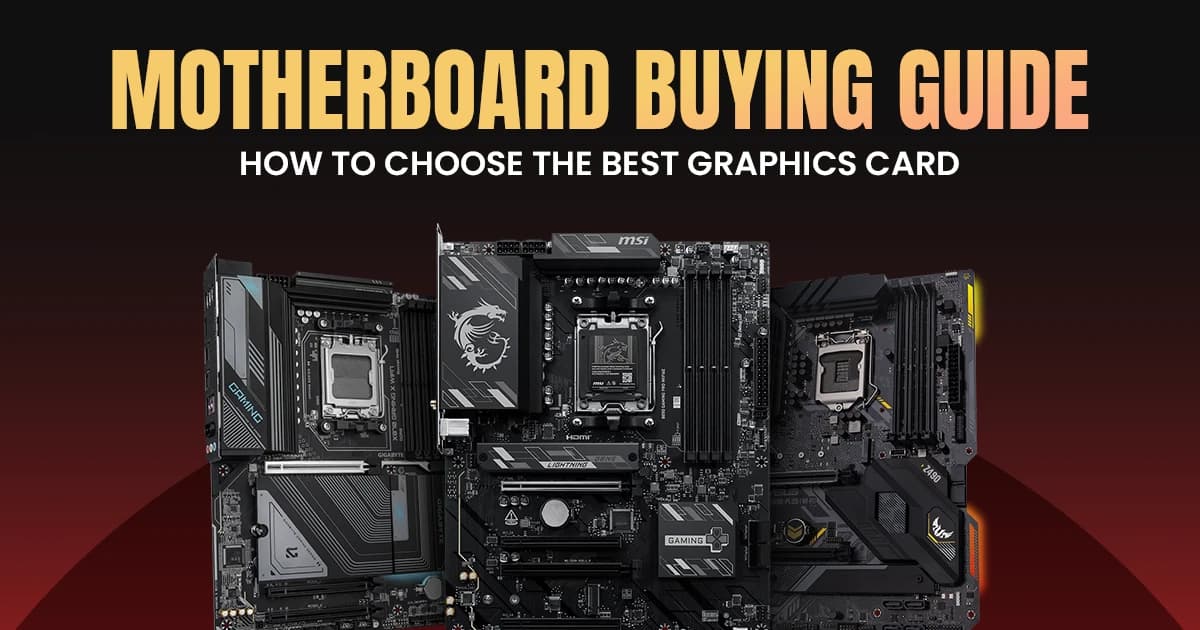
How to Choose the Right Motherboard for Your PC Build
Motherboard Buying Guide: How to Choose the Right Board for Your PC Build
The motherboard serves as the central nervous system of your entire computer system. It connects your processor, memory, storage, and graphics card into a single cohesive unit. Selecting the right platform ensures long term stability, maximum component performance, and a clear upgrade path for future hardware generations.
Understanding Motherboard Foundations Before You Buy
Choosing the right motherboard requires matching your specific processor family to a compatible socket and chipset while aligning features with your total budget. Your choice directly dictates which components you can install today and how easily you can upgrade your system tomorrow.
The Five Essential Pre Purchase Questions
Before looking at specific models, clarify your system requirements by answering these baseline build questions:
- What processor family and generation will power your system?
- What physical size best fits your desktop computer case?
- Do you require high speed wireless networking built directly onto the board?
- How many storage drives and expansion cards will you connect?
- What is your maximum budget for the system foundation?
Motherboard Price in Bangladesh
The motherboard price in Bangladesh varies significantly based on the chipset tier, physical form factor, power delivery components, and built-in wireless networking features. Entry level options provide basic system operations, while premium configurations offer extensive overclocking support and superior future proofing interfaces.
Market Segment Price Breakdown
Navigating the local retail market becomes simpler when you understand what features each price bracket unlocks for your PC build:
Price Range (BDT) | Segment | Ideal Core Features |
7000 to 12000 | Entry Level | Basic power delivery, older DDR4 memory support, standard SATA storage, limited USB connectivity ports |
12000 to 22000 | Mid Range | Enhanced VRM heatsinks, modern DDR5 slots, multiple M.2 NVMe channels, integrated high speed Wi-Fi modules |
22000 to 45000+ | Premium High End | Advanced multi phase power delivery, PCIe 5.0 graphics slots, USB4 interfaces, premium audio chips |
Aligning Your Motherboard Selection With Your CPU
Your motherboard must feature the exact physical socket required by your chosen processor to ensure electrical compatibility and prevent immediate physical damage. Intel and AMD utilize entirely different physical mounting systems that change across hardware generations.
Selecting the Right Intel Processor Foundation
Intel systems require careful alignment between the specific desktop processor generation and the accompanying motherboard physical socket layout:
- Modern mainstream Intel processors utilize the distinct LGA socket ecosystem.
- Choosing the correct layout requires exploring our detailed Intel Motherboard Buying Guide to understand architectural shifts.
- Budget builds typically leverage the cost effective LGA 1700 platform.
- Enthusiasts targeting ultimate performance look toward newer platform architectures for maximum compute bandwidth.
Navigating the AMD Ryzen Processor Ecosystem
AMD offers extended lifecycle support on their processor platforms, allowing users to upgrade their central processors without replacing their underlying motherboard:
- Mainstream Ryzen processors install directly into the AM4 or AM5 grid array sockets.
- Budget builders frequently select mature platforms, which you can explore in our AMD Motherboard Buying Guide.
- The modern AM5 platform introduces native DDR5 memory support and enhanced power delivery.
- High end workstation configurations rely on distinct Ryzen Threadripper socket footprints.
Navigating Motherboard Chipset Tiers Effectively
The motherboard chipset dictates the fundamental capabilities of your system, controlling available USB speeds, overclocking support, and the number of high speed storage drives you can connect simultaneously. Manufacturers categorize chipsets into three clear performance tiers tailored to distinct user needs.
Mainstream Chipset Classification
Understanding individual chipset capabilities allows you to pick the exact level of performance your system requires:
- Entry Level (Intel H Series / AMD A Series): Designed for basic office productivity, everyday browsing, and strictly budget conscious computer builds.
- Mid Range (Intel B Series / AMD B Series): Offers excellent power delivery, memory overclocking capabilities, and the best balance of features for modern gaming systems.
- High End Enthusiast (Intel Z Series / AMD X Series): Unlocks complete CPU overclocking control, maximum PCIe lanes, and premium connectivity for enthusiasts.
Choosing the Ideal Motherboard Form Factor
Motherboard form factors determine the physical dimensions of your system board and dictate the minimum size of the computer case you must purchase. The size directly affects the total number of expansion card slots and storage ports available for your system configuration.
Physical Dimension and Layout Comparison
Selecting your layout requires balancing physical desk space against your long term needs for system expansion cards:
Motherboard Form Factors
Form Factor | Standard Dimensions | Typical Expansion Slots | Ideal Case Size | Segment Type |
ATX | 305 mm by 244 mm | 3 to 4 PCIe Slots | Standard Mid Tower | Standard Tower Build |
Micro-ATX | 244 mm by 244 mm | 2 to 3 PCIe Slots | Compact Mini Tower | Compact Value |
Mini-ITX | 170 mm by 170 mm | 1 PCIe Slot | Small Form Factor Case | Small Form Factor |
Evaluating the Mainstream Sizing Spectrum
For a deeper architectural breakdown of physical sizes and mounting layouts, read our comprehensive guide on Motherboard Form Factors Explained. Most mainstream PC builders select Micro-ATX configurations to save money without sacrificing necessary performance features. However, choosing between the two most popular mid-sized platforms requires reviewing our direct comparison of ATX vs Micro-ATX vs Mini-ITX layouts.
Essential Power Delivery and VRM Architecture
The Voltage Regulator Module or VRM acts as a step down transformer converting high voltage power from your power supply into stable clean energy for your sensitive processor. A high quality power design prevents severe system crashes, protects delicate components, and allows your processor to sustain maximum turbo frequencies under sustained heavy workloads.
Critical Components of Power Delivery
A capable power delivery layout relies on three fundamental structural building blocks to maintain low operating temperatures and flawless system stability:
- Power Phases: Splitting the electrical workload across multiple distinct power phases reduces the heat stress placed on individual components.
- Chokes and Capacitors: Premium alloy chokes smooth out ripples in the raw current to deliver completely steady voltages.
- MOSFETs: High efficiency metal oxide semiconductors switch electrical currents rapidly while minimizing conversion energy waste.
Evaluating Thermal Management Features
For a detailed breakdown of how power delivery components interact with your processor under heavy loads, check out our guide on VRM Explained. Premium systems utilize thick aluminum blocks directly over these power phases to pull away intense heat. Budget boards with bare power components will struggle to run high tier processors at their maximum advertised speeds without thermal throttling.
High Speed Memory Standards and Subsystems
The memory layout of your motherboard establishes the maximum data transfer speeds and overall capacity limits of your random access memory modules. Modern system boards feature completely redesigned tracing lanes to isolate sensitive high frequency memory signals from surrounding electromagnetic system interference.
Memory Technology Evolution
Choosing your memory architecture requires balancing immediate initial system purchase costs against long term platform upgrade potential:
Generation | Features |
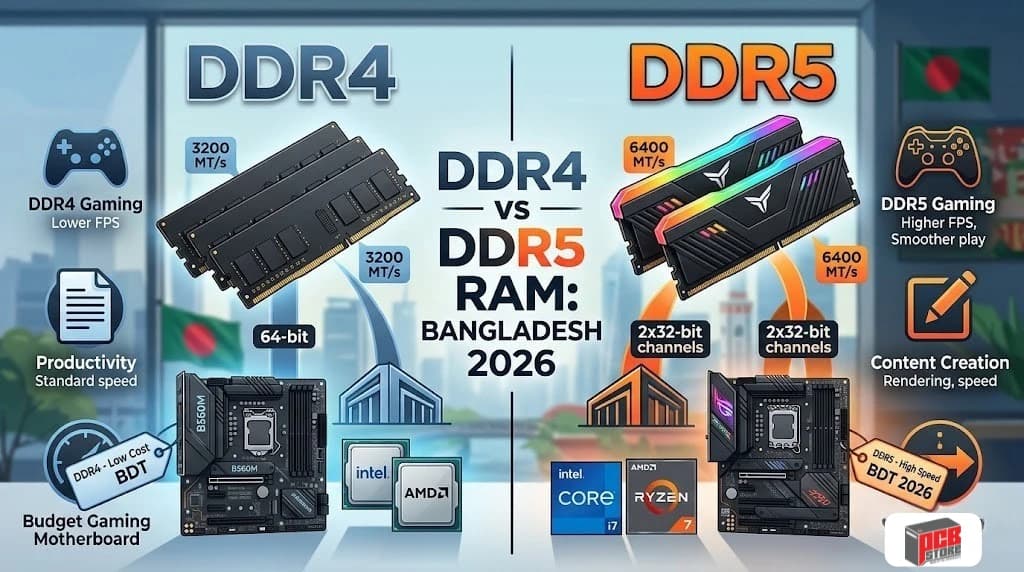
DDR4 Generation | Lower Initial Cost / Mature Infrastructure |
DDR5 Generation | Maximum Bandwidth / Future Proof Tracing |
- DDR4 Infrastructure: Uses mature memory technologies with highly affordable module pricing, making it perfect for strictly budget conscious daily computing systems.
- DDR5 Standards: Delivers double the baseline bandwidth of older technologies, drastically accelerating system performance in data heavy production applications.
- Physical Slots: Motherboard memory slots remain structurally unique across generations, meaning a DDR4 RAM module will never physically fit into a modern DDR5 memory bank.
Ensuring System Memory Compatibility
To guarantee your high frequency memory works perfectly upon first boot, review the comprehensive Motherboard Compatibility Guide before finalizing your order. Manufacturers publish extensive Qualified Vendor Lists or QVL showing exactly which specific memory modules pass structural stability tests. Buying verified modules prevents unexpected system crashes and ensures hassle free activation of high speed performance profiles in the system firmware.
Expansion Architecture and Data Bandwidth
PCI Express slots provide the high bandwidth communication paths your dedicated graphics cards, capture hardware, and lightning fast storage drives need to communicate with your central processor. Each new generation of this universal interface standard doubles the total data bandwidth available across every individual physical system lane.
Interface Bandwidth Capabilities
Modern storage devices and expansion cards run at entirely different operational speeds depending on the underlying hardware standard:
Interface Standard | Bandwidth Per Individual Lane | Primary System Utilization |
PCI Express 3.0 | 1 Gigabyte per second | Legacy expansion hardware and older solid state drives |
PCI Express 4.0 | 2 Gigabytes per second | Modern mainstream graphics controllers and high speed NVMe drives |
PCI Express 5.0 | 4 Gigabytes per second | Next generation data center storage and enthusiast level graphics accelerators |
Maximizing System Expansion Capacity
For a detailed exploration of data lane allocation and signaling protocols across different chipsets, browse our dedicated guide on PCIe Explained. Modern processors provide a strict limit of direct system lines, meaning installing multiple high speed expansion cards can automatically split or reduce the operational speeds of your primary graphics slot.
Modern High-Speed Storage Options and Interface Sharing
The storage infrastructure of your system board controls how quickly your operating system boots and how fast large data files transfer across your local drives. While high-speed NVMe solid-state modules offer incredible speed, connecting multiple drives can cause hidden data path restrictions.
Balancing Drive Types and System Speeds
Choosing the right storage layout requires balancing fast NVMe speeds against traditional SATA capacities:
- NVMe M.2 Drive Bays: These slots connect directly to the high-speed PCIe bus, dropping loading times in demanding modern games to just seconds.
- SATA Storage Hubs: Traditional cable ports are perfect for high-capacity backup drives, though they run significantly slower than modern slots.
- Interface Bandwidth Constraints: To prevent hardware conflicts when adding multiple drives, look at our M.2 vs SATA SSD Compatibility resource to avoid data drop-offs.
Source Component | Connection Path | Destination Storage |
Processor Core | Direct High-Speed PCIe Lanes | Primary M.2 Storage Slot |
Chipset Hub | Shared System Bus Bandwidth | Secondary M.2 Bays & SATA Ports |
Understanding Hidden Lane-Sharing Limitations
Many mid-range boards share electrical tracing lanes between different expansion zones to cut costs. For instance, filling your secondary M.2 slot might automatically turn off two traditional SATA ports or drop your primary graphics card slot to half its operational speed. Review your motherboard specifications sheet carefully to check for active lane-sharing rules before configuring multi-drive storage layouts.
Rear I/O Panel Configurations and Onboard Connectivity
The rear input-output panel establishes your physical connection hub for all external gear, including high-end microphones, mechanical keyboards, and external backup arrays. A poorly chosen connection layout will force you to use annoying external adapters and limits your external data transfer speeds.
Essential Connection and Bandwidth Standards
Different rear ports offer wildly different operational speeds and power capacities for external equipment:
Port Architecture | Peak Data Speed | Primary Real-World Application |
Universal Serial Bus 2.0 | 480 Megabits per second | Connecting simple peripherals like wireless mice and mechanical keyboards |
USB 3.2 Gen 2 | 10 Gigabits per second | Running external solid-state drives and high-resolution webcams |
Thunderbolt 4 / USB4 | 40 Gigabits per second | Driving professional desktop displays and massive external storage arrays |
Evaluating Onboard Expansion Ports
For a detailed analysis of external connection standards and protocol versions, read our guide on USB Standards Explained. Premium platforms add helpful front-panel Type-C connections and dedicated audio shielding to keep sound outputs clean. Always pick a rear panel that offers extra open slots to comfortably handle future gear upgrades.
Integrated Networking and Wireless Protocols
Modern motherboard networking systems dictate how quickly your system downloads large files and how reliably it stays connected during intense online matches. Integrated wireless modules eliminate the need for awkward expansion cards while keeping your open PCIe slots free for other hardware.
Network Controller Classes
Local networking performance varies depending on the specific control chips built into the system board:
- Mainstream Gigabit LAN: Provides standard wired internet connection speeds that work perfectly for daily browsing and video streaming.
- High-Speed 2.5GbE Controllers: Offers significantly faster local network transfers, which is ideal for streaming to network-attached storage arrays.
- Integrated Wi-Fi Subsystems: Built-in wireless packages eliminate messy network cables and often include integrated Bluetooth controllers for wireless gear.
Comparing Modern Wireless Technology Standards
To choose the right wireless networking speed for your home or office setup, look at our breakdown of LAN and Wi-Fi Standards. Newer Wi-Fi 6E and Wi-Fi 7 boards use a clear 6 GHz wireless band to avoid heavy signal interference from nearby household devices. This dedicated connection path provides ultra-low response times that closely match standard wired network cables.
Motherboard Sound Quality and Audio Hardening
Onboard audio hardware has evolved far beyond basic system beeps into an advanced internal sound card setup capable of driving premium studio headphones. High-quality designs use completely isolated circuit boards to keep internal electronic noise from ruining your sound quality.
Premium Sound Components
Capable integrated audio setups use specialized design choices to deliver crisp, clear sound:
- Independent PCB Shielding: Physical isolation barriers protect sensitive audio pathways from strong electromagnetic fields generated by nearby graphics cards.
- Premium Acoustic Capacitors: Specialized gold audio components soften high-frequency harshness to produce smooth, natural sound.
- Integrated Hardware Amplifiers: Built-in power drivers provide enough energy to run high-impedance studio headphones without needing external gear.
Evaluating Integrated Sound Audio Chips
To learn how different factory audio setups handle high-resolution sound, read our technical review of Motherboard Audio Codecs. Premium chips give you better spatial accuracy, which helps you pinpoint enemy movements in competitive games. If you are a content creator or audio professional, picking a board with an integrated digital optical output makes it easy to link clean, uncompressed sound to external audio gear.
Future-Proofing Your Platform Without Overspending
Future-proofing means buying a foundation that accommodates planned hardware updates over the next three to five years without requiring an immediate motherboard replacement. Balancing component longevity against current component costs prevents you from overpaying for high-end features that might become obsolete before you use them.
Planning Longevity Pathways
A strategic platform choice requires balancing current component costs against your expected system upgrade timeline:
- Socket Longevity: AMD long-term socket support allows multiple CPU upgrades on a single board, whereas Intel traditionally changes socket architectures every two generations.
- PCIe 5.0 Adoption: Next-generation expansion slots provide massive bandwidth headroom for future graphics hardware, though current mainstream devices run perfectly on older standards.
- DDR5 Lifecycle: Choosing a modern DDR5 platform guarantees your foundation remains fully compatible with high-speed memory modules released throughout the decade.
Choosing a Motherboard by Practical Use Case
Selecting the ideal motherboard depends entirely on your primary computing workloads and the specific hardware components you plan to install. Matching features to your specific application prevents you from overspending on heavy power delivery designs or unnecessary expansion connectivity.
Tailoring Features to Your Workload
Different computing categories demand unique hardware configurations to maximize total system efficiency and maintain absolute stability:
Application Category | Primary Feature Focus | Recommended Chipset Tier |
Competitive Gaming | High-frequency memory tracking and low-latency networking controllers | Mainstream B-Series Tier |
Content Creation | Multiple high-speed M.2 NVMe storage slots and fast external connectivity | Premium X-Series or Z-Series |
Budget Office Work | Basic system power delivery and multiple legacy video outputs | Entry-Level A-Series or H-Series |
Selecting Dedicated Performance Tiers
Gamers require clean power delivery and robust cooling, which you can find highlighted within our curated showcase of the Best Gaming Motherboards. If you are working within strict financial parameters, exploring options like the Best Budget Motherboards in Bangladesh helps secure essential reliability without sacrificing performance. Modern high-bandwidth configurations require browsing specialized options in the Best DDR5 Motherboards listings.
For wireless desktop configurations, choosing from the Best Wi-Fi Motherboard eliminates external network cables entirely. If you want to build an ultra-compact system, browse the Best Mini-ITX Motherboards to find space saving configurations.
Matching Specific Processor Platforms
If you have already chosen your central processing unit, check out the Best Motherboards for Ryzen to secure an optimal AMD platform match. Intel builders should review the Best Motherboards for Intel Core Processors to find highly compatible power delivery configurations.
Professionals handling massive render queues will benefit from browsing the Best Motherboards for Content Creation for premium expansion layouts. For basic business systems, selecting from the Best Motherboards for Office PCs ensures efficient daily operation.
Common Motherboard Buying Mistakes to Avoid
A single minor oversight during component selection can lead to frustrating physical installation conflicts or stop your brand-new system from booting entirely. Understanding frequent assembly pitfalls helps protect your hardware investment and ensures a completely smooth system building experience.
Mainstream Assembly Pitfalls
Avoiding simple configuration mistakes prevents unexpected compatibility delays and protects your delicate electronic components from damage:
- Ignoring Dimensions: Installing a large ATX layout into a small physical chassis will cause alignment issues and blocks necessary airflow tracking.
- Skipping Memory Lists: Failing to cross-reference your specific memory modules against factory validation lists can cause unexpected random system crashes.
- Neglecting Power Requirements: Pairing an advanced multi-core processor with a budget power board leads to severe performance throttling due to overheating power components.
Verifying System Firmware Support
Many builders forget that brand-new processors often require an updated system BIOS to post successfully on older motherboard chipsets. Reviewing our comprehensive BIOS Update Guide ahead of time ensures you know how to flash your firmware using a simple USB drive. If your finished system fails to start up, look at our checklist on Troubleshooting Motherboard POST Issues to diagnose component errors.
Complete Motherboard Pre-Purchase Evaluation Matrix
An organized compatibility assessment protects your PC component investments by confirming physical and electrical alignment before financial deployment. Cross-referencing technical dimensions alongside component interfaces eliminates layout restrictions during final system integration.
Structural Pre-Purchase System Checklist
Verify these vital operational specifications across your chosen hardware parts to confirm full layout integration:
- Socket Isolation: Ensure the physical socket footprint precisely matches your processor generation requirements.
- Chassis Alignment: Match the system board length and width against your computer case specifications.
- Clearance Assessment: Confirm massive twin-tower CPU coolers leave enough physical space for high-profile RAM modules.
- Power Provisioning: Verify your selected power supply unit provides necessary secondary CPU power cables.
- Storage Allocation: Check if your secondary high-speed storage configurations require active interface lane sharing.
Why Choose PCB Store for Your Motherboard in Bangladesh?
Purchasing your system foundation from a verified retail specialist ensures total hardware protection, official warranty channels, and expert professional layout validation. PCB Store remains dedicated to supplying completely authentic components while guiding builders away from expensive layout mistakes.
Comprehensive Hardware Validation and Service Standards
Securing your PC core components through our dedicated service centers provides distinct system integration advantages:
- Authentic Supply Networks: PCB Store guarantees every component traces back directly through fully verified manufacturer supply lines.
- Validated Compatibility Assessments: Our experienced technical specialists cross-examine your parts list to prevent unexpected interface bottlenecks.
- Streamlined Claims Processing: Enjoy clear operational confidence with swift processing of official consumer replacement warranties.
- Professional Physical Assembly: Access custom building configurations tailored precisely for computational office systems or advanced gaming deployment.