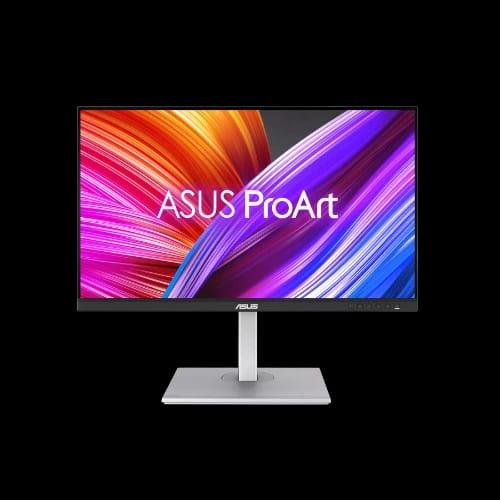
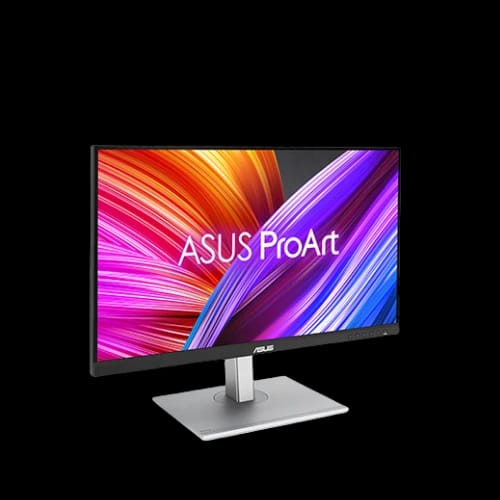
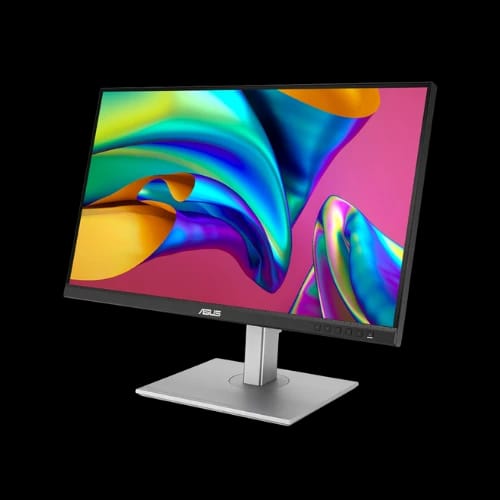
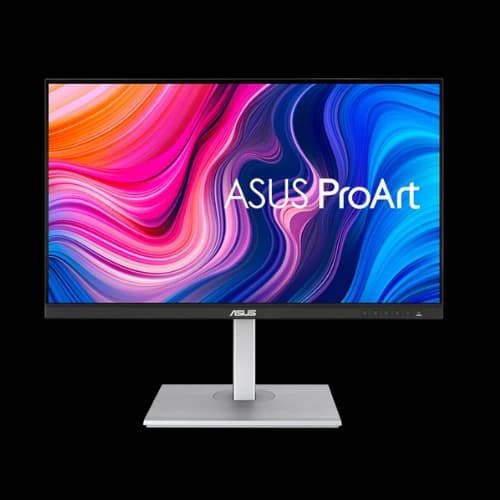
ASUS ProArt Display PA278CGV 27-inch QHD 144Hz Monitor
Key Features
- ASUS ProArt PA278CGV
- 27" QHD IPS
- 144Hz Refresh Rate
- 100% sRGB Color
- USB-C 90W
- HDR Display Support
Out Of Stock
Share:
Any Questions? Ask On
Technical Specifications
Display Information
Visual Performance
Professional Display Features
Audio Features
Connectivity Ports
Mechanical Design
Physical Information
Power Information
Warranty
Product Description
ASUS ProArt Display PA278CGV 27-inch QHD 144Hz Monitor
Color accuracy drifting or motion blur ruining your edits? The ASUS ProArt Display PA278CGV 27-inch QHD 144Hz Monitor targets creators who need precision and smooth visual performance in one screen.
Creative work demands consistency. Designers, video editors, photographers, and studio teams often struggle with inaccurate color reproduction and limited connectivity. This ProArt display addresses those challenges with a calibrated IPS panel, professional color coverage, and a refresh rate that also benefits fast-moving visuals.
In Bangladesh, professionals searching for a dependable creative monitor frequently shortlist this ASUS model. It balances studio-grade color performance with workstation flexibility, making it a strong addition to modern editing setups available through PCB Store.
ASUS ProArt Display PA278CGV 27-inch QHD 144Hz Monitor Performance Overview
A display used for creative production must reproduce color correctly while maintaining smooth frame delivery. The ASUS ProArt Display PA278CGV delivers both.
The 27-inch IPS panel presents QHD resolution with excellent clarity for editing timelines, detailed photography work, and large design canvases. Pixel density remains comfortable for long editing sessions while maintaining visual sharpness.
High refresh performance also plays a role. A 144Hz refresh rate reduces motion blur while scrolling through footage or previewing animations. Video editors working with motion graphics will notice the difference immediately.
The panel supports HDR and professional color presets, giving content creators control over multiple production environments.
Professional Color Precision of the ASUS ProArt Display PA278CGV
Color accuracy defines a professional display. The ProArt series has built a reputation among creative studios for consistent color results.
This monitor supports a full sRGB color gamut and 10-bit color support, displaying over a billion color shades. Gradients appear smoother, and subtle tones remain visible during editing.
Factory calibration delivers Delta-E accuracy below 2. That level of color precision matters when preparing work for print, social media campaigns, or broadcast projects.
Creative professionals in Bangladesh often rely on this display for:
- Photo retouching workflows
- YouTube and video production editing
- UI/UX design and interface layout work
- Digital illustration and concept art
Each ProArt preset helps simulate different industry standards including Adobe RGB, DCI-P3, Rec.709, and HDR production environments.
Key Features of ASUS ProArt Display PA278CGV 27-inch QHD 144Hz Monitor
A professional monitor must support both color control and workflow efficiency. This display integrates several tools specifically for creators.
Highlighted capabilities include:
- 27-inch IPS panel with wide viewing angles
- QHD resolution for detailed workspace visibility
- 144Hz refresh rate for smoother visual motion
- HDR support for dynamic contrast preview
- ProArt Preset modes for multiple color standards
- ProArt Palette for advanced color adjustment
- Adaptive Sync technology to reduce screen tearing
Creators working in shared studios benefit from the consistent viewing angles. Designers collaborating around a desk see nearly identical colors from different positions.
ASUS ProArt Display PA278CGV Connectivity and Workstation Integration
Modern creative workstations rarely use a single device. Cameras, laptops, storage drives, and editing systems often connect simultaneously.
This ASUS monitor simplifies connectivity with a strong port selection. It includes DisplayPort, HDMI, USB hub support, and a USB-C connection capable of delivering power to compatible laptops.
The USB-C port provides up to 90W power delivery. Freelancers using MacBook or USB-C laptops can connect a single cable to handle video, data, and charging.
Additional productivity tools improve workflow efficiency:
- Picture-in-Picture and Picture-by-Picture viewing
- Built-in speakers for quick playback checks
- USB hub for peripherals and storage devices
- HDCP support for protected content playback
For content creators editing multiple sources, these features help reduce clutter and streamline the workstation.
Ergonomic Design for Long Editing Sessions
Creative work often stretches for hours. An uncomfortable display position quickly leads to fatigue.
The ASUS ProArt Display PA278CGV includes full ergonomic adjustments for professional desks and studios.
Users can modify:
- Height adjustment up to 150mm
- Tilt for comfortable viewing angles
- Swivel for collaborative work
- Pivot rotation for vertical editing
Vertical mode is particularly useful for coding environments, document editing, or vertical social media content production.
The monitor also supports VESA wall mounting, which is useful in studio setups or multi-monitor configurations.
Eye Comfort Technology for Daily Creative Work
Extended screen exposure is common for designers and video editors. Eye strain can reduce productivity during long sessions.
This ASUS monitor integrates several protection features:
- Flicker-free technology for stable backlight performance
- Low blue light modes for reduced eye fatigue
- Non-glare panel surface for improved viewing comfort
The result is a screen suitable for full-day creative workloads without harsh brightness or reflection issues.
Ideal Use Cases in Bangladesh Creative Workspaces
The ASUS ProArt Display PA278CGV fits well in many professional and semi-professional environments across Bangladesh.
Common setups include:
Freelancer Editing Stations
Video editors, photographers, and digital artists benefit from reliable color accuracy.
Design Agency Workstations
Teams working on branding, UI design, or product visuals require consistent color output across multiple screens.
Gaming Café Content Rooms
Gaming cafés expanding into streaming or content production can combine smooth refresh performance with creative color accuracy.
Student Creative Builds
Design students assembling their first professional workstation often look for displays with strong calibration support.
PCB Store regularly supplies these displays to studios and professionals throughout Dhaka and other cities.
ASUS Reliability and Warranty Support in Bangladesh
Display reliability matters when the monitor becomes part of daily income-generating work. ASUS has built a solid reputation among professional users.
The ASUS ProArt Display PA278CGV includes a 3-year warranty, providing confidence for long-term creative workflows.
Customers purchasing from PCB Store in Bangladesh receive direct assistance with:
- Warranty claims
- Technical troubleshooting
- Product support
- Replacement guidance if required
Support is handled locally through the PCB Store service team, which reduces downtime for professionals relying on their workstation displays.
Availability and ASUS ProArt Display PA278CGV Price in Bangladesh
Creative professionals searching for a color-accurate QHD monitor often prioritize the ProArt series for reliability and calibrated performance.
The ASUS ProArt Display PA278CGV 27-inch QHD 144Hz Monitor is available through PCB Store Dhaka with trusted after-sales service across Bangladesh.
Stock availability can change quickly due to demand from design studios, freelancers, and creative agencies. Buyers planning workstation upgrades should confirm availability early through PCB Store.
Delivery Charge Info
Inside Dhaka: ৳270
Outside Dhaka: ৳320
FAQs
Is the ASUS ProArt Display PA278CGV suitable for video editing?
Yes. Its IPS panel, accurate color calibration, and professional color presets make it suitable for video editing, color grading previews, and timeline work. Editors benefit from consistent color reproduction during production workflows.
Can the ASUS ProArt PA278CGV charge laptops using USB-C?
Yes. The monitor supports USB-C power delivery up to 90W. Many laptops can connect through a single USB-C cable for display output, data transfer, and charging.
Does the ASUS ProArt PA278CGV support gaming?
It can handle gaming smoothly thanks to its 144Hz refresh rate and Adaptive Sync support. While designed for creative professionals, casual gaming performance remains fluid.
Is this monitor good for photo editing in Bangladesh studios?
Yes. The wide color gamut and precise calibration make it suitable for photography workflows. Many photographers and design studios in Bangladesh prefer ProArt displays for editing accuracy.
Does the ASUS ProArt PA278CGV reduce eye strain?
Yes. The display includes flicker-free technology and low blue light modes that help reduce eye fatigue during long editing sessions.
Can I mount the ASUS ProArt PA278CGV on a wall or monitor arm?
Yes. The monitor supports standard VESA mounting, making it compatible with monitor arms and studio wall mounts.
ASUS ProArt PA278CGV vs standard office monitors — what’s the difference?
ProArt monitors are factory calibrated for color accuracy and include professional color presets. Standard office monitors focus mainly on general productivity and typically lack precise color reproduction.
What is the ASUS ProArt Display PA278CGV price in Bangladesh?
Prices may vary based on availability and stock conditions. For the latest price in Bangladesh, customers can check directly with PCB Store or visit the PCB Store Dhaka showroom.
Is the ASUS ProArt PA278CGV good for multi-monitor setups?
Yes. Its slim design, wide viewing angles, and consistent color reproduction make it a strong option for dual or triple monitor creative workstations.
Related Products
Popular Products