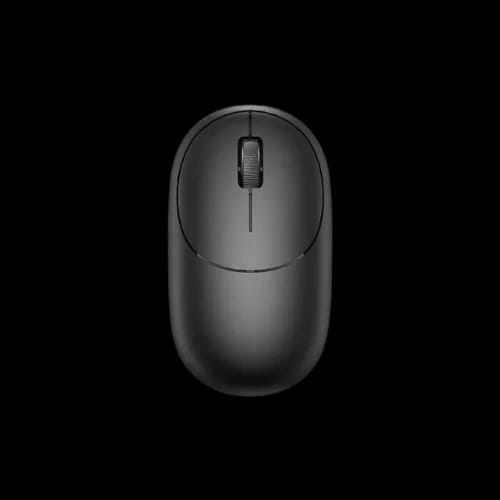
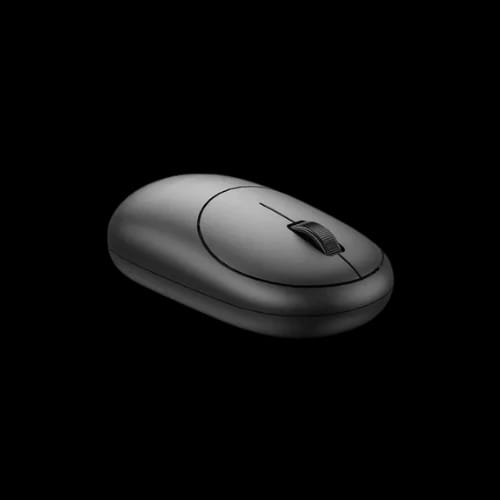
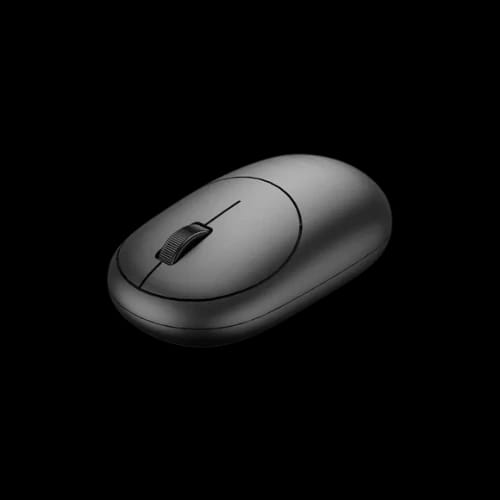
WiWU WM107 Wimice Wireless Mouse
Key Features
- 1200 DPI tracking
- USB dongle wireless
- Lightweight 52 gm
- ABS body build
- 06-month warranty
Out Of Stock
Share:
Any Questions? Ask On
Technical Specifications
General
Input & Control
Connectivity
Build & Design
Power
Warranty
Product Description
WiWU WM107 Wimice Wireless Mouse
Tired of laggy cursor control? WiWU WM107 Wimice Wireless Mouse keeps daily work simple, light, and responsive.
A mouse should feel natural from the first click. If your current one feels bulky, inconsistent, or messy because of cable drag, this WiWU WM107 Wimice Wireless Mouse offers a cleaner way to work. For buyers in Bangladesh looking for a practical Computer Accessories upgrade, this Mouse fits the kind of everyday use that matters most.
The design stays straightforward, which is exactly the point. It is built for users who want reliable wireless control, a lightweight body, and a familiar shape that does not fight the hand during long sessions.
WiWU WM107 Wimice Wireless Mouse for Everyday Wireless Control
The WiWU WM107 Wimice Wireless Mouse uses a USB dongle connection, making setup easy for users who want a fast desktop or laptop accessory without added fuss. Plug it in, connect, and get back to work with fewer distractions on the desk.
Its 1200 DPI resolution suits common office work, browsing, study sessions, and general home use. That makes it a sensible choice for students, freelancers, office users, and anyone building a tidy workstation in Dhaka or anywhere else in Bangladesh.
This model keeps the experience focused on basic comfort and practical use. No unnecessary extras. Just a wireless mouse that covers daily needs with a clean, efficient approach.
WiWU WM107 Wimice Wireless Mouse Performance for Office, Study, and Home Use
Daily computing does not always need aggressive gaming-grade sensitivity or a heavy shell. Many users just need stable cursor movement, easy clicks, and a mouse that does not feel tiring after hours of work.
That is where this model makes sense.
- 1200 DPI supports smooth navigation for routine tasks
- 3-key layout keeps operation familiar and uncomplicated
- USB dongle connection reduces cable clutter
- Lightweight 52 gm body feels easy to carry and handle
- ABS material supports regular day-to-day use
For document editing, online classes, web browsing, and spreadsheet work, this mouse fits the rhythm of normal computing. It also suits shared desks where users want a simple plug-and-play wireless option.
Why the WiWU WM107 Wimice Wireless Mouse Feels Practical
A lot of buyers overcomplicate mouse shopping. They chase flashy extras, then end up with something uncomfortable for basic work. This WiWU Mouse stays on the practical side of the category, which often makes it the better buy for regular users.
The light 52 gm weight is a real advantage for portable use. If you move between office, campus, and home, a lighter Mouse is easier to carry in a laptop bag without adding noticeable bulk.
Its black finish also works well in almost any setup. Whether the desk is minimal, professional, or shared with other accessories, the look stays clean and neutral.
Wireless Mouse Convenience Without the Desk Mess
Cable drag may sound minor until you deal with it every day. A wireless mouse can make a workstation feel neater, especially in smaller desk setups where every bit of space matters.
The WiWU WM107 Wimice Wireless Mouse is a good fit for:
- Student study tables with limited desk space
- Freelancer workstations using laptops
- Front-desk office systems
- Home PCs for family use
- Basic business setups and reception counters
- Light productivity environments at gaming cafes for admin systems
It also makes sense as a secondary mouse for travel or backup use. Many buyers in Bangladesh want a dependable accessory that can move between devices without much effort. This one fits that kind of routine well.
Battery Life and Efficiency of the WiWU WM107 Wimice Wireless Mouse
Battery-powered wireless devices are often judged by convenience. If they drain too quickly or need constant attention, users get frustrated. This model uses an AA battery and lists a long standby time of 63 months, which speaks to low-demand usage and practical power handling.
For the average user, that means less time thinking about the mouse and more time simply using it. That matters in busy office environments, home study desks, and business counters where downtime is annoying and unnecessary.
The result is a Mouse that feels suitable for people who value low-maintenance accessories. It is not trying to be flashy. It is trying to stay useful.
WiWU WM107 Wimice Wireless Mouse Compatibility and Real Use Cases
This wireless mouse works well for people who want a familiar accessory that fits common computing habits. The USB dongle connection makes it especially useful for desktops and laptops where quick setup matters.
A few real-world scenarios make the value clearer:
For student builds
Students often need affordable, portable Computer Accessories that work across classes, assignments, and casual browsing. A lightweight wireless Mouse is easier to carry and keeps a laptop desk less crowded.
For freelancer desks
Freelancers working with documents, emails, browser tabs, and client communication usually care more about comfort and consistency than flashy extras. This WiWU WM107 Wimice Wireless Mouse fits that pattern nicely.
For office counters and shared systems
Shared-use workstations need something simple. A 3-key mouse with standard DPI and wireless freedom is often the most practical answer.
Reliability, Warranty, and After-Sales Support in Bangladesh
Buying a Mouse is not just about the product itself. It is also about where you buy it from. That matters even more in Bangladesh, where buyers often want direct support instead of vague service promises.
The WiWU WM107 Wimice Wireless Mouse comes with a 06-months warranty. That gives added confidence for users who want a dependable daily accessory from a trusted retail source.
At PCB Store, after-sales service matters. Warranty claims, technical issues, and product support are handled directly through PCB Store, giving buyers in Dhaka and across Bangladesh a more reliable ownership experience.
WiWU WM107 Wimice Wireless Mouse Price in Bangladesh and Why It Makes Sense
For buyers searching WiWU WM107 Wimice Wireless Mouse price in Bangladesh, the appeal is clear. It offers wireless convenience, a lightweight body, practical DPI, and a clean everyday design in one accessible Mouse option.
If you want a Computer Accessories upgrade that feels easy to live with, this model deserves attention. It is a smart fit for routine productivity, study use, and tidy desk setups.
Stock can move quickly on practical accessories like this, especially when users want an easy wireless solution from a trusted store. If the WiWU WM107 Wimice Wireless Mouse is available at PCB Store Dhaka, it is worth securing before availability changes.
Delivery Charge Info
Inside Dhaka: ৳80
Outside Dhaka: ৳130
FAQs
Is the WiWU WM107 Wimice Wireless Mouse good for office work?
Yes, it suits office use well. The 1200 DPI setting and simple 3-key layout work nicely for documents, browsing, email, and everyday productivity without adding unnecessary complexity.
Does the WiWU WM107 Wimice Wireless Mouse support laptops and desktops?
Yes, it connects through a USB dongle, so it is suitable for compatible laptops and desktop PCs that support standard USB wireless mouse receivers.
Is the WiWU WM107 Wimice Wireless Mouse good for gaming?
It is better suited to daily computing than competitive gaming. For office tasks, browsing, and study use, it makes more sense than performance-focused gaming scenarios.
How much power does the WiWU WM107 Wimice Wireless Mouse use?
It runs on an AA battery and is designed for practical wireless use. Its listed 63-month standby time suggests low-maintenance day-to-day operation for regular users.
Does the WiWU WM107 Wimice Wireless Mouse have heating or thermal issues?
A wireless mouse like this does not usually face the kind of thermal concerns seen in heavier electronics. Under normal use, buyers typically focus more on battery condition and stable connection.
WiWU WM107 Wimice Wireless Mouse vs wired mouse: which is better?
This depends on your use style. If you want a cleaner desk and easier movement, this wireless model is the better fit. Wired options may suit users who prefer a cable-connected setup.
Is the WiWU WM107 Wimice Wireless Mouse comfortable for travel?
Yes, its light 52 gm weight makes it easy to carry with a laptop. It works well for users who move between home, office, campus, or client locations.
What is the warranty for the WiWU WM107 Wimice Wireless Mouse?
This mouse comes with a 06-months warranty. That gives extra peace of mind for buyers who want support from a trusted retail store in Bangladesh.
What is the price of WiWU WM107 Wimice Wireless Mouse at PCB Store in Bangladesh?
Price and availability can change, so it is best to check PCB Store directly for the latest WiWU WM107 Wimice Wireless Mouse price in Bangladesh and current stock status.
Popular Products