Technical Specifications
Specifications
Product Description
Onikuma L2: Desktop Audio with RGB Lighting
Introduction
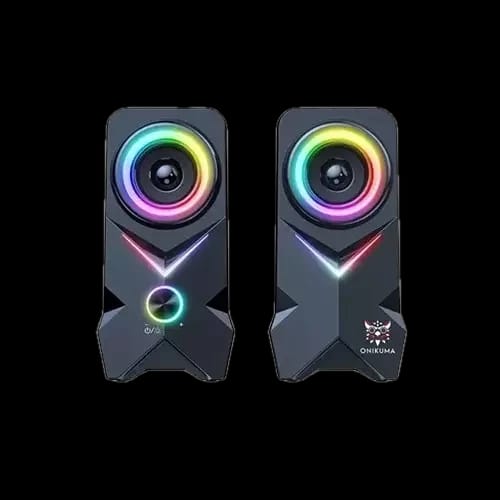
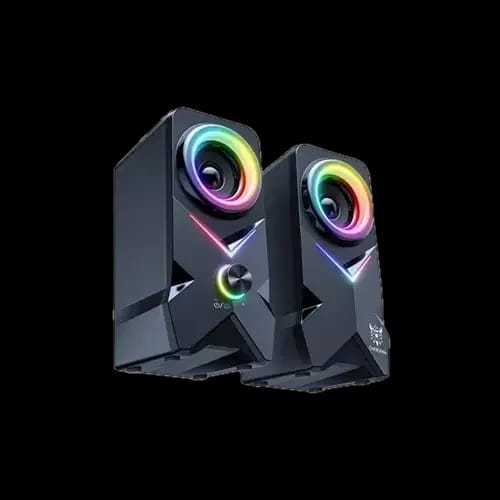
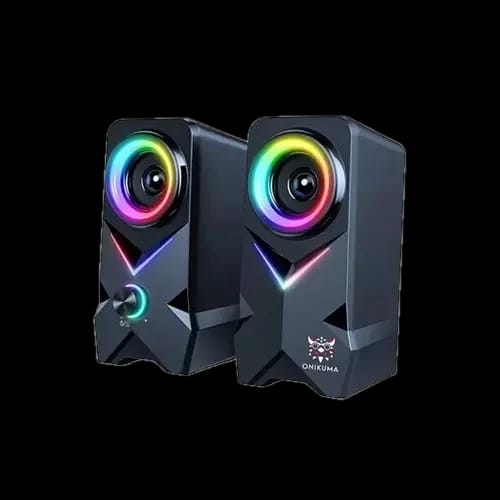
The Onikuma L2 RGB Gaming Speaker brings external sound and colorful lighting to a computer desk. Its two speaker enclosures can sit beside a monitor or laptop, with a physical knob for convenient control. The price in Bangladesh is BDT 1,699 at PCB Store, including a 1-year warranty.
Product Overview
The L2 uses a 3.5mm AUX connection for audio and USB for power. Check both requirements when planning a setup: the audio source needs a suitable output, and the USB source must provide the required power. Keeping those connections distinct makes installation easier and helps when checking why a speaker is not producing sound.
Arrange the enclosures on a stable desk surface with clear space around the front of each speaker. Leave room for your keyboard, mouse and other accessories so the audio equipment does not interfere with everyday movement. A balanced placement on either side of the display can provide a useful starting arrangement.
Key Features & Benefits
External Desktop Sound
The listed 3W output rating and compact format suit a nearby desktop listening position. Use the system for videos, games, music and normal computer audio at an appropriate level. Begin with the volume low and increase it gradually, adjusting the computer and speaker controls together to find a suitable setting.
RGB Appearance
Dynamic RGB lighting adds seven or more colors to the setup. It can complement an illuminated keyboard or other gaming accessories without changing how the audio connection works. Consider the lighting alongside the rest of the desk, especially if you use the same space for both work and entertainment.
Physical Knob Control
The physical knob gives you an accessible control at the speaker rather than relying entirely on software menus. Position the control where you can reach it easily without moving the enclosure. Familiarize yourself with the supplied operating instructions before adjusting lighting or other functions.
Performance / Technical Highlights
The L2 specifies a 60Hz–20kHz frequency range and uses a USB 5V/1A power supply. A 1.5m power cable gives a reference when planning the distance to a suitable USB source. Route the audio and power leads neatly, leaving enough slack to move the laptop or display without pulling a connector.
Black plastic cabinets and 2.5-inch drivers complete the desktop format. Keep objects from covering the speaker fronts and avoid placing the system where liquids could spill into the enclosures.
Who Is It For?
The L2 suits buyers who want external wired audio for a desk with a compatible AUX source. Check the source connections before choosing it for a phone, console or other device.
Warranty & Reliability
A 1-year warranty is included. Retain the sales receipt and model details for assistance.
Maintenance / Pro Tips
Disconnect power before cleaning, use a soft dry cloth and keep moisture away from the controls and speaker openings.
Conclusion
Choose the Onikuma L2 at PCB Store for BDT 1,699. Its wired AUX connection, USB power and RGB lighting provide a straightforward desktop audio option for compatible setups in Bangladesh.
Delivery Charge Info
Inside Dhaka: ৳80
Outside Dhaka: ৳130
FAQs
What is the Onikuma L2 price in Bangladesh?
The Onikuma L2 costs BDT 1,699 at PCB Store.
How does the Onikuma L2 connect?
It uses a 3.5mm AUX connection for audio and USB for power.
Does the L2 need a battery?
No. It operates from a suitable USB 5V/1A power source.
What is the speaker output rating?
The published output-power rating is 3W.
Does the L2 have RGB lighting?
Yes. It has dynamic RGB lighting with seven or more colors.
How many speaker enclosures are included?
The system has two speaker enclosures for desktop placement.
Which devices can use the L2?
Use it with a compatible 3.5mm audio source and a suitable USB power supply. Check both connections on the intended device.
What warranty is included?
The Onikuma L2 includes a 1-year warranty.
Popular Products