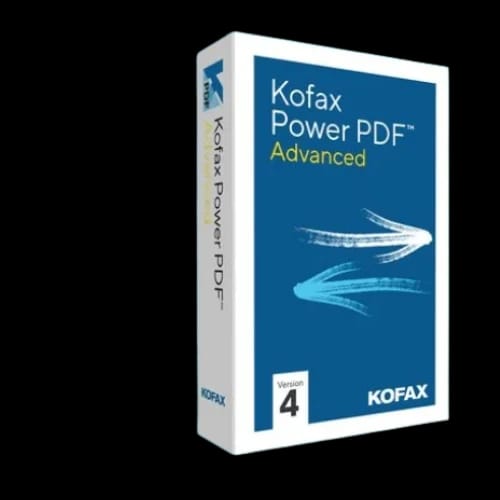
Kofax Power PDF Advanced
Key Features
- Kofax Power PDF Advanced
- Advanced PDF editing
- Enhanced OCR
- Built-in eSignatures
- Secure redaction
- Real-time collaboration
Out Of Stock
Share:
Any Questions? Ask On
Technical Specifications
General Information
Core PDF Functions
Security & Control
Collaboration & Workflow
Warranty & Policy
Product Description
Kofax Power PDF Advanced — Still struggling with slow PDF edits and security gaps that delay real work?
Kofax Power PDF Advanced removes friction from daily document tasks. It targets teams tired of juggling tools, broken formatting, and approval delays. This PDF editor focuses on speed, control, and clarity from the first launch.
Built for serious document workloads, Kofax Power PDF Advanced blends familiar design with advanced functions. Users create, convert, review, and protect files without workflow detours. That balance makes it a strong fit for modern offices and transaction-driven environments.
Kofax Power PDF Advanced overview for business document control
Kofax Power PDF Advanced sits inside the Office Equipment category as a software-first productivity tool. It supports document-heavy operations that rely on accuracy, traceability, and secure sharing.
The interface follows an Office-style layout. Users recognize menus instantly. Training time drops. Work begins faster. This design choice matters for teams handling high document volumes.
Power PDF Advanced includes every function from the Standard edition. It adds advanced OCR, redaction, eSignatures, Bates stamping, and collaboration tools. These features support legal, finance, retail, and administrative workflows.
PDF editing and conversion performance with Kofax Power PDF Advanced
Editing PDFs should feel direct. Kofax Power PDF Advanced allows text edits, layout changes, and page reordering without format loss. Converted files keep structure intact, reducing cleanup work.
The software handles PDF creation from common document formats. Users compile multiple files into one PDF within minutes. This helps teams preparing reports, contracts, or compliance packets.
Enhanced OCR stands out for scanned documents. It converts images into searchable, editable text. This improves record retrieval and long-term archiving.
Key features that define Kofax Power PDF Advanced
Kofax Power PDF Advanced focuses on features professionals use daily. Each tool supports accuracy, control, and time savings.
- Advanced PDF editing
- Enhanced OCR accuracy
- Built-in eSignatures
- Secure redaction tools
- Bates stamping support
- Real-time collaboration
These features support structured workflows common in POS Softwares environments. Documents move between sales, accounting, and management without rework.
Security and redaction capabilities in Kofax Power PDF Advanced
Document security remains a priority for regulated industries. Kofax Power PDF Advanced includes file protection options that control access and usage.
Users apply password protection and certificate-based security. Permissions restrict printing, editing, or copying. These controls reduce data exposure risks.
Redaction tools remove sensitive content permanently. This supports compliance requirements for legal, financial, and customer data. Redacted information cannot be recovered, even after sharing.
Collaboration tools built into Kofax Power PDF Advanced
Teams rarely work alone on documents. Kofax Power PDF Advanced supports real-time collaboration features that reduce version conflicts.
Multiple users review and comment on documents simultaneously. Markups remain tracked and visible. Feedback cycles shorten. Decisions move faster.
This capability suits distributed teams and branch-based operations. It aligns well with organizations managing documents alongside POS Softwares used in daily transactions.
Workflow efficiency for growing businesses
Kofax Power PDF Advanced fits both individuals and expanding businesses. It supports structured workflows without enterprise-only complexity.
Users compile documents, apply signatures, and finalize approvals in one environment. This reduces reliance on third-party tools. Software sprawl decreases.
The familiar interface supports consistent usage across departments. Finance, HR, sales, and operations follow the same document standards.
Compatibility and deployment considerations
Kofax Power PDF Advanced runs on Windows systems. It installs as desktop software, keeping document control local when required.
This deployment suits businesses prioritizing data ownership. Files remain within internal storage or approved cloud environments.
Compatibility with common file formats allows smooth integration into existing workflows. Users avoid file conversion errors that slow processes.
Reliability and purchase protection
Kofax offers a 30-day money-back guarantee for individual licenses purchased directly. This policy reduces purchase risk and builds trust.
The guarantee excludes enterprise volume licensing. Individual users and small teams benefit from evaluation flexibility.
This commitment reflects confidence in product stability and user satisfaction.
Why Kofax Power PDF Advanced fits Office Equipment needs
Office Equipment now extends beyond physical devices. Software tools drive productivity outcomes. Kofax Power PDF Advanced fills a critical role in document management.
It supports secure operations, consistent formatting, and faster approvals. These outcomes matter in competitive environments where time and accuracy affect revenue.
For businesses in Bangladesh seeking dependable document control, this software aligns with professional requirements and budget awareness.
Where Kofax Power PDF Advanced fits within POS-driven workflows
POS Softwares generate invoices, receipts, and reports daily. These documents require editing, signing, archiving, and sharing.
Kofax Power PDF Advanced handles these tasks without breaking workflow continuity. Documents remain accurate from transaction to record storage.
This makes it suitable for retail, service centers, and multi-branch operations.
Ready to move forward with Kofax Power PDF Advanced
Businesses ready to streamline document operations can find Kofax Power PDF Advanced available through PCB Store in Bangladesh. It supports professional workflows without long onboarding cycles.
Teams gain control over documents from creation to approval. Productivity improves without sacrificing security.
Delivery Charge Info
Inside Dhaka: ৳0
Outside Dhaka: ৳0
FAQs
Is Kofax Power PDF Advanced suitable for business use?
Yes. It supports individuals and businesses handling high document volumes. Features like OCR, redaction, and collaboration fit professional workflows across finance, legal, and operations teams.
Does Kofax Power PDF Advanced support scanned documents?
Yes. Enhanced OCR converts scanned images into searchable and editable text. This improves document retrieval and reduces manual data entry.
How secure is Kofax Power PDF Advanced?
It includes password protection, certificate-based security, permissions control, and permanent redaction. These features help protect sensitive business and customer information.
Can multiple users collaborate on the same PDF?
Yes. Real-time collaboration allows users to review, comment, and markup documents together. This reduces version conflicts and speeds approval cycles.
Does Kofax Power PDF Advanced consume high system resources?
No. It runs efficiently on supported Windows systems. Performance remains stable during editing, conversion, and OCR tasks.
Is Kofax Power PDF Advanced better than Adobe Acrobat?
Kofax Power PDF Advanced offers similar core features with a familiar interface and lower cost focus. Choice depends on workflow preferences and licensing needs.
Can it be used with POS-related documents?
Yes. It works well with invoices, receipts, and reports generated by POS Softwares, supporting editing, signing, and secure storage.
What is the refund policy for Kofax Power PDF Advanced?
Kofax offers a 30-day money-back guarantee on individual licenses purchased directly. Enterprise volume licenses are excluded.
What is the price and availability at PCB Store in Bangladesh?
PCB Store offers Kofax Power PDF Advanced for customers in Bangladesh. Pricing and availability depend on current stock and licensing options.
Popular Products